---
url: https://rstest.rs/guide/start/index.md
---
> For AI agents: the complete documentation index is available at https://rstest.rs/llms.txt, the full documentation bundle is available at https://rstest.rs/llms-full.txt.
# Introduction
Rstest is a JavaScript testing framework powered by Rspack. It delivers comprehensive, first-class support for the Rspack ecosystem, enabling seamless integration into existing Rspack-based projects.
Rstest offers full Jest-compatible APIs while providing native, out-of-the-box support for TypeScript, ESM, CJS, and more, ensuring a modern and efficient testing experience.
## ✨ Why Rstest
Rstest is built on top of Rspack and Rsbuild, and works out of the box with built-in support for common use cases such as TypeScript, ESM, CJS, and CSS Modules. Even if you are not using Rspack, Rstest can be adopted without migrating your existing build system.
For projects already using the Rstack toolchain (Rspack, Rsbuild, Rslib, etc.), Rstest can further **reuse your existing build configuration**—including module resolution, code transformation, and plugin capabilities—eliminating the need to maintain separate transform or resolver setups for testing.
In terms of execution model, Rstest runs tests using a dependency graph–based **bundle model**, rather than the traditional per-file transform-and-execute approach. This enables it to fully leverage build-time optimizations—such as tree-shaking and skipping unused re-exports in side-effect-free barrel files—bringing test behavior closer to real production output. As a result, Rstest reduces redundant module transformations and executions in large-scale projects, improving both performance and stability.
See [Module side effects](https://rstest.rs/guide/advanced/side-effects.md) for how `sideEffects` declarations affect initialization imports.
By integrating testing into the build pipeline, Rstest simplifies the overall toolchain, reduces the duplicated cost of maintaining separate configuration and plugin systems, and allows testing to fit more naturally into modern engineering architectures such as monorepos and complex applications.
In the future, Rstest will continue evolving around a unified “build + test” model—exploring more efficient approaches to quality assurance, and integrating more deeply with CI systems and AI-driven workflows.
## 🔥 Roadmap
Rstest now supports core testing scenarios including Node / DOM testing, mocking, multi-project testing, and coverage collection, and has been successfully implemented in Rstack projects (including Rsbuild, Rslib, Rspack, and others).
The project is currently in active development, and we will continue to refine functionality and enhance the user experience based on community feedback. For future development plans, please refer to the [Rstest Roadmap](https://github.com/web-infra-dev/rstest/issues/85).
## 🦀 Rstack
Rstest is part of Rstack, the fast, unified JavaScript toolchain for developers and agents.
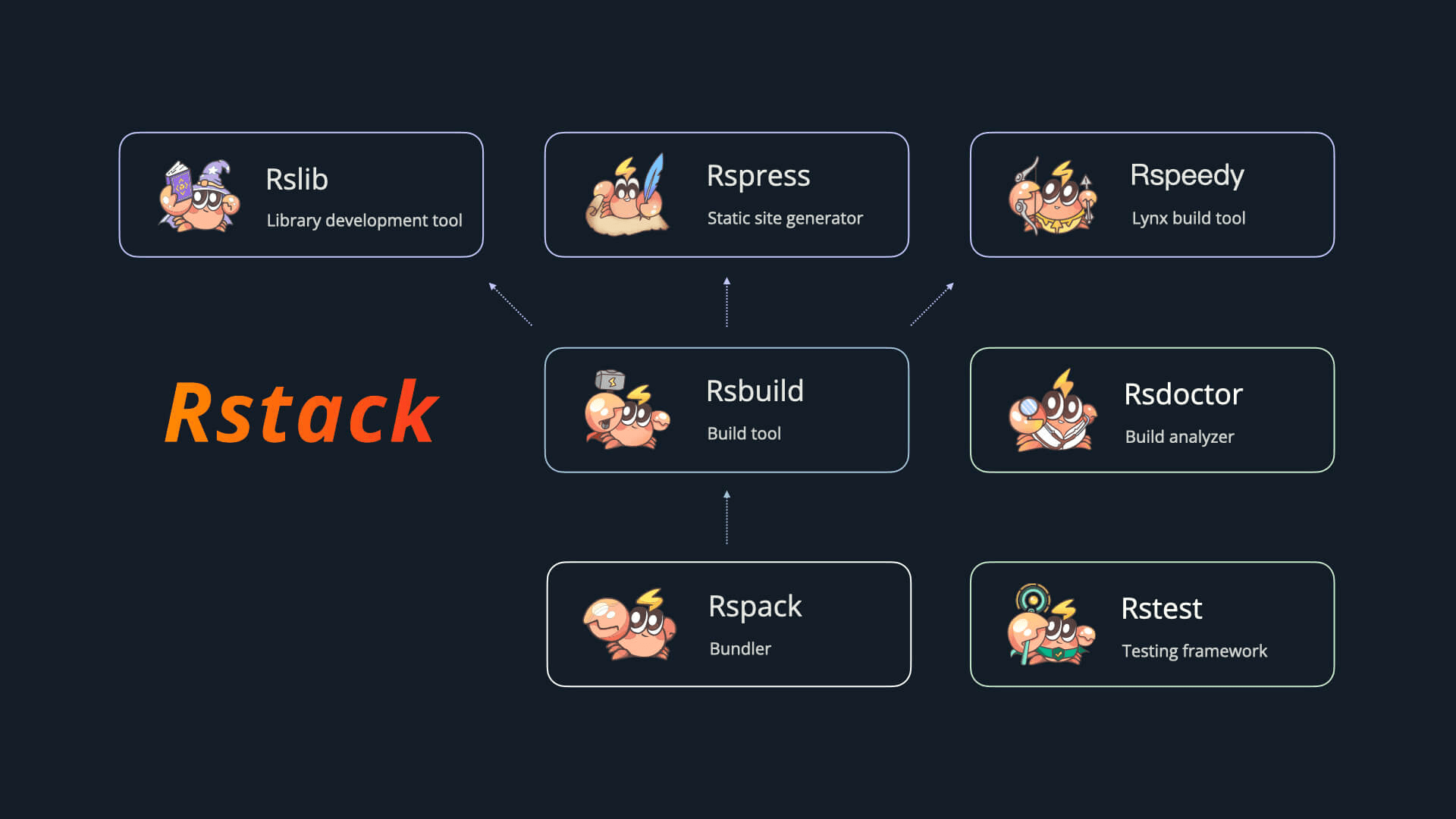
Rstack includes the following tools:
| Name | Description | Version |
| ----------------------------------------------------- | ------------------------ | -------------------------------------------------------------------------------------------------------------------------------------------------------------------------------- |
| [Rspack](https://github.com/web-infra-dev/rspack) | Bundler | -h` to see command-specific options. For example, `npx rstest init -h` only shows initialization options, while `npx rstest merge-reports -h` only shows merge-related options.
## rstest \[...filters]
Running `rstest` directly will enable the Rstest test in the current directory.
```bash
$ npx rstest
✓ test/index.test.ts (2 tests) 1ms
Test Files 1 passed (1)
Tests 2 passed (2)
Duration 189 ms (build 22 ms, tests 167 ms)
```
Wrap a filter in matching single or double quotes to match an exact absolute or root-relative path; the shell removes one layer of quotes, so use two layers:
```bash
rstest run '"src/foo.test.ts"'
```
### Watch mode
If you want to automatically rerun the test when the file changes, you can use the `--watch` flag or `rstest watch` command:
```bash
$ npx rstest --watch
```
## rstest run
`rstest run` will perform a single run, and the command is suitable for CI environments or scenarios where tests are not required to be performed while modifying.
### Run related tests
[Added in v0.10.0](https://github.com/web-infra-dev/rstest/releases/tag/v0.10.0)
Use `--related` when you want Rstest to treat positional arguments as source files and only run the tests that depend on those files.
```bash
npx rstest run --related src/button.ts
```
Rstest resolves related tests from the build module graph, so the same filter works for Node mode and Browser Mode projects. You can also use the Jest-compatible alias:
```bash
npx rstest run --findRelatedTests src/button.ts
```
Compilation errors in files that are unrelated to the requested source do not fail `--related` or `--changed`. If a test file itself fails to compile it cannot be analyzed, so it may be missed by the selection and a warning is printed. `passWithNoTests` only permits an empty selection.
If you only want to inspect the affected test files, combine it with `rstest list`:
```bash
npx rstest list --related src/button.ts --filesOnly
```
`--related` and `--findRelatedTests` are not supported in watch mode, which already reruns the tests affected by your file changes.
### Run changed tests
[Added in v0.10.0](https://github.com/web-infra-dev/rstest/releases/tag/v0.10.0)
Use `--changed` to collect changed files from the current Git repository and run the tests related to those files. By default, it includes unstaged, staged, and untracked files, which is useful for local development before committing:
```bash
npx rstest run --changed
```
You can also pass a commit or branch. Rstest will include files changed between that ref and `HEAD`, plus local staged, unstaged, and untracked files:
```bash
npx rstest run --changed=HEAD~1
npx rstest run --changed=origin/main
```
When a changed file matches [`forceRerunTriggers`](https://rstest.rs/config/test/force-rerun-triggers.md), Rstest runs the whole test suite instead of only related tests.
When coverage is enabled and [`coverage.changed`](https://rstest.rs/config/test/coverage.md#changed) is not configured, `--changed` also limits coverage reports to changed source files. If a changed file matches [`forceRerunTriggers`](https://rstest.rs/config/test/force-rerun-triggers.md), Rstest runs the whole test suite and reports full coverage unless `coverage.changed` is explicitly enabled.
Use `rstest list` to preview which tests would run without executing them:
```bash
npx rstest list --changed --filesOnly
```
`--changed` cannot be combined with positional filters or `--related` / `--findRelatedTests`, because it already provides the source-file filter from Git state. It is not supported in watch mode either.
### Run a shard \{#sharding-tests}
Use `--shard /` to split test files into several shards for parallel execution. `count` is the total number of shards and `index` (1-based) is the shard to run.
```bash
# Split tests into 3 shards, run the 1st shard
npx rstest run --shard 1/3
```
This is especially useful in CI/CD, where you split the suite across jobs to reduce overall test time, then merge the per-shard reports with [`rstest merge-reports`](#rstest-merge-reports).
Test files are sorted by the SHA-1 hash of their path relative to the root of the Rstest run, with path separators normalized to `/`. This spreads files from the same directory across shards while keeping the result consistent across runs and checkout locations. Sharding happens during the test-file scanning phase, before the build, to optimize performance. Make sure the `count` and `index` values are valid (`1 <= index <= count`).
Files are distributed evenly across shards, with any remainder assigned one file at a time to the first shards. For example, 10 files split into 3 shards produce 4, 3, and 3 files, respectively.
## rstest watch
`rstest watch` will start listening mode and execute tests, and when the test or dependent file modifications, the associated test file will be re-execute.
## rstest list
`rstest list` will print a test list of all matching conditions. By default, it prints the test names of all matching tests.
```bash
$ npx rstest list
# the output is shown below:
a.test.ts > test a > test a-1
a.test.ts > test a-2
b.test.ts > test b > test b-1
b.test.ts > test b-2
```
The `rstest list` command inherits all `rstest` filtering options, you can filter files directly or use `-t` to filter the specified test name.
```bash
$ npx rstest list -t='test a'
# the output is shown below:
a.test.ts > test a > test a-1
a.test.ts > test a-2
```
You can use `--filesOnly` to make it print the test files only:
```bash
$ npx rstest list --filesOnly
# the output is shown below:
a.test.ts
b.test.ts
```
You can use `--json` to make it print tests in JSON format in terminal or save the results to a separate file:
```bash
$ npx rstest list --json
$ npx rstest list --json=./output.json
```
You can use `--includeSuites` to print test suites along side test cases:
```bash
$ npx rstest list
# the output is shown below:
a.test.ts > test a
a.test.ts > test a > test a-1
a.test.ts > test a-2
b.test.ts > test b
b.test.ts > test b > test b-1
b.test.ts > test b-2
```
You can use `--printLocation` to print location of tests:
```bash
$ npx rstest list
# the output is shown below:
a.test.ts:4:5 > test a > test a-1
a.test.ts:9:3 > test a-2
b.test.ts:4:5 > test b > test b-1
b.test.ts:9:3 > test b-2
```
You can use `--summary` to append a compact summary after the list output:
```bash
$ npx rstest list --summary
# the output is shown below:
a.test.ts > test a > test a-1
a.test.ts > test a-2
b.test.ts > test b > test b-1
b.test.ts > test b-2
c.test.ts > test c it each 0
c.test.ts > test c it for 0
c.test.ts > test c it runIf
c.test.ts > test c it skipIf
Test Files 3 matched
Tests 8 matched
```
When used with `--json`, `--summary` changes the JSON output shape from an array to an object with `items` and `summary` fields.
## rstest merge-reports
[Added in v0.9.3](https://github.com/web-infra-dev/rstest/releases/tag/v0.9.3)
`rstest merge-reports` merges blob reports generated by multiple test shards into a single unified report. This is useful when running tests in parallel across multiple CI machines using [`--shard`](#sharding-tests).
### Workflow
1. Run each shard with the `blob` reporter to generate blob report files:
```bash
# On CI machine 1
npx rstest run --shard 1/3 --reporters=blob
# On CI machine 2
npx rstest run --shard 2/3 --reporters=blob
# On CI machine 3
npx rstest run --shard 3/3 --reporters=blob
```
2. Collect all `.rstest-reports/` directories into a single location, then merge:
```bash
npx rstest merge-reports
```
By default, blob reports are read from `.rstest-reports/` in the project root. You can specify a custom path:
```bash
npx rstest merge-reports ./custom-reports-dir
```
The merge command will:
- Combine test results from all blobs
- Run configured reporters (e.g., `default`, `junit`) with the merged data
- Merge the coverage collected by all blob-producing runs (if coverage is enabled)
- Apply `coverage.include` once to add files that none of those runs tested
- Generate coverage reports and check thresholds against the unified result
With coverage providers that support deferred finalization, runs using the blob reporter deliberately skip coverage report generation and threshold checks. Runs without the blob reporter finalize coverage normally, including sharded runs. Older providers retain their existing per-run finalization behavior. Enable coverage for `merge-reports` through your configuration or the `--coverage` flag so the merge job can finalize coverage. The merge command accepts the same `--coverage.*` options as `rstest run`. Coverage options passed only to a blob-producing run are not stored in its blob, so define finalization options such as `coverage.include`, `coverage.reporters`, and `coverage.reportsDirectory` in the configuration file or repeat them on `merge-reports`.
Use `--cleanup` to remove the blob report inputs after merging. The directory is also removed when it becomes empty. If `coverage.reportsDirectory` is the blob directory or one of its subdirectories, generated coverage reports and their containing directory are retained:
```bash
npx rstest merge-reports --cleanup
```
## rstest init
`rstest init` creates starter configuration for supported project types.
```bash
npx rstest init
```
Currently, `browser` is the available initializer:
```bash
npx rstest init browser
```
Use `--yes` to skip the interactive prompt and apply the default setup:
```bash
npx rstest init browser --yes
```
## CLI options
Rstest CLI options are registered per command instead of being shared by every command.
### Test commands
`rstest`, `rstest run`, and `rstest watch` share the same test runtime options, except `--related`, `--findRelatedTests`, `--changed`, and `--shard`, which are rejected in watch mode:
| Flag | Description |
| ----------------------------------- | ------------------------------------------------------------------------------------------------------------------------------------------------------------------------------------------------------------------------- |
| `--bail [number]` | Abort the test run after the specified number of test failures, see [bail](https://rstest.rs/config/test/bail.md) |
| `--browser, --browser.enabled` | Run tests in Browser Mode, see [browser](https://rstest.rs/config/test/browser.md) |
| `--browser.headless` | Run browser in headless mode (default: `true` in CI), see [browser](https://rstest.rs/config/test/browser.md) |
| `--browser.screenshotFailures` | Save a screenshot for each failed browser test, see [browser](https://rstest.rs/config/test/browser.md#screenshotfailures) |
| `--browser.name ` | Browser to use: `chromium`, `firefox`, `webkit` (default: `chromium`), see [browser](https://rstest.rs/config/test/browser.md) |
| `--browser.port ` | Port for the Browser Mode dev server, see [browser](https://rstest.rs/config/test/browser.md) |
| `--browser.strictPort` | Exit if the specified port is already in use, see [browser](https://rstest.rs/config/test/browser.md) |
| `--changed [commit]` | Run tests related to changed files in the current Git repository, optionally since a commit |
| `--clearMocks` | Automatically clear mock calls, instances, contexts and results before every test, see [clearMocks](https://rstest.rs/config/test/clear-mocks.md) |
| `-c, --config ` | Specify the configuration file, can be a relative or absolute path, see [Specify config file](https://rstest.rs/guide/basic/configure-rstest.md#specify-config-file) |
| `--config-loader ` | Specify the config loader (`auto` \| `jiti` \| `native`), see [Rsbuild - Specify config loader](https://rsbuild.rs/guide/configuration/rsbuild#specify-config-loader) |
| `--coverage` | Enable code coverage collection, see [coverage](https://rstest.rs/config/test/coverage.md) |
| `--coverage.allowExternal` | Collect coverage for files outside the project root, see [coverage.allowExternal](https://rstest.rs/config/test/coverage.md#allowexternal) |
| `--coverage.changed [commit]` | Collect coverage only for changed files in the current Git repository, optionally since a commit |
| `--coverage.clean` | Clean the coverage directory before running tests, see [coverage.clean](https://rstest.rs/config/test/coverage.md#clean) |
| `--coverage.enabled` | Enable code coverage collection, see [coverage.enabled](https://rstest.rs/config/test/coverage.md#enabled) |
| `--coverage.exclude ` | Exclude files from coverage collection, see [coverage.exclude](https://rstest.rs/config/test/coverage.md#exclude) |
| `--coverage.include ` | Include files for coverage collection, see [coverage.include](https://rstest.rs/config/test/coverage.md#include) |
| `--coverage.provider ` | Choose the coverage provider (`istanbul` \| `v8`), see [coverage.provider](https://rstest.rs/config/test/coverage.md#provider) |
| `--coverage.reporters ` | Specify coverage reporter(s), see [coverage.reporters](https://rstest.rs/config/test/coverage.md#reporters) |
| `--coverage.reportOnFailure` | Generate coverage reports even when tests fail, see [coverage.reportOnFailure](https://rstest.rs/config/test/coverage.md#reportonfailure) |
| `--coverage.reportsDirectory ` | Directory to store coverage reports, see [coverage.reportsDirectory](https://rstest.rs/config/test/coverage.md#reportsdirectory) |
| `--dev.writeToDisk` | Write test temporary files to disk, see [dev.writeToDisk](https://rstest.rs/config/build/dev.md#devwritetodisk) |
| `--detectAsyncLeaks` | Detect async resources that leak after tests finish, see [detectAsyncLeaks](https://rstest.rs/config/test/detect-async-leaks.md) |
| `--disableConsoleIntercept` | Disable console intercept, see [disableConsoleIntercept](https://rstest.rs/config/test/disable-console-intercept.md) |
| `--exclude ` | Exclude files from test, see [exclude](https://rstest.rs/config/test/exclude.md) |
| `--findRelatedTests` | Alias for `--related` for Jest compatibility |
| `--globals` | Provide global APIs, see [globals](https://rstest.rs/config/test/globals.md) |
| `-h, --help` | Display help for command |
| `--hideSkippedTestFiles` | Do not display skipped test file logs, see [hideSkippedTestFiles](https://rstest.rs/config/test/hide-skipped-test-files.md) |
| `--hideSkippedTests` | Do not display skipped test logs, see [hideSkippedTests](https://rstest.rs/config/test/hide-skipped-tests.md) |
| `--hookTimeout ` | Timeout of hook in milliseconds, see [hookTimeout](https://rstest.rs/config/test/hook-timeout.md) |
| `--teardownTimeout ` | Time to wait for the process to exit after the run finishes, in milliseconds. 0 exits immediately. See [teardownTimeout](https://rstest.rs/config/test/teardown-timeout.md). |
| `--include ` | Specify test file matching pattern, see [include](https://rstest.rs/config/test/include.md) |
| `--includeTaskLocation` | Collect test and suite locations, see [includeTaskLocation](https://rstest.rs/config/test/include-task-location.md) |
| `--isolate` | Run tests in an isolated environment, see [isolate](https://rstest.rs/config/test/isolate.md) |
| `--logHeapUsage` | Print heap usage for each test, see [logHeapUsage](https://rstest.rs/config/test/log-heap-usage.md) |
| `--maxConcurrency ` | Maximum number of concurrent tests, see [maxConcurrency](https://rstest.rs/config/test/max-concurrency.md) |
| `-f, --onlyFailures` | Run only the test files that failed in the previous run, see [onlyFailures](https://rstest.rs/config/test/only-failures.md) |
| `--output.cleanDistPath` | Clean test temporary files before the test starts, see [output.cleanDistPath](https://rstest.rs/config/build/output.md#outputcleandistpath) |
| `--output.emitAssets` | Emit imported static assets, see [output.emitAssets](https://rstest.rs/config/build/output.md#outputemitassets) |
| `--output.module` | Output JavaScript files in ES module format, see [output.module](https://rstest.rs/config/build/output.md#outputmodule) |
| `--passWithNoTests` | Allows the test suite to pass when no files are found, see [passWithNoTests](https://rstest.rs/config/test/pass-with-no-tests.md) |
| `--pool ` | Shorthand for `--pool.type`, see [pool](https://rstest.rs/config/test/pool.md) |
| `--pool.execArgv ` | Additional Node.js execArgv for worker processes (repeatable), see [pool](https://rstest.rs/config/test/pool.md) |
| `--pool.maxWorkers ` | Maximum number or percentage of workers, see [pool](https://rstest.rs/config/test/pool.md) |
| `--pool.memoryLimit ` | Memory recycling threshold for `forks` with `isolate: false` (RSS) and VM pools (V8 heap), see [pool](https://rstest.rs/config/test/pool.md#poolmemorylimit) |
| `--pool.type ` | Specify the test pool type, see [pool](https://rstest.rs/config/test/pool.md) |
| `--printConsoleTrace` | Print console traces when calling any console method, see [printConsoleTrace](https://rstest.rs/config/test/print-console-trace.md) |
| `--project ` | Only run tests for the specified project, see [Filter by project name](https://rstest.rs/guide/basic/test-filter.md#filter-by-project-name) |
| `--related` | Treat positional arguments as source file paths and only run related tests |
| `--reporters, --reporter ` | Specify the test reporter(s), see [reporters](https://rstest.rs/config/test/reporters.md) |
| `--resetMocks` | Automatically reset mock state before every test, see [resetMocks](https://rstest.rs/config/test/reset-mocks.md) |
| `--restoreMocks` | Restore spied object methods before every test, see [restoreMocks](https://rstest.rs/config/test/restore-mocks.md) |
| `--retry ` | Number of times to retry a test if it fails, see [retry](https://rstest.rs/config/test/retry.md) |
| `-r, --root ` | Specify the project root directory, see [root](https://rstest.rs/config/test/root.md) |
| `--shard ` | Split tests into several shards, see [sharding](#sharding-tests) |
| `--silent [value]` | Silence intercepted test console output, or keep logs only for failed tasks with `passed-only`, see [silent](https://rstest.rs/config/test/silent.md) |
| `--slowTestThreshold ` | The number of milliseconds after which a test or suite is considered slow, see [slowTestThreshold](https://rstest.rs/config/test/slow-test-threshold.md) |
| `--source.tsconfigPath ` | Path to the tsconfig.json file, see [source.tsconfigPath](https://rstest.rs/config/build/source.md#sourcetsconfigpath) |
| `--testEnvironment ` | The environment that will be used for testing, see [testEnvironment](https://rstest.rs/config/test/test-environment.md) |
| `-t, --testNamePattern ` | Run only tests with a name that matches the regex, see [testNamePattern](https://rstest.rs/config/test/test-name-pattern.md) |
| `--testTimeout ` | Timeout of a test in milliseconds, see [testTimeout](https://rstest.rs/config/test/test-timeout.md) |
| `--trace` | Dump a Perfetto-compatible performance trace JSON file, plus a ranked markdown timing summary printed to the terminal and written next to it, see [Using --trace](https://rstest.rs/guide/debug/profiling.md#using-trace) |
| `--unstubEnvs` | Restores all `process.env` values that were changed with `rs.stubEnv` before every test, see [unstubEnvs](https://rstest.rs/config/test/unstub-envs.md) |
| `--unstubGlobals` | Restores all global variables that were changed with `rs.stubGlobal` before every test, see [unstubGlobals](https://rstest.rs/config/test/unstub-globals.md) |
| `-u, --update` | Update snapshot files, see [update](https://rstest.rs/config/test/update.md) |
`rstest` also supports `-w, --watch`, which switches the default command into watch mode.
### rstest list
`rstest list` supports the same filtering and config options as the test commands above, and adds:
| Flag | Description |
| ----------------------- | ------------------------------------------- |
| `--filesOnly` | Only print matching test files |
| `--json [boolean/path]` | Print tests as JSON or write JSON to a file |
| `--includeSuites` | Include suites in the output |
| `--printLocation` | Print test and suite locations |
| `--summary` | Print a compact summary after the list |
### rstest merge-reports
`rstest merge-reports` has its own smaller option set:
| Flag | Description |
| -------------------------- | --------------------------------------------------------------------------------------------------------------------------------------------------------------------- |
| `-c, --config ` | Specify the configuration file, can be a relative or absolute path, see [Specify config file](https://rstest.rs/guide/basic/configure-rstest.md#specify-config-file) |
| `--config-loader ` | Specify the config loader (`auto` \| `jiti` \| `native`), see [Rsbuild - Specify config loader](https://rsbuild.rs/guide/configuration/rsbuild#specify-config-loader) |
| `-r, --root ` | Specify the project root directory, see [root](https://rstest.rs/config/test/root.md) |
| `--coverage` | Enable coverage generation after merging, see [coverage](https://rstest.rs/config/test/coverage.md) |
| `--reporters ` | Specify which reporter(s) run on merged results, see [reporters](https://rstest.rs/config/test/reporters.md) |
| `--cleanup` | Remove blob report inputs after merging |
| `-h, --help` | Display help for command |
### rstest init
`rstest init` only accepts initialization-specific options:
| Flag | Description |
| ------------ | ------------------------------------------- |
| `--yes` | Use default options and skip interactive UI |
| `-h, --help` | Display help for command |
### Boolean option negation
For boolean options, you can use the `--no-` prefix to set them to `false`. For example:
```bash
# These are equivalent:
npx rstest --isolate false
npx rstest --no-isolate
# More examples:
npx rstest --no-coverage # Disable coverage
npx rstest --no-globals # Disable global APIs
npx rstest --no-clearMocks # Disable auto-clearing mocks
```
## CLI shortcuts
When running Rstest in watch mode, you can use keyboard shortcuts to perform various actions.
All shortcuts:
```bash
Shortcuts:
f rerun failed tests
a rerun all tests
u update snapshot
t filter by a test name regex pattern
p filter by a filename regex pattern
q quit process
c clear screen
h show shortcuts help
```
:::note
CLI shortcuts are only available when running Rstest in watch mode (`rstest watch` or `rstest --watch`) and when the terminal supports TTY (interactive mode).
:::
---
url: https://rstest.rs/guide/basic/configure-rstest.md
---
> For AI agents: the complete documentation index is available at https://rstest.rs/llms.txt, the full documentation bundle is available at https://rstest.rs/llms-full.txt.
# Configure Rstest
## Configuration file
When you use the CLI of Rstest, Rstest will automatically read the configuration file in the root directory of the current project and resolve it in the following order:
- `rstest.config.mjs`
- `rstest.config.ts`
- `rstest.config.js`
- `rstest.config.cjs`
- `rstest.config.mts`
- `rstest.config.cts`
We recommend using the `.mjs` or `.ts` format for the configuration file and importing the `defineConfig` utility function from `@rstest/core`. It provides friendly TypeScript type hints and autocompletion, which can help you avoid errors in the configuration.
```ts title="rstest.config.ts"
import { defineConfig } from '@rstest/core';
export default defineConfig({
testEnvironment: 'node',
});
```
If you are developing a non-TypeScript project, you can use the `.mjs` format for the configuration file.
### Specify config file
Rstest CLI uses the `--config` option to specify the config file, which can be set to a relative path or an absolute path.
```json title="package.json"
{
"scripts": {
"test": "rstest --config scripts/rstest.config.mjs"
}
}
```
You can also abbreviate the `--config` option to `-c`:
```bash
rstest -c scripts/rstest.config.mjs
```
## Configure Rsbuild
Rstest's build configuration inherits from Rsbuild. Therefore, in Rstest, you can use most of the Rsbuild configurations, such as:
- Using Rsbuild plugins through [plugins](https://rstest.rs/config/build/plugins.md);
- Configuring module resolution behavior through [resolve](https://rstest.rs/config/build/resolve.md);
- Configuring Rspack through [tools.rspack](https://rstest.rs/config/build/tools.md#toolsrspack);
- Configuring builtin:swc-loader through [tools.swc](https://rstest.rs/config/build/tools.md#toolsswc).
More configurations can be referred to [Build Configurations](https://rstest.rs/config/index.md#build-configurations).
### Read Rstest config in Rsbuild plugins \{#get-rstest-config}
You can read the resolved Rstest config for the current Rsbuild environment through the API exposed by Rstest.
See [Read Rstest config in Rsbuild plugins](https://rstest.rs/config/build/plugins.md#get-rstest-config) for usage and type definitions.
### Modify Rstest config in Rsbuild plugins \{#modify-rstest-config}
You can modify the current Rstest project config in Rsbuild plugins through the API exposed by Rstest.
See [Modify Rstest config in Rsbuild plugins](https://rstest.rs/config/build/plugins.md#modify-rstest-config) for usage, type definitions, and limitations.
## Configure Rspack
Rstest uses Rspack for building, so you can directly use Rspack's configuration options to configure Rstest's build behavior.
More details can be referred to [Configure Rspack](https://rsbuild.rs/guide/configuration/rspack).
## Configure SWC
Rstest uses Rspack's [builtin:swc-loader](https://rspack.rs/guide/features/builtin-swc-loader) to transform JavaScript and TypeScript code by default, which is the Rust version of [swc-loader](https://github.com/swc-project/pkgs/tree/main/packages/swc-loader).
Rstest exposes some options to configure `builtin:swc-loader`:
- [tools.swc](https://rstest.rs/config/build/tools.md#toolsswc): Used to configure the options of `builtin:swc-loader`.
- [source.include](https://rstest.rs/config/build/source.md#sourceinclude): Used to specify the files that need to be compiled by SWC.
- [source.exclude](https://rstest.rs/config/build/source.md#sourceexclude): Used to exclude files that do not need to be compiled by SWC.
```ts
import { defineConfig } from '@rsbuild/core';
export default defineConfig({
tools: {
swc: {
jsc: {
transform: {
react: {
runtime: 'automatic',
},
},
experimental: {
plugins: [['@swc/plugin-emotion', {}]],
},
},
},
},
});
```
### SWC plugin version
Please note that SWC's plugins are still an experimental feature. Currently, SWC's Wasm plugins are not backward compatible, and the version of SWC plugins is strongly coupled with the `swc_core` version that Rspack depends on.
This means that you need to choose SWC plugins that match the current `swc_core` version to make them work properly. If the SWC plugin version you use does not match the `swc_core` version that Rspack depends on, Rspack will throw errors during the build. Please refer to [Rspack FAQ - SWC plugin version mismatch](https://rspack.rs/errors/swc-plugin-version) for handling.
## Detect Rstest environment
You can use `import.meta.env.RSTEST` or `process.env.RSTEST` to detect whether code is running under Rstest. Both values are `'true'` in every test environment, including browser mode.
Prefer `import.meta.env.RSTEST` in browser-compatible ESM source code. Browser mode replaces these expressions at build time but does not add a global `process` object, so do not guard access with `typeof process !== 'undefined'`.
```ts
if (import.meta.env.RSTEST === 'true') {
// do something...
}
```
When building the source code for production, define the expressions you use as `false` in your build configuration (such as `rsbuild.config.ts`). This allows the bundler to eliminate the test-only branches as dead code.
```diff title=rsbuild.config.ts
import { defineConfig } from '@rsbuild/core';
export default defineConfig({
source: {
define: {
+ 'process.env.RSTEST': false,
+ 'import.meta.env.RSTEST': false,
},
},
});
```
### Detect Rstest in Rsbuild plugins
If you are developing an Rsbuild plugin, see [Detect whether a plugin is running in Rstest](https://rstest.rs/config/build/plugins.md#detect-rstest-environment) to use `api.context.callerName` for environment-specific behavior.
## Configuration integration
In large projects, you often already have existing build/toolchain configurations (aliases, global variables, plugins, etc.). Through [adapters](https://rstest.rs/guide/advanced/adapters.md) and the [extends](https://rstest.rs/config/test/extends.md) option, Rstest can transform and integrate these external configurations into your test setup, helping you avoid duplicate maintenance and keep configurations consistent.
- With `extends`, you can load a function (adapter) or object, and the returned configuration will be deeply merged with the current Rstest configuration.
- This is suitable for reusing configurations from tools such as Rsbuild and Rspack, or presetting testing behavior for framework templates (for example, default test environments and setup scripts).
---
url: https://rstest.rs/guide/basic/css.md
---
> For AI agents: the complete documentation index is available at https://rstest.rs/llms.txt, the full documentation bundle is available at https://rstest.rs/llms-full.txt.
# CSS
Rstest can either process styles with the Rsbuild toolchain or replace style imports when a test does not depend on them. Choose the setup based on what the test needs to verify:
| Test goal | Recommended setup |
| -------------------------------------------------------------- | ------------------------------------------------ |
| Test component logic without checking styles | [Use the default style handling](#nodejs-tests) |
| Use CSS Modules class names or verify preprocessor compilation | [Process styles in Node.js tests](#nodejs-tests) |
| Check computed styles, layout, or visual behavior | [Use Browser Mode](#browser-mode) |
## Process styles in tests
### Node.js tests
Rstest has built-in support for CSS and CSS Modules. In Node.js tests, including jsdom and happy-dom, it processes CSS without emitting CSS assets by default:
- Regular CSS files do not produce style assets.
- CSS Modules export class name mappings that component tests can use.
- Without a matching loader or resource type, ordinary `.less`, `.scss`, and `.sass` imports export an empty string (`''`). No preprocessor plugin is needed for these imports.
- When a Less or Sass plugin is enabled, its processing and options remain effective. Compilation errors are still reported.
The fallback also applies to `.module.less`, `.module.scss`, and `.module.sass`: their default export is `{}`, so `styles.button` is `undefined`. Enable a preprocessor plugin when you need real class name mappings, or [replace style imports](#replace-styles-in-logic-tests) when you want a property-name proxy.
User loaders, aliases, and resource types retain their behavior. Imports with a query, such as `?raw` or `?url`, require a matching plugin or rule and do not use the fallback. Style files must still exist; the fallback does not replace unresolved imports.
For example, `.css` and `.module.css` imports work without additional CSS configuration:
```tsx title="Button.tsx"
import styles from './Button.module.css';
import './reset.css';
export function Button() {
return Submit ;
}
```
```ts title="Button.test.tsx"
import { expect, test } from '@rstest/core';
import styles from './Button.module.css';
test('loads CSS Modules', () => {
expect(styles.button).toEqual(expect.any(String));
});
```
CSS Modules commonly use filenames such as `.module.css`, `.module.less`, or `.module.scss`. Use [`output.cssModules`](https://rstest.rs/config/build/output.md#outputcssmodules) to customize class name generation and other CSS Modules options.
### Add CSS preprocessor support
To compile preprocessor styles, enable a corresponding Rsbuild plugin. The examples below cover Less and Sass. For another preprocessor, check the [Rsbuild plugin list](https://rsbuild.rs/plugins/list/) for a matching plugin and register it in the same way. Install only the plugins required by the styles under test.
[@rsbuild/plugin-less](https://github.com/web-infra-dev/rsbuild/tree/main/packages/plugin-less) compiles `.less` and `.module.less` files:
```sh [npm]
npm add @rsbuild/plugin-less -D
```
```sh [yarn]
yarn add @rsbuild/plugin-less -D
```
```sh [pnpm]
pnpm add @rsbuild/plugin-less -D
```
```sh [bun]
bun add @rsbuild/plugin-less -D
```
```sh [deno]
deno add npm:@rsbuild/plugin-less -D
```
```ts title="rstest.config.ts"
import { pluginLess } from '@rsbuild/plugin-less';
import { defineConfig } from '@rstest/core';
export default defineConfig({
plugins: [pluginLess()],
});
```
[@rsbuild/plugin-sass](https://github.com/web-infra-dev/rsbuild/tree/main/packages/plugin-sass) compiles `.sass`, `.scss`, `.module.sass`, and `.module.scss` files:
```sh [npm]
npm add @rsbuild/plugin-sass -D
```
```sh [yarn]
yarn add @rsbuild/plugin-sass -D
```
```sh [pnpm]
pnpm add @rsbuild/plugin-sass -D
```
```sh [bun]
bun add @rsbuild/plugin-sass -D
```
```sh [deno]
deno add npm:@rsbuild/plugin-sass -D
```
```ts title="rstest.config.ts"
import { pluginSass } from '@rsbuild/plugin-sass';
import { defineConfig } from '@rstest/core';
export default defineConfig({
plugins: [pluginSass()],
});
```
If your project reuses an Rsbuild config through [`@rstest/adapter-rsbuild`](https://rstest.rs/integration/rsbuild.md), configure these plugins in `rsbuild.config.ts` instead of duplicating them in `rstest.config.ts`.
:::warning
If you use [`@rstest/adapter-rspack`](https://rstest.rs/integration/rspack.md), the Rsbuild plugin and `output.cssModules` examples above do not apply. This adapter uses the CSS rules from `rspack.config.ts`, so configure Less, Sass, and CSS Modules there.
:::
### Browser mode
Node.js tests can verify imported values, but styles do not participate in page rendering. Use [Browser Mode](https://rstest.rs/guide/browser-testing/index.md) when a test needs computed styles, layout, or visual behavior. Browser Mode runs the component and its styles in a real browser. It does not use the Node.js empty-style fallback; Less and Sass require their corresponding plugin or loader.
## Replace styles in logic tests
If a Node.js test only checks component logic, it can replace style imports with test substitutes. This avoids installing a Less or Sass plugin and skips CSS preprocessing, but it also means the test cannot validate the replaced styles.
### Replace specific imports with an alias
For a small number of known CSS Modules imports, use [`resolve.alias`](https://rstest.rs/config/build/resolve.md#resolvealias) with [`identity-obj-proxy`](https://github.com/keyz/identity-obj-proxy). The package returns each requested property name as its value, so `styles.button` returns `button`.
```sh [npm]
npm add identity-obj-proxy -D
```
```sh [yarn]
yarn add identity-obj-proxy -D
```
```sh [pnpm]
pnpm add identity-obj-proxy -D
```
```sh [bun]
bun add identity-obj-proxy -D
```
```sh [deno]
deno add npm:identity-obj-proxy -D
```
```ts title="rstest.config.ts"
import { createRequire } from 'node:module';
import { defineConfig } from '@rstest/core';
const require = createRequire(import.meta.url);
export default defineConfig({
resolve: {
alias: {
'./Button.module.less$': require.resolve('identity-obj-proxy'),
},
},
});
```
The `$` suffix makes the alias match the complete import request. It is a marker in the alias key and is not part of the import path.
`resolve.alias` matches string prefixes, not regular expressions. Use it when the source has a small, stable set of style import requests. The alias can also point to a local stub module; for example, an empty module is enough for a side-effect-only import such as `import './reset.less'`.
### Replace style imports by extension
For many style imports, use `NormalModuleReplacementPlugin` to replace files by extension. The following Node.js setup replaces both CSS Modules and side-effect-only style imports with `identity-obj-proxy`:
```ts title="rstest.config.ts"
import { defineConfig } from '@rstest/core';
export default defineConfig({
tools: {
rspack(config, { rspack, isServer }) {
if (!isServer) {
return;
}
config.plugins.push(
new rspack.NormalModuleReplacementPlugin(
/\.(css|less|sass|scss)(?:\?.*)?$/,
(resource) => {
resource.request = 'identity-obj-proxy';
},
),
);
},
},
});
```
Both replacement approaches bypass style resolution and compilation. Keep their tradeoffs in mind:
- `styles.button` returns `button`, not the generated class name from a real build.
- Less, Sass, and CSS Modules syntax is not validated.
- Missing or misspelled style files are not detected because the import is replaced before the original file is resolved.
- Features such as `composes`, `:global`, emitted styles, and client/server class name consistency cannot be tested.
Use real style processing when any of these behaviors matter, and use Browser Mode when the assertion depends on rendered styles.
---
url: https://rstest.rs/guide/basic/test-filter.md
---
> For AI agents: the complete documentation index is available at https://rstest.rs/llms.txt, the full documentation bundle is available at https://rstest.rs/llms-full.txt.
# Filtering tests
Rstest provides a variety of flexible ways to filter and select which test files and test cases to run. You can precisely control the test scope via configuration files, command-line arguments, and test APIs.
## Filter by file name
Run all tests:
```bash
rstest
```
Match an exact test file path. The shell removes one layer of quotes, so use two layers:
```bash
rstest '"test/foo.test.ts"'
```
Use `--include` for glob patterns, with quotes to prevent shell expansion:
```bash
rstest --include "test/**/*.test.ts"
```
Positional filters use case-insensitive substring matching by default. Run test files with `foo` in the path, such as `foo.test.ts`, `foo/index.test.ts`, `foo-bar/index.test.ts`, etc.:
```bash
rstest foo
```
You can also specify multiple file filters:
```bash
rstest test/foo.test.ts test/bar.test.ts
```
### Filter by file path
Rstest does not interpret positional filters as glob patterns. An unquoted pattern may be expanded by your shell, but this behavior varies between shells; use `--include` for glob matching.
This method also applies to filtering by file path.
File paths can be absolute or relative to the Rstest root directory.
```bash
# Filtering by absolute path
rstest /Users/userName/Desktop/projects/rstest/packages/core/tests/index.test.ts
# Filtering by relative path
rstest packages/core/tests/index.test.ts
# Filtering by project directory
rstest packages/core
```
### include/exclude
When you pass positional filters, such as `rstest foo`, Rstest applies them to the files selected by the [include](https://rstest.rs/config/test/include.md) and [exclude](https://rstest.rs/config/test/exclude.md) configuration.
You can modify the test file scope using the `include` and `exclude` options.
For example, to match test files named `index` in the `test/a` directory:
```bash
rstest index --include "test/a/*.test.ts"
```
To match test files in `test/a` or `test/b` directories:
```bash
rstest --include "test/a/*.test.ts" --include "test/b/*.test.ts"
```
## Filter by test name
If you only want to run some test cases, you can use the `--testNamePattern` (`-t` for short) option. It will run tests with names that match the given pattern.
### Match by keyword
This is the simplest way. It will run test cases or test suites whose full names contain the given keyword.
For example, to only run test cases whose names contain "bar":
```bash
rstest -t bar
```
If a suite name matches, all tests inside it will be run.
You can also provide multiple keywords separated by spaces. This will match test cases where all keywords appear in the full name. For example, to run tests where `'suite-bar'` appears in the suite path and `'test-baz'` is in the test name:
```bash
rstest -t 'suite-bar test-baz'
```
### Match by full test name
You can also provide a full test name to run a specific test case.
Rstest uses `>` to connect test suite and test case names for better output readability. The full test name is the concatenation of the names of the test suites from the outside in and the test case name, separated by `>`.
For example, consider the following test structure and its output:
```ts
// foo.test.ts
import { describe, test } from '@rstest/core';
describe('suite-foo', () => {
describe('suite-bar', () => {
test('test-baz', () => {
// ...
});
describe('suite-bar1', () => {
test('test-baz', () => {
// ...
});
});
});
});
```
Output:
```bash
✓ foo.test.ts
✓ suite-foo > suite-bar > test-baz
✓ suite-foo > suite-bar > suite-bar1 > test-baz
```
To run only the `test-baz` test case in `suite-bar`, you can use:
```bash
rstest foo.test.ts -t 'suite-foo > suite-bar > test-baz'
```
### Match by regular expression
The pattern is treated as a regular expression. You can use this for more complex filtering.
For example, if you want to precisely match `suite-bar > test-baz`, rather than any test containing this string, you can use the regex start `^` and end `$` anchors:
```bash
rstest foo.test.ts -t '^suite-bar > test-baz$'
```
## Filter by project name
Rstest supports defining multiple test projects via [projects](https://rstest.rs/config/test/projects.md). You can filter to run specific projects with the `--project` option.
For example, to match projects whose [name](https://rstest.rs/config/test/name.md) is `@test/a` or `@test/b`:
```bash
rstest --project '@test/a' --project '@test/b'
```
You can also use wildcards to match project names:
```bash
rstest --project '@test/*'
```
You can exclude certain projects by negation:
```bash
rstest --project '!@test/a'
```
## Combined filtering
All filtering methods can be combined. For example:
```bash
rstest --include "test/**/*.test.ts" --exclude "test/legacy/**" --testNamePattern login
```
In this case, rstest will only run test cases whose names contain login in all `.test.ts` files under the `test` directory, while excluding the `test/legacy` directory.
## Common usage
- **Run a specific file only**: `rstest '"test/foo.test.ts"'`
- **Run tests in a specific directory only**: `rstest --include "test/api/*.test.ts"`
- **Exclude certain tests**: `rstest --exclude "test/legacy/**"`
- **Run only tests whose names contain login**: `rstest -t login`
- **Combined filtering**: `rstest --include "test/**/*.test.ts" --exclude "test/legacy/**" --testNamePattern login`
## Filter via test API
Use the `.only` modifier to run only certain test suites or cases.
For example, only the test cases in `suite A` and `case A` will be run:
```ts
describe.only('suite A', () => {
// ...
});
describe('suite B', () => {
// ...
});
test.only('case A', () => {
// ...
});
test('case B', () => {
// ...
});
```
:::note
It should be noted that the `.only` flag only applies to the current test file. If you want to execute specific test cases within a specific file, you can use a combination of "filter by file name" and "filter via test API".
:::
Use `.skip` or `.todo` to skip certain test suites or cases.
```ts
describe.skip('suite A', () => {
// ...
});
test.todo('case A', () => {
// ...
});
```
---
url: https://rstest.rs/guide/basic/mock.md
---
> For AI agents: the complete documentation index is available at https://rstest.rs/llms.txt, the full documentation bundle is available at https://rstest.rs/llms-full.txt.
# Mocking
Mocking lets you replace dependencies in tests, control return values, and assert how functions or modules are called. Rstest provides different mocking APIs for functions, object methods, ESM modules, CommonJS modules, and object trees.
## Mock modules
If a dependency is loaded through the module system, you can choose different APIs based on the module type and mocking behavior. Module mocking works the same in Node mode and [browser mode](https://rstest.rs/guide/browser-testing.md).
### Mock ESM modules
If a dependency is loaded through `import`, you can use [rs.mock()](https://rstest.rs/api/runtime-api/rstest/mock-modules.md#rsmock) or [rs.doMock()](https://rstest.rs/api/runtime-api/rstest/mock-modules.md#rsdomock).
#### Use `rs.mock()`
`rs.mock()` is hoisted to the top of the file. It is useful when the dependency should be replaced before the module under test runs.
```ts title="user-service.test.ts"
import { expect, rs, test } from '@rstest/core';
import { loadUserName } from './user-service';
import { fetchUser } from './api';
rs.mock('./api', () => ({
fetchUser: rs.fn().mockResolvedValue({ id: '1', name: 'Alice' }),
}));
test('returns the fetched user name', async () => {
await expect(loadUserName('1')).resolves.toBe('Alice');
expect(fetchUser).toHaveBeenCalledWith('1');
});
```
If you share mock registration through a separate module and your project declares `sideEffects: false`, mark the registration module as having side effects so the build retains it. See [Module side effects](https://rstest.rs/guide/advanced/side-effects.md) for configuration examples.
#### Use `rs.doMock()`
Note that `rs.doMock()` is not hoisted and only takes effect after it runs. It is useful when earlier `import` statements should keep the real implementation and later ones should use the mock.
```ts title="feature.test.ts"
import { expect, rs, test } from '@rstest/core';
import { readFeatureFlag } from './feature';
test('only mocks later imports', async () => {
expect(readFeatureFlag()).toBe('real');
rs.doMock('./feature', () => ({
readFeatureFlag: () => 'mocked',
}));
const { readFeatureFlag: mockedReadFeatureFlag } = await import('./feature');
expect(mockedReadFeatureFlag()).toBe('mocked');
});
```
### Share values with a hoisted mock factory
Because `rs.mock()` is hoisted, its factory cannot read variables initialized later through normal module execution. Use [rs.hoisted()](https://rstest.rs/api/runtime-api/rstest/mock-modules.md#rshoisted) when the factory and test assertions need to share the same mock function or value.
```ts title="api.test.ts"
import { expect, rs, test } from '@rstest/core';
import { fetchUser } from './api';
const mocks = rs.hoisted(() => ({
fetchUser: rs.fn().mockResolvedValue({ id: '1', name: 'Alice' }),
}));
rs.mock('./api', () => ({ fetchUser: mocks.fetchUser }));
test('shares the mock with the factory', async () => {
await fetchUser('1');
expect(mocks.fetchUser).toHaveBeenCalledWith('1');
});
```
### Mock CommonJS modules
Use [rs.mockRequire()](https://rstest.rs/api/runtime-api/rstest/mock-modules.md#rsmockrequire) or [rs.doMockRequire()](https://rstest.rs/api/runtime-api/rstest/mock-modules.md#rsdomockrequire) when you need to target the CommonJS entry loaded through `require()`. If both `import` and `require()` resolve to the same bundled module, `rs.mock()` also applies to `require()`.
These APIs exist for CommonJS interop. They also work in browser tests, but prefer the ESM APIs (`rs.mock` / `rs.doMock`) when writing browser tests.
#### Use `rs.mockRequire()`
`rs.mockRequire()` is hoisted to the top of the file. It is useful for file-level mocking of CommonJS modules.
```js title="math.test.cjs"
const { expect, rs, test } = require('@rstest/core');
const { sum } = require('./math.cjs');
rs.mockRequire('./math.cjs', () => ({
sum: (a, b) => a + b + 100,
}));
test('mocks a CommonJS module loaded with require', () => {
expect(sum(1, 2)).toBe(103);
});
```
#### Use `rs.doMockRequire()`
Note that `rs.doMockRequire()` is not hoisted and only affects later `require()` calls.
Note that this distinction matters when a package exposes both ESM and CommonJS entries. Mocking the ESM entry does not automatically affect the CommonJS entry, and vice versa.
### Auto-mock modules
If you want to replace the module's function exports with mock functions first and then configure only selected exports in the test, call `rs.mock()` with only the module path. Rstest first checks for a matching manual mock in `__mocks__`; when none exists, it falls back to auto-mocking the module. You can also pass `{ mock: true }` explicitly to skip the manual mock lookup and request auto-mocking directly.
```ts title="math.test.ts"
import { expect, rs, test } from '@rstest/core';
import { add } from './math';
rs.mock('./math');
test('overrides one export', () => {
rs.mocked(add).mockReturnValue(100);
expect(add(1, 2)).toBe(100);
});
```
### Load a mocked module
`rs.mock()` configures what import-based loads receive. When a test instead needs the auto-mocked module object directly, use one of these APIs:
- [rs.importMock()](https://rstest.rs/api/runtime-api/rstest/mock-modules.md#rsimportmock) asynchronously loads an ESM module and returns a Promise. Use it with `await` for modules consumed through `import`.
- [rs.requireMock()](https://rstest.rs/api/runtime-api/rstest/mock-modules.md#rsrequiremock) synchronously loads a CommonJS module. Use it for modules consumed through `require()`.
Both APIs replace function exports and nested functions with mocks. Primitive values are preserved, while arrays become empty arrays. In TypeScript, pass the returned module to `rs.mocked(module, true)` before calling mock control methods such as `mockReturnValue`. Match the API to the module entry your code uses, especially when a package provides separate ESM and CommonJS entries.
### Spy on a whole module
If you want to keep the real implementation and still assert calls, you can use `{ spy: true }`.
```ts title="calculator.test.ts"
import { expect, rs, test } from '@rstest/core';
import { calculate } from './calculator';
rs.mock('./calculator', { spy: true });
test('keeps the real implementation while tracking calls', () => {
expect(calculate(1, 2)).toBe(3);
expect(calculate).toHaveBeenCalledWith(1, 2);
});
```
Note that the spy only tracks calls made **through an export** — calls between functions inside the same module are not tracked.
### Partially mock modules
Use the matching API when a mocked module still needs some or all of its real exports:
- Add `with { rstest: 'importActual' }` to a static ESM import when a hoisted, synchronous `rs.mock()` factory needs the real exports.
- Use [rs.importActual()](https://rstest.rs/api/runtime-api/rstest/mock-modules.md#rsimportactual) to load the original ESM module asynchronously inside a test.
- Use [rs.requireActual()](https://rstest.rs/api/runtime-api/rstest/mock-modules.md#rsrequireactual) to load the original CommonJS module synchronously, including from a synchronous mock factory.
For a module graph without top-level `await`, the static ESM form is useful for replacing one export while keeping the others. The example loads the mocked module with `await import()` inside the test, which also works when the actual module graph uses top-level `await`:
```ts title="date-utils.test.ts"
import { expect, rs, test } from '@rstest/core';
import * as actualDateUtils from './date-utils' with { rstest: 'importActual' };
rs.mock('./date-utils', () => ({
...actualDateUtils,
formatDate: rs.fn().mockReturnValue('2026-03-19'),
}));
test('keeps parseDate real', async () => {
const { formatDate, parseDate } = await import('./date-utils');
expect(formatDate(new Date())).toBe('2026-03-19');
expect(parseDate('2026-03-19')).toBeInstanceOf(Date);
});
```
Note that factory functions are hoisted, so values shared with the factory must come from a static `importActual` import or [`rs.hoisted()`](#share-values-with-a-hoisted-mock-factory).
If the actual module graph uses top-level `await`, do not statically import the mocked module in the same test file. The factory may run before the actual exports are ready. Dynamically import the mocked module with `await import()` inside an async test after the actual import has loaded. See [partial mocks with `importActual`](https://rstest.rs/api/runtime-api/rstest/mock-modules.md#partial-mock-with-importactual) for an example.
### Reuse manual mocks from `__mocks__`
If multiple tests reuse the same fake implementation, you can place it in `__mocks__` and load it without passing a factory. Manual mocks take precedence over the auto-mock fallback.
```txt
src/
api.ts
__mocks__/
api.ts
tests/
user-service.test.ts
```
```ts title="user-service.test.ts"
import { rs } from '@rstest/core';
rs.mock('../src/api');
```
### Reset module state
If you want later `import` or `require()` calls to return the original module again, you can use these APIs:
- [rs.unmock()](https://rstest.rs/api/runtime-api/rstest/mock-modules.md#rsunmock) / [rs.doUnmock()](https://rstest.rs/api/runtime-api/rstest/mock-modules.md#rsdounmock): stop mocking an `import`-based module.
- [rs.unmockRequire()](https://rstest.rs/api/runtime-api/rstest/mock-modules.md#rsunmockrequire) / [rs.doUnmockRequire()](https://rstest.rs/api/runtime-api/rstest/mock-modules.md#rsdounmockrequire): stop mocking a `require()`-based module.
- [rs.resetModules()](https://rstest.rs/api/runtime-api/rstest/mock-modules.md#rsresetmodules): clear the module cache so the next import or require evaluates the module again.
Note that `rs.resetModules()` does not cancel module mocking. To cancel module mocking, use the matching `unmock` API for the way the module is loaded.
For the full API and more examples, see [Mock modules](https://rstest.rs/api/runtime-api/rstest/mock-modules.md).
## Mock functions
If a dependency is passed in as a callback or injected implementation, you can use [rs.fn()](https://rstest.rs/api/runtime-api/rstest/mock-functions.md#rsfn) to create a mock function.
```ts title="user.test.ts"
import { expect, rs, test } from '@rstest/core';
test('passes the selected id to the callback', () => {
const onSelect = rs.fn();
onSelect('user-1');
expect(onSelect).toHaveBeenCalledTimes(1);
expect(onSelect).toHaveBeenCalledWith('user-1');
});
```
You can also override behavior through mock instance methods, for example by returning a different value for one call:
```ts
const fetchUser = rs.fn(async (id: string) => ({ id, role: 'guest' }));
fetchUser.mockResolvedValueOnce({ id: '1', role: 'admin' });
```
For the full API and more examples, see [Mock functions](https://rstest.rs/api/runtime-api/rstest/mock-functions.md) and [MockInstance](https://rstest.rs/api/runtime-api/rstest/mock-instance.md).
## Spy on existing methods
If you want to keep the real object and still track calls or temporarily override behavior, you can use [rs.spyOn()](https://rstest.rs/api/runtime-api/rstest/mock-functions.md#rsspyon).
```ts title="logger.test.ts"
import { expect, rs, test } from '@rstest/core';
test('logs a warning when validation fails', () => {
const warn = rs.spyOn(console, 'warn').mockImplementation(() => undefined);
console.warn('invalid payload');
expect(warn).toHaveBeenCalledWith('invalid payload');
warn.mockRestore();
});
```
### `using` syntax
[Added in v0.10.2](https://github.com/web-infra-dev/rstest/releases/tag/v0.10.2)
Rstest supports the `using` syntax to restore the spy automatically when the block exits:
```ts title="logger.test.ts"
import { expect, rs, test } from '@rstest/core';
test('logs a warning when validation fails', () => {
{
using warn = rs.spyOn(console, 'warn').mockImplementation(() => undefined);
console.warn('invalid payload');
expect(warn).toHaveBeenCalledWith('invalid payload');
}
// console.warn is restored here
});
```
This pattern is commonly used with globals such as `console` and `Date`, as well as shared objects that already exist in the test.
## Deep-mock objects
If a dependency already exists in memory and you want to convert nested methods into mocks, you can use [rs.mockObject()](https://rstest.rs/api/runtime-api/rstest/mock-functions.md#rsmockobject).
```ts title="service.test.ts"
import { expect, rs, test } from '@rstest/core';
test('mocks nested methods', async () => {
const service = rs.mockObject({
user: {
fetch: async (id: string) => ({ id, name: 'real' }),
},
version: 'v1',
});
service.user.fetch.mockResolvedValue({ id: '1', name: 'mocked' });
expect(service.version).toBe('v1');
await expect(service.user.fetch('1')).resolves.toEqual({
id: '1',
name: 'mocked',
});
});
```
If you want to keep the original nested implementations while still recording calls, you can pass `{ spy: true }`.
For the full API and more examples, see [Mock functions](https://rstest.rs/api/runtime-api/rstest/mock-functions.md) and [MockInstance](https://rstest.rs/api/runtime-api/rstest/mock-instance.md).
## Type and identify mock functions
[rs.mocked()](https://rstest.rs/api/runtime-api/rstest/mock-functions.md#rsmocked) returns the same value at runtime and only tells TypeScript to treat it as mocked. Use it when an auto-mocked module or object still has its original static type.
[rs.isMockFunction()](https://rstest.rs/api/runtime-api/rstest/mock-functions.md#rsismockfunction) performs a runtime check. Use it when test logic needs to determine whether a function is currently a mock; it also narrows the function to `MockInstance` in TypeScript.
## Clear mock state
If you need to clear call history or reset mock implementations, you can use these APIs:
- [clearMocks](https://rstest.rs/config/test/clear-mocks.md): clear call history before each test.
- [resetMocks](https://rstest.rs/config/test/reset-mocks.md): clear call history and reset mock implementations.
- [restoreMocks](https://rstest.rs/config/test/restore-mocks.md): restore spied descriptors on real objects.
For manual cleanup, the corresponding APIs are `rs.clearAllMocks()`, `rs.resetAllMocks()`, and `rs.restoreAllMocks()`.
## Further reading
- [Mock functions](https://rstest.rs/api/runtime-api/rstest/mock-functions.md)
- [Mock modules](https://rstest.rs/api/runtime-api/rstest/mock-modules.md)
---
url: https://rstest.rs/guide/basic/snapshot.md
---
> For AI agents: the complete documentation index is available at https://rstest.rs/llms.txt, the full documentation bundle is available at https://rstest.rs/llms-full.txt.
# Snapshot testing
Snapshot Testing is a powerful testing method used to capture and compare serialized representations of component output. When your UI or data structures change, snapshot testing helps you detect these changes promptly.
## Basic usage
Rstest provides a simple snapshot testing API that allows you to easily create and use snapshots.
### Creating snapshots
```ts
import { test, expect } from '@rstest/core';
test('component snapshot', () => {
const user = { name: 'Alice', age: 25 };
expect(user).toMatchSnapshot();
});
```
### Inline snapshots
For simple values, you can use inline snapshots:
```ts
test('inline snapshot', () => {
const message = 'Hello World';
expect(message).toMatchInlineSnapshot('"Hello World"');
});
```
### File snapshots
By default, Rstest stores all snapshots for the current test in `.snap` files with the format `exports['testName index'] = ${snapshotContent}`.
You can also use the `toMatchFileSnapshot` method to store snapshots in separate files, which makes them more readable.
```ts
test('file snapshot', async () => {
const result = renderHTML(h('div', { class: 'foo' }));
await expect(result).toMatchFileSnapshot('./basic.output.html');
});
```
### Configuration options
Rstest provides various snapshot-related configuration options that allow you to customize snapshot behavior.
- [update](https://rstest.rs/config/test/update.md): Whether to update snapshots
- [snapshotFormat](https://rstest.rs/config/test/snapshot-format.md): Snapshot formatting options
- [resolveSnapshotPath](https://rstest.rs/config/test/resolve-snapshot-path.md): Custom snapshot file path resolution function
## Updating snapshots
When test runs encounter snapshot mismatches, Rstest will mark the test as failed and output difference information.
If these changes are expected, you can update snapshots using the command line argument `-u` or the configuration option `update`.
**CLI**
```bash
npx rstest -u
```
**rstest.config.ts**
```ts
import { defineConfig } from '@rstest/core';
export default defineConfig({
update: true,
});
```
## Serialization output
Rstest supports adding custom serialization tools for snapshot testing via the [addSnapshotSerializer](https://rstest.rs/api/runtime-api/test-api/expect.md#expectaddsnapshotserializer) method to handle specific types of data structures.
This is especially useful when your snapshots contain local paths, sensitive data, or other non-serializable objects.
```ts
expect.addSnapshotSerializer({
test: (val) => typeof val === 'string' && val.startsWith('secret:'),
print: (val) => '***MASKED***',
});
expect('secret:123').toMatchSnapshot(); // Secret information in snapshot output will be masked
```
Using [path-serializer](https://www.npmjs.com/package/path-serializer) can convert local paths to paths relative to the project root, which is very useful in cross-platform testing.
```ts
import { createSnapshotSerializer } from 'path-serializer';
expect.addSnapshotSerializer(
createSnapshotSerializer({
root: path.join(__dirname, '..'),
}),
);
test('serialized snapshot', () => {
const filePath = path.join(__dirname, '../data/file.txt');
expect({ filePath }).toMatchSnapshot();
// before: "/Users/aaa/Desktop/projects/rstest/examples/node/data/file.txt"
// after: "/examples/node/data/file.txt"
});
```
## Snapshot output path
Snapshot files are saved with the `.snap` extension by default, in the `__snapshots__` folder in the same directory as the test file.
```
src/
├── components/
│ ├── button.test.ts
│ └── __snapshots__/
│ └── button.test.ts.snap
```
You can customize snapshot file paths through the [resolveSnapshotPath](https://rstest.rs/config/test/resolve-snapshot-path.md) configuration option.
```ts name='rstest.config.ts'
import { defineConfig } from '@rstest/core';
export default defineConfig({
resolveSnapshotPath: (testPath, snapExtension) => {
// Store snapshots at the same level as test files
return `${testPath}${snapExtension}`;
},
});
```
## Best practices
### Keep snapshots concise
Snapshots should be readable and easy to understand, avoiding containing too much irrelevant information:
```ts
// ✅ Good practice - only include necessary information
test('user info snapshot', () => {
const userInfo = {
name: 'Alice',
role: 'admin',
permissions: ['read', 'write'],
};
expect(userInfo).toMatchSnapshot();
});
// ❌ Avoid - includes too much irrelevant information
test('complete user object snapshot', () => {
const fullUser = {
...user,
lastLogin: new Date(),
sessionId: 'abc123',
userAgent: 'Mozilla/5.0...',
};
expect(fullUser).toMatchSnapshot();
});
```
### Use descriptive snapshot names
When using multiple snapshots, provide descriptive names for each snapshot:
```ts
test('component state changes', () => {
const component = new MyComponent();
expect(component.initialState).toMatchSnapshot('initial state');
component.update();
expect(component.updatedState).toMatchSnapshot('updated state');
});
```
### Regularly review snapshots
As code evolves, snapshots may become outdated. Regularly reviewing and updating snapshots is necessary:
- Update relevant snapshots when refactoring UI
- Delete snapshots that are no longer needed
- Reasonably use inline snapshots for small-scale testing
---
url: https://rstest.rs/guide/basic/e2e-testing.md
---
> For AI agents: the complete documentation index is available at https://rstest.rs/llms.txt, the full documentation bundle is available at https://rstest.rs/llms-full.txt.
# E2E testing
[Added in v0.11.1](https://github.com/web-infra-dev/rstest/releases/tag/v0.11.1)
End-to-end (E2E) tests verify a complete page or app the way a user would: open the page, click and type, then check what is actually rendered. Rstest integrates [Playwright](https://playwright.dev/) fixtures and Playwright-style assertions through [@rstest/playwright](https://github.com/web-infra-dev/rstest/tree/main/packages/playwright).
The test code runs in Node.js workers and uses Playwright to drive a real browser against a local dev server, a preview server, or a deployed URL, sharing the same runner, configuration, and reporting as the rest of your Rstest tests. To test a single component instead of a whole app, see [browser mode](https://rstest.rs/guide/browser-testing.md) instead.
## Install
Install both packages:
- [@rstest/playwright](https://www.npmjs.com/package/@rstest/playwright) adds the Rstest fixtures and assertions.
- [playwright](https://www.npmjs.com/package/playwright) provides the browser automation runtime.
```sh [npm]
npm add @rstest/playwright playwright -D
```
```sh [yarn]
yarn add @rstest/playwright playwright -D
```
```sh [pnpm]
pnpm add @rstest/playwright playwright -D
```
```sh [bun]
bun add @rstest/playwright playwright -D
```
```sh [deno]
deno add npm:@rstest/playwright npm:playwright -D
```
Install the Chromium browser binary used by Playwright:
```bash
pnpm exec playwright install chromium
```
## Basic usage
Import `test` and `expect` from `@rstest/playwright` instead of `@rstest/core` to enable Playwright-specific assertions such as `toHaveTitle` and `toHaveText`:
```ts
import { expect, test } from '@rstest/playwright';
test('page title', async ({ page }) => {
await page.goto('https://example.com');
await expect(page).toHaveTitle(/Example/);
await expect(page.locator('h1')).toHaveText('Example Domain');
});
```
### Playwright types
[Added in v0.12.1](https://github.com/web-infra-dev/rstest/releases/tag/v0.12.1)
`@rstest/playwright` re-exports commonly used Playwright types, so test helpers can use the same entry point as `test` and `expect`:
```ts
import { expect, test, type Locator, type Page } from '@rstest/playwright';
const getHeading = (page: Page): Locator => page.locator('h1');
test('page heading', async ({ page }) => {
await expect(getHeading(page)).toHaveText('Example Domain');
});
```
The type-only exports include `APIRequestContext`, `APIResponse`, `Browser`, `BrowserContext`, `BrowserContextOptions`, `BrowserType`, `Frame`, `LaunchOptions`, `Locator`, `Page`, `Request`, `Response`, and `Route`.
`@rstest/playwright` is an Rstest integration layer, not a replacement for the `playwright` package. It intentionally does not re-export runtime APIs such as `chromium`, `firefox`, `webkit`, or `request`. Import those APIs directly from `playwright` when you need them:
```ts
import { chromium, request } from 'playwright';
```
For normal E2E tests, use the `browser`, `context`, `page`, and `request` fixtures instead. Rstest creates and cleans up those resources according to the fixture lifecycle.
Regular lifecycle helpers are also available from `@rstest/playwright`:
```ts
import { beforeEach, describe, test } from '@rstest/playwright';
beforeEach(() => {
// Prepare per-test state.
});
describe('checkout', () => {
test('opens the checkout page', async ({ page }) => {
await page.goto('http://localhost:3000/checkout');
});
});
```
If your test modules do not rely on side effects that need isolation, set `isolate: false` in `rstest.config.ts` to reuse the worker module cache across test files and avoid repeated Playwright startup cost:
```ts title="rstest.config.ts"
import { defineConfig } from '@rstest/core';
export default defineConfig({
isolate: false,
testEnvironment: 'node',
});
```
## Configure playwright options
[Added in v0.12.0](https://github.com/web-infra-dev/rstest/releases/tag/v0.12.0)
Set Playwright defaults in `rstest.config.ts` with `definePlaywrightConfig`:
```ts title="rstest.config.ts"
import { defineConfig } from '@rstest/core';
import { definePlaywrightConfig } from '@rstest/playwright/config';
export default defineConfig({
extends: definePlaywrightConfig({
contextOptions: {
viewport: { width: 1440, height: 900 },
},
}),
});
```
`definePlaywrightConfig` configures the default `playwright` fixture for the current project. In a multi-project config, add it to each Node.js project's `extends` that uses `@rstest/playwright`. Values must be JSON-serializable. Functions such as `launchOptions.logger`, class instances, direct `Buffer` values in client certificates, and values that depend on the current test or retry context are not supported. Use `certPath`/`keyPath`/`pfxPath` or `test.extend` instead. If multiple test files need a different shared set of options, define a shared module that overrides the fixture with `test.extend`, then import `test` and `expect` from that module in every test file:
```ts title="tests/e2e.ts"
import { expect, test as base } from '@rstest/playwright';
import type { PlaywrightOptions } from '@rstest/playwright';
export { expect };
export const test = base.extend({
playwright: {
contextOptions: {
viewport: { width: 390, height: 844 },
},
} satisfies PlaywrightOptions,
});
```
The `export { expect }` line only re-exports the Playwright-aware `expect` from the shared module, so test files can import it alongside the shared `test`. `test.extend` does not require re-exporting `expect`.
```ts title="tests/home.test.ts"
import { expect, test } from './e2e';
test('mobile page', async ({ page }) => {
await page.goto('http://localhost:3000');
await expect(page.locator('main')).toBeAttached();
});
```
If only a few tests need different options, call `test.extend` again from those test files using the shared `test` as the base. Overriding the `playwright` fixture replaces its value instead of merging it, so the new value must include every shared option that the test should preserve.
The `playwright` fixture supports these options:
| Option | Description |
| ---------------- | ---------------------------------------------------- |
| `browserName` | Browser engine to launch. Currently only `chromium`. |
| `launchOptions` | Options passed to `browserType.launch()`. |
| `contextOptions` | Options passed to `browser.newContext()`. |
| `requestOptions` | Options passed to `request.newContext()`. |
| `debug` | Convenience options for local headed debugging. |
| `trace` | Capture Playwright trace artifacts for debugging. |
### E2E defaults
[Added in v0.12.0](https://github.com/web-infra-dev/rstest/releases/tag/v0.12.0)
Using `extends: definePlaywrightConfig({})` also provides these defaults for the current project:
| Setting | Default |
| ----------------------------------------- | ------------------------------------------------- |
| `testTimeout` | `30_000ms` |
| `hookTimeout` | `30_000ms` |
| Playwright locator/page assertion timeout | `expect.poll.timeout` (`5000ms` with this helper) |
| Rstest `expect.poll.timeout` | `5000ms` |
Explicit Rstest configuration overrides the inherited defaults. For example:
```ts title="rstest.config.ts"
import { defineConfig } from '@rstest/core';
import { definePlaywrightConfig } from '@rstest/playwright/config';
export default defineConfig({
extends: definePlaywrightConfig({}),
testTimeout: 60_000,
hookTimeout: 45_000,
expect: {
poll: { timeout: 2000 },
},
});
```
Here, Playwright locator/page assertions and `expect.poll()` both use `2000ms`. Per-call timeout options still take precedence for both APIs.
These defaults apply only when using `definePlaywrightConfig`; importing `test` or `expect` from `@rstest/playwright` alone does not change Rstest's runner defaults. In a mixed unit/E2E workspace, apply the helper only to the E2E project.
Matching the timeout values does not change Rstest's hook/fixture timeout accounting to Playwright Test's shared test budget. Polling still uses Rstest's fixed interval (`50ms` by default), rather than Playwright Test's backoff intervals. Worker count and `isolate` also retain Rstest's defaults; configure them explicitly at the root when needed.
## Fixtures
`@rstest/playwright` provides these fixtures:
| Fixture | Description |
| --------- | ------------------------------------------------------------------------------------ |
| `browser` | A Chromium `Browser` shared by tests in the current worker. |
| `context` | A new `BrowserContext` for each test that uses it. It is closed after the test. |
| `page` | A new `Page` for each test that uses it. It is closed after the test. |
| `request` | A new `APIRequestContext` for each test that uses it. It is disposed after the test. |
| `serve` | Starts a static server from inside the test and cleans it up automatically. |
The sections below show how each fixture is commonly used. `page` and `serve` link to the existing examples to avoid repeating the same code.
### Using fixtures in hooks
[Added in v0.11.4](https://github.com/web-infra-dev/rstest/releases/tag/v0.11.4)
Suite-level hooks can request fixtures provided by the tests in that suite. Specify the hook's fixture context type explicitly; a fixture used only by a hook does not need `auto: true`:
```ts
import {
beforeEach,
describe,
expect,
test,
type PlaywrightFixture,
} from '@rstest/playwright';
type DashboardFixtures = PlaywrightFixture & {
route: string;
};
const dashboardTest = test.extend<{ route: string }>({
route: '/dashboard',
});
describe('dashboard', () => {
beforeEach(async ({ page, route }) => {
await page.goto(`http://localhost:3000${route}`);
});
dashboardTest('shows the dashboard', async ({ page }) => {
await expect(page.locator('h1')).toHaveText('Dashboard');
});
});
```
Hooks are scoped to their `describe` block, not to an extended test object. Every test in the block must provide the fixtures requested by the hook; otherwise, Rstest fails that test before invoking the hook and reports the missing fixture. The same behavior applies to `afterEach` and to cleanup functions returned by `beforeEach`. Fixture instances are shared across the hooks and test body for one test attempt, then torn down in reverse setup order.
Declare fixture dependencies through direct object destructuring in the hook parameter. Destructuring a named context inside the hook body does not request fixtures. Rest properties and default values are not supported in fixture-aware callbacks.
### Using fixtures with `test.for`
Destructure fixtures directly from the second callback parameter when using `test.for`:
```ts
test.for([{ path: '/dashboard' }])(
'opens $path',
async ({ path }, { page }) => {
await page.goto(`http://localhost:3000${path}`);
},
);
```
A named second parameter can still access built-in `TestContext` APIs such as `task` and `expect`, but property access or destructuring through that name does not request fixtures.
### `browser`
Use `browser` when you need to create a custom browser context yourself:
```ts
import { expect, test } from '@rstest/playwright';
test('custom browser context', async ({ browser }) => {
const context = await browser.newContext({ locale: 'en-US' });
const page = await context.newPage();
await page.goto('https://example.com');
await expect(page).toHaveTitle(/Example/);
await context.close();
});
```
### `context`
Use `context` when one test needs multiple pages that share the same browser context:
```ts
import { expect, test } from '@rstest/playwright';
test('multiple pages', async ({ context }) => {
const page = await context.newPage();
const popup = await context.newPage();
await page.goto('https://example.com');
await popup.goto('https://example.com');
await expect(page).toHaveTitle(/Example/);
await expect(popup).toHaveTitle(/Example/);
});
```
### `page`
See [Basic usage](#basic-usage) for the common E2E flow of opening and asserting a page.
### `request`
Use `request` when you only need Playwright's API client and do not need to launch a browser:
```ts
import { expect, test } from '@rstest/playwright';
test('health check', async ({ request }) => {
const response = await request.get('http://localhost:3000/health');
expect(response.ok()).toBe(true);
});
```
### `serve`
See [Local app server](#local-app-server) for serving a built app from local files.
## Assertions
`expect` keeps normal Rstest assertions. When the actual value is a Playwright `Locator` or `Page`, it also provides retrying Playwright-style async assertions.
Locator assertions target Playwright [`Locator`](https://playwright.dev/docs/api/class-locator) values and follow the naming of [Playwright Locator assertions](https://playwright.dev/docs/test-assertions#locator-assertions) where possible. They are aligned with the element assertions already supported by `@rstest/browser` where possible:
- `toBeVisible(options?)`
- `toBeHidden(options?)`
- `toBeEnabled(options?)`
- `toBeDisabled(options?)`
- `toBeChecked(options?)`
- `toBeUnchecked(options?)`
- `toBeAttached(options?)`
- `toBeDetached(options?)`
- `toBeEditable(options?)`
- `toBeFocused(options?)`
- `toBeEmpty(options?)`
- `toBeInViewport(options?)`
- `toContainText(expected, options?)`
- `toHaveAttribute(name, expected?, options?)`
- `toHaveClass(expected, options?)`
- `toHaveCSS(propertyName, expected, options?)`
- `toHaveCount(expected, options?)`
- `toHaveId(expected, options?)`
- `toHaveJSProperty(name, expected, options?)`
- `toHaveText(expected, options?)`
- `toHaveValue(expected, options?)`
Page assertions:
- `toHaveTitle(expected, options?)`
- `toHaveURL(expected, options?)`
String text assertions normalize whitespace. Playwright assertions retry until they pass or the `timeout` option is reached. The default timeout comes from `expect.poll.timeout`.
```ts
await expect(page.locator('.message')).toContainText('Saved', {
timeout: 10_000,
});
```
`.not` and `expect.soft` are also supported:
```ts
await expect(page.locator('.error')).not.toBeAttached();
await expect.soft(page).toHaveTitle(/Dashboard/);
```
### Assertion timeout
[Added in v0.12.0](https://github.com/web-infra-dev/rstest/releases/tag/v0.12.0)
Playwright locator and page assertions read Rstest's [`expect.poll.timeout`](https://rstest.rs/config/test/expect.md#expectpolltimeout). Configure it once to control both these assertions and `expect.poll()`:
```ts title="rstest.config.ts"
import { defineConfig } from '@rstest/core';
import { definePlaywrightConfig } from '@rstest/playwright/config';
export default defineConfig({
extends: definePlaywrightConfig({}),
expect: {
poll: { timeout: 10_000 },
},
});
```
The matcher’s `{ timeout }` takes precedence over `expect.poll.timeout`, including for `.not` and `expect.soft`. The helper defaults `expect.poll.timeout` to `5000ms`; without the helper or an explicit configuration, Node Mode uses `1000ms`. Explicit configuration works even without the helper, and multiple helper entries do not introduce a separate assertion timeout to merge.
The outer test or hook timeout can still end the assertion sooner. Playwright assertions keep their fixed `50ms` retry interval; `expect.poll.interval` only controls `expect.poll()`. `page.setDefaultTimeout()` controls Playwright operations, not these assertion timeouts. Rstest does not read `playwright.config.ts`; migrate Playwright Test's `expect.timeout` to Rstest's `expect.poll.timeout`.
## Trace debugging
[Added in v0.11.2](https://github.com/web-infra-dev/rstest/releases/tag/v0.11.2)
Set `playwright.trace` or `RSTEST_PLAYWRIGHT_TRACE` to capture Playwright's official `trace.zip` artifact from the `context` fixture. The trace covers the default `page` fixture and pages created with `context.newPage()`. Fixture configuration takes priority over the environment variable, then falls back to `off`.
```ts
import { expect, test } from '@rstest/playwright';
import type { PlaywrightOptions } from '@rstest/playwright';
const e2e = test.extend({
playwright: {
trace: process.env.CI ? 'on-first-retry' : 'off',
} satisfies PlaywrightOptions,
});
e2e('checkout', async ({ page }) => {
await page.goto('http://localhost:3000/checkout');
await expect(page.locator('main')).toBeAttached();
});
```
For temporary CLI-style debugging without changing test code, set `RSTEST_PLAYWRIGHT_TRACE`:
```bash
RSTEST_PLAYWRIGHT_TRACE=retain-on-failure rstest
```
Use `RSTEST_PLAYWRIGHT_TRACE_OUTPUT_DIR` to override the default output directory when trace is enabled by the environment variable:
```bash
RSTEST_PLAYWRIGHT_TRACE=on RSTEST_PLAYWRIGHT_TRACE_OUTPUT_DIR=.rstest/playwright-traces rstest
```
`trace` accepts `'off'`, `'on'`, `'retain-on-failure'`, `'on-first-retry'`, `'on-all-retries'`, or an options object:
[Added in v0.11.6](https://github.com/web-infra-dev/rstest/releases/tag/v0.11.6)
`on-first-retry` records and keeps a trace only for the first retry. `on-all-retries` records and keeps a trace for every retry. Neither mode starts tracing during the initial attempt, so passing tests avoid trace startup and temporary artifact work.
```ts
const e2e = test.extend({
playwright: {
trace: {
mode: 'retain-on-failure',
outputDir: '.rstest/playwright-traces',
screenshots: true,
snapshots: true,
sources: true,
},
} satisfies PlaywrightOptions,
});
```
By default, traces are written to `.rstest/playwright-traces/-/`. If the same test saves multiple traces, for example across retries, later attempts use a numeric suffix to avoid overwriting earlier traces. Every saved trace contains:
- `trace.zip`: Playwright's official trace artifact. Open it with `npx playwright show-trace `.
When `summary` is enabled (the default), the directory also contains:
- `trace-summary.json`: Rstest-aware test metadata, artifact paths, and error stacks for tools and AI assistants.
- `debug.md`: a human-readable debugging report.
`trace.zip` is not a generic Chrome/Perfetto trace. It is Playwright's trace format and is intended to be inspected with Playwright Trace Viewer.
## Local app server
Use the `serve` fixture when a test needs to serve a built app. It starts a static server for the entry file and automatically stops the server after the test.
```ts
import { expect, test } from '@rstest/playwright';
test('home page', async ({ page, serve }) => {
const { url } = await serve('./dist/index.html');
await page.goto(url);
await expect(page.locator('h1')).toHaveText('Home');
});
```
When `PWDEBUG=1` is enabled, `serve` keeps the server alive by default so the opened page remains available for inspection. In non-watch runs, this may keep the Rstest process open until you stop it manually. Set `keepAliveOnDebug: false` if you want the server to close even in debug mode.
## Headed debugging
Set `PWDEBUG=1` to launch Chromium in headed mode while debugging locally:
```bash
PWDEBUG=1 rstest watch
```
This environment variable keeps your tests unchanged and applies these defaults:
- `headless: false`
- `slowMo: 100`
- `devtools: true`
You can also override the debug defaults from the test:
```ts
import { test } from '@rstest/playwright';
import type { PlaywrightOptions } from '@rstest/playwright';
const e2e = test.extend({
playwright: {
debug: {
enabled: true,
slowMo: 100,
devtools: false,
},
} satisfies PlaywrightOptions,
});
e2e('debug page', async ({ page }) => {
await page.goto('http://localhost:3000');
});
```
To stop on a page while debugging, use Playwright's `page.pause()` with a zero test timeout:
```ts
test('debug page state', { timeout: 0 }, async ({ page, serve }) => {
const { url } = await serve('./dist/index.html');
await page.goto(url);
await page.pause();
});
```
In debug mode, failed tests automatically call `page.pause()` before closing the page and context. Set `pauseOnFailure: false` in `debug` options, or `RSTEST_PLAYWRIGHT_PAUSE=false`, to disable this behavior.
For non-interactive debugging in CI or local runs, capture a screenshot when a test fails:
```ts
import { test } from '@rstest/playwright';
test('home page', async ({ onTestFailed, page, serve }) => {
onTestFailed(async ({ task }) => {
await page.screenshot({
fullPage: true,
path: `${task.id}-failed.png`,
});
});
const { url } = await serve('./dist/index.html');
await page.goto(url);
});
```
This keeps the test runner non-blocking while preserving the failed page state as an artifact. See the [Rstest + Playwright example](https://github.com/rstackjs/rstack-examples/tree/main/rstest/playwright) for a complete Rsbuild + React project tested with `@rstest/playwright`.
## Compared with other approaches
### Rstest browser mode
Rstest browser mode bundles test modules and runs them in a browser runtime, which suits component tests. `@rstest/playwright` controls a page that is already prepared by your app or server, which suits testing a complete app.
| Scenario | Recommended |
| --------------------------------------------------------------- | ---------------------------------------------------------------------------------------- |
| Test a component with Rstest's web bundling and browser runtime | [Rstest browser mode](https://rstest.rs/guide/browser-testing.md) with `@rstest/browser` |
| Test a complete app or page through `page.goto()` | `@rstest/playwright` |
| Drive an existing dev server, preview server, or deployed URL | `@rstest/playwright` |
| Need in-browser component test utilities | [Rstest browser mode](https://rstest.rs/guide/browser-testing.md) |
Because `@rstest/playwright` controls an external page instead of running the test in Rstest's browser runner, it does not use the Browser UI preview iframe. For visual debugging, use headed mode as described above.
### Native Playwright
`@rstest/playwright` and native Playwright differ mainly in the runner and configuration files:
| Item | `@rstest/playwright` | Native Playwright |
| ------------- | ----------------------------------------------------- | -------------------------------------------------- |
| Runner | Rstest runner | Playwright Test runner |
| Configuration | `rstest.config.ts` and `playwright` fixture overrides | `playwright.config.ts` |
| Test API | Import `test` and `expect` from `@rstest/playwright` | Import `test` and `expect` from `@playwright/test` |
Use `@rstest/playwright` when you want Playwright-driven E2E tests to run in the same Rstest workflow as the rest of your tests. Use native Playwright when you want the full Playwright Test runner workflow and its configuration model.
## Migrate from Playwright
An existing Playwright Test project can be migrated by a Coding Agent that supports Skills, using the [migrate-to-rstest](https://github.com/rstackjs/agent-skills#migrate-to-rstest) skill. Agent Skills are domain knowledge packs installed into a Coding Agent so it gives more accurate suggestions or performs actions for a specific scenario; the [skills](https://www.npmjs.com/package/skills) package installs them. The `migrate-to-rstest` skill includes Playwright-specific migration guidance for configuration, fixtures, and behavior parity.
Install the skill first:
```sh [npx]
npx skills add rstackjs/agent-skills --skill migrate-to-rstest
```
```sh [yarn]
yarn dlx skills add rstackjs/agent-skills --skill migrate-to-rstest
```
```sh [pnpm]
pnpm dlx skills add rstackjs/agent-skills --skill migrate-to-rstest
```
```sh [bunx]
bunx skills add rstackjs/agent-skills --skill migrate-to-rstest
```
```sh [deno]
deno run -A npm:skills add rstackjs/agent-skills --skill migrate-to-rstest
```
Then copy the following prompt and send it to your Coding Agent:
For your Agent
Migrate Playwright to @rstest/playwright
Copy Prompt
Migrate this Playwright Test project to @rstest/playwright using the migrate-to-rstest skill. Follow its Playwright migration reference, preserve existing behavior and coverage, and report unsupported configuration or fixture features instead of silently dropping them.
---
url: https://rstest.rs/guide/basic/projects.md
---
> For AI agents: the complete documentation index is available at https://rstest.rs/llms.txt, the full documentation bundle is available at https://rstest.rs/llms-full.txt.
# Test projects
Rstest supports running multiple test projects simultaneously within a single Rstest process. These projects can have different test configurations and test environments.
## Use cases
- **Monorepo projects**: When your codebase contains multiple sub-packages or modules, each sub-project might have different test configuration requirements.
- **Different test environments**: Different sub-projects (or even the same sub-project) might need to run in different environments (e.g., Node environment and browser environment).
- **File-specific testing**: You can specify different test or build configurations for specific test files/directories.
## Example
Define each sub-project in a monorepo as a project through the [projects](https://rstest.rs/config/test/projects.md) field, where each sub-project has its own test configuration.
Rstest will automatically recognize each subdirectory under the `packages` directory as an independent test project and run tests according to the [rstest.config.ts](https://rstest.rs/guide/basic/configure-rstest.md#configuration-file) file (if present) in the subdirectory.
```ts name='rstest.config.ts'
import { defineConfig, defineInlineProject } from '@rstest/core';
export default defineConfig({
projects: [
// A monorepo: each package directory is a project
'packages/*',
],
});
```
## Configuration description
You can define multiple test projects through the [projects](https://rstest.rs/config/test/projects.md) field. Rstest will run the corresponding tests according to the configurations defined by each project, and all test results will be merged and displayed.
If there is no `projects` field, `rstest` will treat the current directory as a single project.
### Configuration syntax
The `projects` field supports the following configuration methods:
- **Directory path**: Specify a directory, and Rstest will automatically recognize all subdirectories under that directory as projects.
- **Configuration file path**: Specify a configuration file path, and Rstest will run tests according to that file's configuration.
- **Glob pattern**: Use glob patterns to match multiple directories or files, and Rstest will use the matching results as projects.
- **Inline configuration object**: Directly define project configuration objects in the `projects` field. This allows you to define multiple test projects within a single project without creating separate configuration files for each test project.
- **Nested projects**: Define projects nested within the rstest config of sub-projects.
```ts name='rstest.config.ts'
import { defineConfig, defineInlineProject } from '@rstest/core';
export default defineConfig({
projects: [
// A monorepo: each package directory is a project
'packages/*',
// All projects under the apps directory that provide an rstest config file
'apps/**/rstest.config.ts',
// A specific project directory
'/services/auth',
// A specific project's config file
'./projects/web/rstest.config.ts',
// inline project configs
defineInlineProject({
name: 'node',
include: ['tests/node/**/*.{test,spec}.{js,cjs,mjs,ts,tsx}'],
}),
defineInlineProject({
name: 'react',
include: ['tests/react/**/*.{test,spec}.{js,cjs,mjs,ts,tsx}'],
testEnvironment: 'jsdom',
}),
],
});
```
### Root configuration
When the `projects` field exists in the root directory's rstest config file, Rstest will not treat it as a test project. In this case, the root directory's rstest.config file is only used to define `projects` and [global configuration](#global-configuration).
If you want to treat the root directory as a project as well, you can define the test configuration for the root directory in `projects`.
```ts name='rstest.config.ts'
import { defineConfig, defineInlineProject } from '@rstest/core';
export default defineConfig({
projects: [
defineInlineProject({
name: 'root',
include: ['/tests/**/*.{test,spec}.{js,cjs,mjs,ts,tsx}'],
}),
'packages/*',
],
});
```
#### Global configuration
The following configurations are global configurations and are invalid when configured in projects. If you need to modify global configuration, you need to configure it in the root project's rstest config or override it through CLI options.
- `reporters`: Global reporters configuration.
- `pool`: Global pool configuration.
- `isolate`: Global isolate configuration.
- `coverage`: Global coverage configuration.
- `bail`: Global bail configuration.
- `teardownTimeout`: CLI process exit timeout.
- `resolveSnapshotPath`: Snapshot file path resolver.
- `onConsoleLog`: Console log filter.
- `output.distPath`: Global output directory path.
### Project configuration
#### Define project configuration
Project configuration is a subset of the Rstest configuration object, supporting most configuration options but not [global configurations](#global-configuration) such as `reporters`.
Use [defineInlineProject](https://rstest.rs/api/javascript-api/rstest-core.md#defineinlineproject) for object items inside any `projects` array, including nested `projects`. Use [defineProject](https://rstest.rs/api/javascript-api/rstest-core.md#defineproject) only for the top-level export of a project config file.
The difference is mainly how `name` is handled. `defineProject` can omit `name` on the exported project, and Rstest will infer it using the same rules as the [name](https://rstest.rs/config/test/name.md) option. `defineInlineProject` requires `name` explicitly for every inline project item.
You can define a project configuration using the [defineProject](https://rstest.rs/api/javascript-api/rstest-core.md#defineproject) helper function:
```ts title='packages/pkg-a/rstest.config.ts'
import { defineProject } from '@rstest/core';
export default defineProject({
name: 'pkg-a',
include: ['tests/**/*.{test,spec}.{js,cjs,mjs,ts,tsx}'],
});
```
#### Share configuration
Project configuration does not inherit the configuration from the root directory. Only the `projects` field and [global configuration](#global-configuration) in the root directory are effective.
If there are reusable configuration items between your sub-projects, you can extract shared configurations and introduce them in sub-projects respectively:
```ts title='packages/pkg-a/rstest.config.ts'
import { defineConfig, mergeRstestConfig } from '@rstest/core';
import sharedConfig from '../shared/rstest.config';
export default mergeRstestConfig(sharedConfig, {
name: 'pkg-a',
});
```
You can override all project configurations through [CLI options](https://rstest.rs/guide/basic/cli.md#cli-options).
### Nested projects
Rstest supports defining nested projects in sub-project rstest config files. This allows you to define more test projects in sub-projects without defining all projects in the root project.
This is especially useful when your sub-projects need to support multiple test environments or multiple configurations.
For example, define Node.js and browser test environments for `packages/pkg-a`:
```ts title='packages/pkg-a/rstest.config.ts'
import { defineConfig, defineInlineProject } from '@rstest/core';
export default defineConfig({
projects: [
defineInlineProject({
name: 'node',
include: ['tests/node/**/*.{test,spec}.?(c|m)[jt]s?(x)'],
}),
defineInlineProject({
name: 'react',
include: ['tests/react/**/*.{test,spec}.?(c|m)[jt]s?(x)'],
testEnvironment: 'jsdom',
}),
],
});
```
### Projects in browser mode
When you use `projects` with Browser Mode, each project compiles and executes with its own build config. This lets you keep different stacks or build setups in one repository while still running them in a single Rstest process.
In the same run, browser launch options must stay consistent across browser projects:
- `provider`
- `browser`
- `headless`
So mixing multiple providers, or multiple browser types, in one run is not supported yet.
```ts title="rstest.config.ts"
import { defineConfig } from '@rstest/core';
export default defineConfig({
projects: ['./project-b/rstest.config.ts', './project-a/rstest.config.ts'],
});
```
```ts title="project-a/rstest.config.ts"
import { pluginReact } from '@rsbuild/plugin-react';
import { defineConfig } from '@rstest/core';
export default defineConfig({
name: 'project-a',
plugins: [pluginReact()],
include: ['tests/**/*.test.tsx'],
browser: {
enabled: true,
provider: 'playwright',
},
});
```
```ts title="project-b/rstest.config.ts"
import { defineConfig } from '@rstest/core';
export default defineConfig({
name: 'project-b',
include: ['tests/**/*.test.ts'],
browser: {
enabled: true,
provider: 'playwright',
},
});
```
You can still mix Browser Mode projects with `testEnvironment: 'node'` or `'jsdom'` projects in one `projects` list, and results will be merged in the final report.
### Inspect configuration
If you want to view the final effective configuration of Rstest, you can enable [debug mode](https://rstest.rs/guide/debug/debugging.md#debug-mode) through the `DEBUG=rstest` environment variable. Rstest will write the final effective Rstest configuration and build configuration to the output directory.
## Filtering projects
You can filter projects through the [--project](https://rstest.rs/guide/basic/test-filter.md#filter-by-project-name) CLI option, or you can filter specific files under projects by directly filtering file names or file paths.
For more information, please refer to the [Test Filtering](https://rstest.rs/guide/basic/test-filter.md) chapter.
---
url: https://rstest.rs/guide/basic/reporters.md
---
> For AI agents: the complete documentation index is available at https://rstest.rs/llms.txt, the full documentation bundle is available at https://rstest.rs/llms-full.txt.
# Reporters
Reporters in Rstest control how test results are displayed and processed.
You can use built-in reporters to get different output formats or create custom reporters to integrate with your workflow.
## Using reporters
You can configure reporters through:
1. **CLI**: `--reporters=` (can be used multiple times; `--reporter` is also accepted as an alias)
2. **Config file**: Add [reporters](https://rstest.rs/config/test/reporters.md) to your `rstest.config.ts`
```ts
import { defineConfig } from '@rstest/core';
import { customReporter } from './path/to/custom-reporter';
export default defineConfig({
reporters: [
'default', // Simple string reporter
['junit', { outputPath: './test-results.xml' }], // Reporter with options
customReporter, // Custom reporter instance
],
});
```
More configuration options can be found in the [Reporters Configuration](https://rstest.rs/config/test/reporters.md) documentation.
Reporter options for built-in reporters are defined in the TypeScript types: [`packages/core/src/types/reporter.ts`](https://github.com/web-infra-dev/rstest/blob/main/packages/core/src/types/reporter.ts)
## Built-in reporters
Rstest provides several built-in reporters:
| Reporter | Purpose | Use case |
| ---------------- | -------------------------- | ------------------------ |
| `default` | Console output with colors | Local development |
| `dot` | Compact per-test markers | Fast local feedback |
| `verbose` | Detailed test case output | Debugging test failures |
| `github-actions` | CI error annotations | GitHub Actions workflows |
| `junit` | JUnit XML format | CI/CD integration |
| `json` | Structured JSON report | CI tooling and scripting |
| `md` | Markdown agent report | Agent / LLM integrations |
| `blob` | Serialized JSON output | Merging sharded reports |
### Default reporter
The default reporter displays test run status, results, and summary information in your terminal with colored output.
**Output example:**
```bash
✓ test/index.test.ts (2)
Test Files 1 passed
Tests 2 passed
Duration 112ms (build 19ms, tests 93ms)
```
**Configuration options:**
- `summary`: Whether to display summary information (default: `true`)
- `logger`: Custom logger function for output (default: `process.stdout/process.stderr`)
#### Progress reporting
The default reporter provides progress feedback during test execution, adapting to your environment.
**TTY environments (interactive terminal)**
In interactive terminals, the default reporter displays real-time test progress at the bottom of the terminal. This includes currently running test files and individual test cases that have been running for more than 2 seconds.
```bash
RUNS src/database.test.ts
> should handle concurrent writes 5s
Test Files 12 passed | 1 running
Tests 45 passed
Duration 30s
```
This live status updates every second and is automatically cleared when tests complete.
**Non-TTY environments (CI, piped output, AI agents)**
In non-TTY environments, the default reporter automatically logs a progress summary when there is no console output for 30 seconds. This prevents CI "no output" timeouts (e.g., GitHub Actions kills processes after 10 minutes of silence) and provides visibility into test execution without cluttering actively-producing output.
```bash
[PROGRESS] test files: 20 done, 4 running | tests: 380 passed, 3 failed | 2m 30s
Running: src/heavy.test.ts > database > concurrent writes 45s
Running: src/other.test.ts
```
When a test case runs longer than 10 seconds, its name and elapsed time are shown. This helps identify stuck or slow tests. Progress reporting stops after 20 reports (\~10 minutes of idle time) to avoid blocking CI timeout mechanisms when tests are truly stuck.
### Verbose reporter
The verbose reporter extends the default reporter and outputs detailed information for all test cases, including successful ones. Features like progress reporting are also available. Use this when you need complete visibility into test execution.
**CLI**
```bash
npx rstest --reporters=verbose
```
**rstest.config.ts**
```ts
import { defineConfig } from '@rstest/core';
export default defineConfig({
reporters: 'verbose'
});
```
**Output example:**
```bash
✓ test/index.test.ts (2) 2ms
✓ Index > should add two numbers correctly (1ms)
✓ Index > should test source code correctly (1ms)
Test Files 1 passed
Tests 2 passed
Duration 112ms (build 19ms, tests 93ms)
```
### Dot reporter
[Added in v0.9.7](https://github.com/web-infra-dev/rstest/releases/tag/v0.9.7)
The dot reporter emits a compact marker stream with one character per test case:
- `·` for passed tests
- `x` for failed tests
- `-` for skipped tests
- `*` for todo tests
**CLI**
```bash
npx rstest --reporters=dot
```
**rstest.config.ts**
```ts
import { defineConfig } from '@rstest/core';
export default defineConfig({
reporters: 'dot'
});
```
It still prints the regular failing-test summary and duration footer after the marker line.
### GitHub Actions reporter
Outputs error messages using [GitHub Actions workflow commands](https://docs.github.com/en/actions/reference/workflows-and-actions/workflow-commands#setting-an-error-message) when tests fail, enabling rich error annotations in your CI.
**Auto-enablement:** Automatically enabled in GitHub Actions environments.
**CLI**
```bash
npx rstest --reporters=github-actions
```
**rstest.config.ts**
```ts
import { defineConfig } from '@rstest/core';
export default defineConfig({
reporters: ['github-actions']
});
```
When tests fail, the GitHub Actions reporter outputs information in a format similar to:
```bash
::error file=src/index.ts,line=4,col=17,title=test/index.test.ts > should add two numbers correctly::expected 2 to be 4
```
These outputs are parsed by GitHub Actions and generate comments at the corresponding locations.
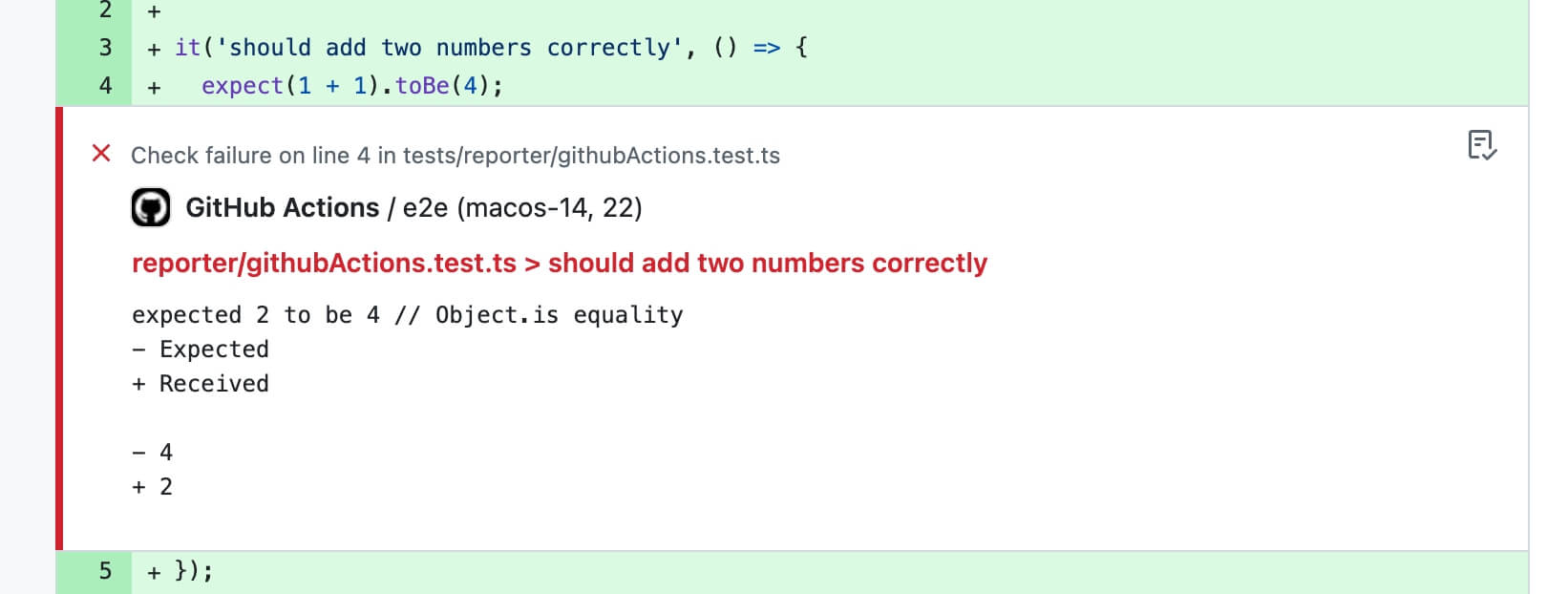
When `GITHUB_STEP_SUMMARY` is available (GitHub Actions sets this automatically), Rstest also appends a Markdown summary that includes:
- a test summary table (files/tests/duration)
- a flaky test section for tests that passed after retries, with short summaries of the previous failure messages when available
- failure sections with error message, diff, and stack trace
- repro commands for each failed test
- a status-marked report title (`✅` / `❌`)
- a collapsible block for each test run; successful runs are collapsed by default
#### Auto-enablement
When no reporter is manually set, Rstest automatically enables this reporter when it detects a GitHub Actions environment (`process.env.GITHUB_ACTIONS` is `'true'`).
#### Manual enablement
You can also manually enable this reporter:
**CLI**
```bash
npx rstest --reporters=github-actions
```
**rstest.config.ts**
```ts
import { defineConfig } from '@rstest/core';
export default defineConfig({
reporters: ['github-actions']
});
```
#### Options
| Option | Type | Default | Description |
| :------------ | :----------------------------------------- | :------ | :-------------------------------------------------------- |
| `annotations` | `boolean` | `true` | Whether to output `::error` annotations for failed tests. |
| `summary` | `boolean \| { maxCharsPerField?: number }` | `true` | Controls Markdown summary output and per-field length. |
[Added in v0.11.6](https://github.com/web-infra-dev/rstest/releases/tag/v0.11.6)
Use the object form of `summary` to customize the maximum characters included in each failure message and diff, and each unhandled error message and stack. `maxCharsPerField` defaults to `400`. GitHub limits the whole Summary generated by one step to [1 MiB](https://docs.github.com/en/actions/writing-workflows/choosing-what-your-workflow-does/workflow-commands-for-github-actions#step-isolation-and-limits), so keep the configured value bounded. Set `summary` to `false` to disable the Markdown summary.
```ts
import { defineConfig } from '@rstest/core';
export default defineConfig({
reporters: [
[
'github-actions',
{
annotations: true,
summary: {
maxCharsPerField: 2_000,
},
},
],
],
});
```
### JUnit reporter
Generates test reports in JUnit XML format, perfect for CI/CD integration and test result aggregation.
**CLI**
```bash
npx rstest --reporters=junit
```
**rstest.config.ts**
```ts
import { defineConfig } from '@rstest/core';
export default defineConfig({
reporters: [['junit', { outputPath: './junit.xml' }]]
});
```
**Configuration options:**
- `outputPath`: Output file path (defaults to console output)
The JUnit reporter generates XML format as follows:
```xml
expected 'hi' to be 'hii' // Object.is equality - Expected + Received - hii + hi at test1.test.ts:10:21
```
The JUnit reporter maps test case execution status to JUnit test status:
- `pass`: Test passed
- `fail`: Test failed, generates `` tag
- `skip`: Test skipped, generates `` tag
- `todo`: Test todo, generates `` tag
### JSON reporter
[Added in v0.9.6](https://github.com/web-infra-dev/rstest/releases/tag/v0.9.6)
Generates a stable JSON document for CI tooling, custom dashboards, or post-processing scripts.
**CLI**
```bash
npx rstest --reporters=json
```
**rstest.config.ts**
```ts
import { defineConfig } from '@rstest/core';
export default defineConfig({
reporters: [['json', { outputPath: './reports/rstest.json' }]],
});
```
**Configuration options:**
- `outputPath`: Output file path (defaults to stdout)
**Output shape:**
- `status`: Overall run status (`pass` or `fail`)
- `summary`: Counts for files and tests
- `durationMs`: Total, build, and test durations in milliseconds
- `snapshot`: Snapshot summary from the run
- `files`: Test-file level results with nested test cases
- `tests`: Flattened test-case results, each with `fullName`
- `consoleLogs`: Captured user console output when available
- `unhandledErrors`: Top-level unhandled errors when present
The JSON reporter writes relative `testPath` values so the output remains stable across different machines and CI workspaces.
### Markdown reporter
The markdown reporter outputs a single markdown document to stdout, designed for agent / LLM consumption.
In agent environments, Rstest defaults to `md` only when you didn't explicitly configure reporters.
The default preset is `normal`, which is tuned for agent workflows:
- Each failure includes a repro command (`file+name`) so an agent can rerun a single failing case.
- Stack output defaults to `top` (a stable anchor frame) instead of full stack frames.
- Console output is enabled by default, but limited to keep the report size under control.
- When the number of failures exceeds `failures.max`, the reporter prints a full failure list with minimal fields (repro / type / message / expected / actual), and only expands full details for the first `failures.max` failures.
The available presets mainly differ in how much detail they keep in failure sections:
| Preset | Best for | Failure details | Console logs | Code frames |
| --------- | ---------------------------------------------------------- | ------------------------------------ | ------------------------------------------------------------------ | -------------------------------- |
| `normal` | Default agent workflows | `stack: 'top'`, `failures.max: 50` | Enabled, capped at 10 logs per test path and 500 chars per entry | Enabled, 2 lines above and below |
| `compact` | CI logs, repeated agent loops, token-sensitive runs | `stack: 'top'`, `failures.max: 20` | Disabled | Disabled |
| `full` | Deep debugging when you want maximum context in one report | `stack: 'full'`, `failures.max: 200` | Enabled, capped at 200 logs per test path and 5000 chars per entry | Enabled, 3 lines above and below |
All presets still keep the same markdown structure. The main difference is how much failure context is expanded by default.
**CLI**
```bash
npx rstest --reporters=md
```
**rstest.config.ts**
```ts
import { defineConfig } from '@rstest/core';
export default defineConfig({
reporters: ['md'],
});
```
The default output always starts with a report title, then shows a summary section, test lists when needed, and a failures section.
When all tests pass, an excerpt looks like this:
````md
## Summary
```json
{
"status": "pass",
"counts": {
"testFiles": 2,
"failedFiles": 0,
"tests": 14,
"failedTests": 0,
"passedTests": 13,
"skippedTests": 1,
"todoTests": 0
}
}
```
## Failures
No test failures reported.
Note: all tests passed. Lists omitted for brevity.
````
When there are failures, an excerpt looks like this:
````md
## Summary
```json
{
"status": "fail",
"counts": {
"testFiles": 1,
"failedFiles": 1,
"tests": 1,
"failedTests": 1,
"passedTests": 0,
"skippedTests": 0,
"todoTests": 0
}
}
```
## Failures
### [F01] fixtures/agent-md/index.test.ts :: agent-md > fails with diff
details:
```json
{
"testPath": "fixtures/agent-md/index.test.ts",
"fullName": "agent-md > fails with diff",
"status": "fail"
}
```
diff:
```diff
- Expected
+ Received
- 3
+ 2
```
````
If you want a smaller payload for CI logs or multi-step agent loops, switch to the `compact` preset and lower the failure cap:
```ts title=rstest.config.ts
import { defineConfig } from '@rstest/core';
export default defineConfig({
reporters: [
[
'md',
{
preset: 'compact',
failures: { max: 20 },
reproduction: 'file+name',
},
],
],
});
```
### Blob reporter
[Added in v0.9.3](https://github.com/web-infra-dev/rstest/releases/tag/v0.9.3)
The blob reporter serializes test results into JSON files for later merging. This is designed for use with [test sharding](https://rstest.rs/guide/basic/cli.md#sharding-tests) in CI environments, where tests are split across multiple machines and results need to be combined afterward. Like sharding, it is not supported in watch mode.
**CLI**
```bash
npx rstest run --shard 1/3 --reporters=blob
```
**rstest.config.ts**
```ts
import { defineConfig } from '@rstest/core';
export default defineConfig({
reporters: ['blob'],
});
```
**Configuration options:**
- `outputDir`: Directory to store blob report files (default: `.rstest-reports`)
```ts title=rstest.config.ts
import { defineConfig } from '@rstest/core';
export default defineConfig({
reporters: [['blob', { outputDir: './custom-blob-output' }]],
});
```
Blob files are saved to `.rstest-reports/` by default. When coverage is enabled, each blob stores only the coverage collected during that run. With coverage providers that support deferred finalization, runs using the blob reporter do not generate coverage reports, add untested files from `coverage.include`, or check coverage thresholds. Runs without the blob reporter finalize coverage normally, including sharded runs. Older providers retain their existing per-run finalization behavior. After all blob-producing runs complete, use [`rstest merge-reports`](https://rstest.rs/guide/basic/cli.md#rstest-merge-reports) with coverage enabled to perform those steps once against the unified result. Coverage options passed only on a blob-producing run are not stored in the blob; keep finalization options in the configuration file or repeat them on `merge-reports`.
See [splitting tests with shards](https://rstest.rs/guide/advanced/ci.md#split-tests-with-shards) for a complete CI workflow example.
## Custom reporters
For advanced integration needs, you can create custom reporters by implementing the `Reporter` interface.
More details can be found in the [Reporter API reference](https://rstest.rs/api/javascript-api/reporter.md).
---
url: https://rstest.rs/guide/basic/vscode-extension.md
---
> For AI agents: the complete documentation index is available at https://rstest.rs/llms.txt, the full documentation bundle is available at https://rstest.rs/llms-full.txt.
# VS Code extension
The [Rstack](https://github.com/rstackjs/rstack-editor) VS Code extension keeps your project’s tests in sync inside the editor so you can browse, run, and debug them in VS Code. It covers the whole Rstack toolchain in a single install: testing, linting, and formatting.

## Installation
You can visit the extension’s [Visual Studio Code Marketplace page](https://marketplace.visualstudio.com/items?itemName=rstack.rstack), or install it directly inside VS Code:
- Open the _Extensions_ view (Ctrl /⌘ + Shift + X ) and search for `rstack.rstack`.
- Open the _Quick Open_ panel (Ctrl /⌘ + P ), enter `ext install rstack.rstack`, and press Enter.
- You can also run `code --install-extension rstack.rstack` in the terminal.
For Cursor, Trae, VSCodium, and other VS Code forks, install it from the [Open VSX Registry](https://open-vsx.org/extension/rstack/rstack).
:::tip Coming from the standalone Rstest extension
The standalone `rstack.rstest` extension is retired and receives no new features. It stays published and keeps working while the transition is underway, but we recommend switching now:
1. Install `rstack.rstack` as described above.
2. Disable or uninstall `rstack.rstest` so only one copy of Rstest runs.
3. Re-enter your settings under the `rstack.rstest.*` keys and re-bind any keybindings to the new `rstack.rstest.*` command ids. Settings are not migrated automatically. See the [migration notes](https://github.com/rstackjs/rstack-editor/blob/main/packages/vscode/README.md#coming-from-the-standalone-extensions) for details.
:::
---
url: https://rstest.rs/guide/basic/upgrade-rstest.md
---
> For AI agents: the complete documentation index is available at https://rstest.rs/llms.txt, the full documentation bundle is available at https://rstest.rs/llms-full.txt.
# Upgrade Rstest
This section explains how to upgrade the project's Rstest dependencies to the latest version.
:::info
Rstest is still in 0.x version stage, and the API may change frequently. We recommend upgrading to the latest version to access new features and bug fixes.
:::
## Using taze
We recommend using [Taze](https://github.com/antfu-collective/taze) to upgrade the Rstest version. Taze is a CLI tool for updating npm dependencies.
### Usage
Run the following command to upgrade all dependencies that include `rstest` and `rsbuild` in their names:
```bash
npx taze major --include "/(rstest|rsbuild)/" -w
```
:::tip
Rstest has not yet reached version 1.0.0, so you need to add the `major` parameter when updating.
:::
The result will look similar to:
```bash
rstest-example - 1 patch
devDependencies
@rstest/core ~29d ^0.6.0 → ^0.6.6 ~5d
ℹ changes written to package.json, run pnpm i to install updates.
```
You can also adjust the `include` pattern to match specific packages, for example, to upgrade only packages under the `@rstest` scope:
```bash
npx taze --include /@rstest/ -w
```
### Options
Here are some examples of using taze options.
- In a monorepo, you can add the `-r` option to upgrade recursively:
```bash
npx taze --include /(rstest|rsbuild)/ -w -r
```
- Add `-l` to upgrade locked versions:
```bash
npx taze --include /(rstest|rsbuild)/ -w -l
```
- To upgrade to a major version:
```bash
npx taze major --include /(rstest|rsbuild)/ -w
```
> For more options, please refer to the [taze documentation](https://github.com/antfu-collective/taze).
---
url: https://rstest.rs/guide/advanced/ci.md
---
> For AI agents: the complete documentation index is available at https://rstest.rs/llms.txt, the full documentation bundle is available at https://rstest.rs/llms-full.txt.
# CI
Rstest uses the same CLI in CI as it does locally. The main difference is that CI should run tests in run mode with `rstest`, then upload any reports that other tools need to read.
## Basic workflow
Use `rstest` in CI so the process exits after one test pass. If your project already has a `test` script, keep CI calling that script and make the script run `rstest`.
```json title="package.json"
{
"scripts": {
"test": "rstest"
}
}
```
A minimal GitHub Actions workflow installs dependencies, restores the package-manager cache, and runs the test script:
```yaml title=".github/workflows/test.yml"
name: Test
on:
push:
pull_request:
jobs:
test:
runs-on: ubuntu-latest
steps:
- uses: actions/checkout@v4
- uses: pnpm/action-setup@v4
with:
version: 11
- uses: actions/setup-node@v4
with:
node-version: 22.12.0
cache: pnpm
- run: pnpm install --frozen-lockfile
- run: pnpm test
```
When Rstest detects GitHub Actions and no reporter is manually configured, it automatically enables the `github-actions` reporter. Failed assertions are turned into GitHub annotations, and a Markdown summary is appended to the workflow summary. See [reporters](https://rstest.rs/guide/basic/reporters.md#github-actions-reporter) for reporter details.
Other CI systems can use the same commands. The important part is to run `pnpm install --frozen-lockfile` before `pnpm rstest` or your package script.
## Add coverage
Coverage collection is opt-in. Install the provider you want to use before enabling `--coverage`:
- [@rstest/coverage-istanbul](https://github.com/web-infra-dev/rstest/tree/main/packages/coverage-istanbul): the default Istanbul provider, works in Node mode and Browser Mode.
- [@rstest/coverage-v8](https://github.com/web-infra-dev/rstest/tree/main/packages/coverage-v8): V8-based provider for Node mode and headless, non-watch Chromium Browser Mode runs.
```bash
pnpm add @rstest/coverage-istanbul -D
pnpm rstest --coverage
```
Upload the generated `coverage/` directory if your CI needs to keep the HTML report or pass coverage data to another service:
```yaml
- run: pnpm rstest --coverage --coverage.reportOnFailure
- uses: actions/upload-artifact@v4
if: always()
with:
name: coverage
path: coverage
```
Use `if: always()` when the report is useful for failed runs too. For available providers, reporters, thresholds, and output paths, see [coverage](https://rstest.rs/config/test/coverage.md).
## Run browser tests in CI
[Rstest Browser Mode](https://rstest.rs/guide/browser-testing.md) and [@rstest/playwright](https://github.com/web-infra-dev/rstest/tree/main/packages/playwright) both use [Playwright](https://github.com/microsoft/playwright) to launch browsers. Installing the `playwright` npm package provides the automation API, but the browser executable must be provided separately.
### Choose how to provide the browser
The portable default is to install the Playwright browser that matches the package version:
```bash
pnpm exec playwright install --with-deps chromium
```
Choose the setup that matches the coverage and reproducibility your workflow needs:
| Requirement | Browser setup |
| ---------------------------------------------------- | ------------------------------------------------------------------------------------------------------------------------------------------------------ |
| Fast Chrome runs on a standard GitHub-hosted runner | Skip `playwright install` and launch the preinstalled Chrome with `channel: 'chrome'`. |
| A Chromium version pinned to the Playwright package | Run `playwright install --with-deps chromium`. For headless-only runs without a channel, add `--only-shell` to skip the full headed Chromium download. |
| Firefox or WebKit coverage | Install the matching Playwright browser with `playwright install --with-deps firefox` or `playwright install --with-deps webkit`. |
| A self-hosted runner, container job, or custom image | Install the Playwright browser, or provision Chrome in the image before selecting `channel: 'chrome'`. |
The standard [GitHub-hosted runner images](https://github.com/actions/runner-images#available-images), including `ubuntu-latest`, provide Google Chrome. Selecting its `chrome` channel lets both Rstest integrations use that executable without downloading Playwright Chromium. GitHub updates runner software regularly, so this trades a pinned browser revision for faster setup. The workflow's **Set up job → Runner Image → Included Software** link shows the [exact software for a run](https://docs.github.com/en/actions/concepts/runners/github-hosted-runners#preinstalled-software-for-github-owned-images).
Firefox and WebKit still require Playwright's browser downloads. Playwright relies on patched builds for those engines and cannot substitute the Firefox or Safari applications installed on the runner.
### Browser mode
Install [@rstest/browser](https://github.com/web-infra-dev/rstest/tree/main/packages/browser) and the Playwright API:
```bash
pnpm add @rstest/browser playwright -D
```
On a standard GitHub-hosted runner, pass the Chrome channel through the Browser Mode CLI and omit the browser installation step:
```yaml
- run: pnpm install --frozen-lockfile
- run: pnpm rstest --browser --browser.providerOptions.launch.channel=chrome
```
To keep the same optimization behind an environment check in `rstest.config.ts`, configure the provider instead:
```ts title="rstest.config.ts"
import { defineConfig } from '@rstest/core';
export default defineConfig({
browser: {
enabled: true,
provider: 'playwright',
providerOptions:
process.env.GITHUB_ACTIONS === 'true'
? {
launch: {
channel: 'chrome',
},
}
: undefined,
},
});
```
In CI, `browser.headless` defaults to `true`, so no additional headless configuration is needed. See [Browser Mode getting started](https://rstest.rs/guide/browser-testing/getting-started.md) and [browser configuration](https://rstest.rs/config/test/browser.md) for other browser and provider options.
### @rstest/playwright
Install the Rstest fixtures and the Playwright API:
```bash
pnpm add @rstest/playwright playwright -D
```
Configure [@rstest/playwright](https://rstest.rs/guide/basic/e2e-testing.md) launch defaults in `rstest.config.ts`:
```ts title="rstest.config.ts"
import { defineConfig } from '@rstest/core';
import { definePlaywrightConfig } from '@rstest/playwright/config';
export default defineConfig({
extends: definePlaywrightConfig({
browserName: 'chromium',
launchOptions:
process.env.GITHUB_ACTIONS === 'true' ? { channel: 'chrome' } : undefined,
}),
});
```
With this fixture, a standard GitHub-hosted workflow only needs to install npm dependencies and run Rstest; do not add a `playwright install` step. See the [@rstest/playwright guide](https://rstest.rs/guide/basic/e2e-testing.md) for fixture usage and trace artifacts.
## Split tests with shards
Use `--shard /` when the full suite is stable but too slow for one CI machine. Each shard runs a different subset of test files. To combine results and coverage afterward, run every shard with the `blob` reporter, upload the blob files, then merge them in a follow-up job.
```yaml
jobs:
test:
runs-on: ubuntu-latest
strategy:
fail-fast: false
matrix:
shard: [1, 2, 3]
steps:
- uses: actions/checkout@v4
- uses: pnpm/action-setup@v4
with:
version: 11
- uses: actions/setup-node@v4
with:
node-version: 22.12.0
cache: pnpm
- run: pnpm install --frozen-lockfile
- run: pnpm rstest --shard ${{ matrix.shard }}/3 --reporters=blob --coverage
- uses: actions/upload-artifact@v4
if: always()
with:
name: rstest-blob-${{ matrix.shard }}
path: .rstest-reports
include-hidden-files: true
merge-reports:
runs-on: ubuntu-latest
needs: test
if: always()
steps:
- uses: actions/checkout@v4
- uses: pnpm/action-setup@v4
with:
version: 11
- uses: actions/setup-node@v4
with:
node-version: 22.12.0
cache: pnpm
- run: pnpm install --frozen-lockfile
- uses: actions/download-artifact@v4
with:
pattern: rstest-blob-*
path: .rstest-reports
merge-multiple: true
- run: pnpm rstest merge-reports --coverage --cleanup
```
Each shard writes `.rstest-reports/blob-{index}-{count}.json` with its test results and collected coverage. With coverage providers that support deferred finalization, these blob-reporting shards do not generate coverage reports or check thresholds; a shard without the blob reporter still finalizes coverage normally. Older providers retain their existing per-run finalization behavior. The merge job collects those files into one `.rstest-reports/` directory, then `rstest merge-reports` adds untested files, runs the configured reporters, and checks coverage thresholds against the unified result. Put coverage finalization options in the shared configuration, or pass the same `--coverage.*` options to the merge command because shard-only CLI options are not stored in blobs. See [sharding](https://rstest.rs/guide/basic/cli.md#sharding-tests) and [`rstest merge-reports`](https://rstest.rs/guide/basic/cli.md#rstest-merge-reports) for details.
## Publish machine-readable reports
CI tools often need structured report files in addition to terminal output. Add reporters when you need XML, JSON, Markdown, or blob output:
```ts title="rstest.config.ts"
import { defineConfig } from '@rstest/core';
export default defineConfig({
reporters: [
'default',
['junit', { outputPath: './reports/junit.xml' }],
['json', { outputPath: './reports/rstest.json' }],
],
});
```
Then upload the report directory:
```yaml
- run: pnpm rstest
- uses: actions/upload-artifact@v4
if: always()
with:
name: rstest-reports
path: reports
```
Use `junit` for CI test-result integrations, `json` for custom tooling, `md` for Markdown summaries, `github-actions` for GitHub annotations, and `blob` for sharded report merging. See [reporters](https://rstest.rs/guide/basic/reporters.md) for the complete list and options.
## Cache dependencies
Start with the package-manager cache because it is safe and usually gives the biggest CI improvement. In GitHub Actions, `actions/setup-node` with `cache: pnpm` restores the pnpm store based on the lockfile.
Do not cache Playwright browser binaries by default. Restoring the cache can take about as long as downloading the browser, and Linux system dependencies are not included in that cache. Prefer the preinstalled GitHub Chrome when its version policy fits your workflow; otherwise install only the required browser and use `--only-shell` for headless-only Chromium runs.
## Recommended checklist
- Use Node.js `^20.19.0` or `>=22.12.0` to match Rstest's supported runtime range.
- Run `rstest` in CI, either directly or through a package script.
- Install coverage and browser packages only when the workflow needs those features.
- Upload coverage, JUnit, JSON, or blob artifacts with `if: always()` if they help debug failures.
- Add sharding only after the single-machine workflow is stable.
- Choose explicitly between a version-matched Playwright browser and a preinstalled system Chrome, and keep the selected browser, channel, and installation step aligned.
---
url: https://rstest.rs/guide/advanced/metadata.md
---
> For AI agents: the complete documentation index is available at https://rstest.rs/llms.txt, the full documentation bundle is available at https://rstest.rs/llms-full.txt.
# Metadata
[Added in v0.11.1](https://github.com/web-infra-dev/rstest/releases/tag/v0.11.1)
Metadata lets you attach JSON-serializable data to test, suite, and file results. Built-in reporters do not print it by default; it is intended for custom reporters, the programmatic API, CI integrations, dashboards, ownership mapping, and external tools such as mutation testing runners.
## Add metadata to a test
Pass `meta` in the test options object to set the initial metadata for a test case.
```ts
import { expect, test } from '@rstest/core';
test(
'charges credit card',
{ meta: { owner: 'payments', feature: 'checkout' } },
() => {
expect(1 + 1).toBe(2);
},
);
```
Reporter hooks and the programmatic API can read this declared metadata from `TestResult.meta`. You can define metadata when declaring the test, or modify and add fields through `task.meta` during the test:
```ts
test('records runtime data', ({ task }) => {
task.meta = {
durationBucket: 'fast',
};
});
```
## Add metadata to a suite
Pass `meta` to `describe` when several tests share the same fields.
```ts
import { describe, expect, test } from '@rstest/core';
describe(
'checkout',
{ meta: { owner: 'payments', layer: 'integration' } },
() => {
test('creates an order', ({ task }) => {
// task.meta is { owner: 'payments', layer: 'integration' }
expect(task.meta.owner).toBe('payments');
});
test(
'uses coupon',
{ meta: { layer: 'e2e', caseId: 'PAY-456' } },
({ task }) => {
// task.meta is { owner: 'payments', layer: 'e2e', caseId: 'PAY-456' }
expect(task.meta.layer).toBe('e2e');
},
);
},
);
```
Suite metadata is inherited by descendant suites and tests. Child top-level keys override parent keys, so a test can override only the fields that are different.
## Add file and suite metadata from hooks
Lifecycle hooks receive a metadata object through `ctx.meta`.
```ts
import { afterAll, describe, test } from '@rstest/core';
afterAll((ctx) => {
ctx.meta.fileTag = 'ci-shard-1';
});
describe('checkout', { meta: { owner: 'payments' } }, () => {
afterAll((ctx) => {
ctx.meta.suiteDurationBucket = 'slow';
});
test('creates an order', () => {
// ...
});
});
```
A file-level hook writes to `TestFileResult.meta`. A hook inside a `describe` block writes to that suite result's `meta`, which is passed to custom reporters through `onTestSuiteResult`.
## Read metadata in a custom reporter
Custom reporters can read metadata from case, suite, and file results.
```ts
import type { Reporter } from '@rstest/core';
const metadataReporter: Reporter = {
onTestCaseStart(test) {
// Initial metadata after suite inheritance and test-level overrides.
console.log('case start', test.name, test.meta);
},
onTestCaseResult(result) {
// Final metadata after test execution and hooks.
console.log('case result', result.name, result.meta);
},
onTestSuiteResult(result) {
console.log('suite result', result.name, result.meta);
},
onTestFileResult(result) {
console.log('file result', result.testPath, result.meta);
},
};
```
Use `onTestCaseStart` when you need the declared metadata before the test runs. Use `onTestCaseResult`, `onTestSuiteResult`, or `onTestFileResult` when you need final metadata produced during runtime.
## Read metadata from the programmatic API
The result returned by `rstest.run()` includes the same result metadata as reporters.
```ts
import { createRstest } from '@rstest/core/api';
const rstest = await createRstest({
cwd: process.cwd(),
config: {
include: ['src/**/*.test.ts'],
},
});
const result = await rstest.run();
for (const file of result.results) {
console.log(file.testPath, file.meta);
for (const test of file.results) {
console.log(test.name, test.meta);
}
}
```
This is useful when an external tool owns the Node.js process and wants to run Rstest, then consume structured results without parsing terminal output.
## Metadata value type
Metadata must be JSON-serializable. `TaskMeta` and `TaskMetaValue` are exported from `@rstest/core`:
```ts
type TaskMeta = Record;
type TaskMetaValue =
| string
| number
| boolean
| null
| TaskMetaValue[]
| { [key: string]: TaskMetaValue };
```
Do not store functions, class instances, symbols, `BigInt`, or large objects in metadata. Prefer small strings, numbers, booleans, arrays, and plain objects.
## Inheritance and isolation rules
Rstest applies these rules when metadata is collected and reported:
- Suite metadata is inherited by child suites and tests.
- Child top-level keys override parent top-level keys.
- Inherited metadata is copied for each descendant, so runtime mutation does not leak to sibling tests or sibling suites.
- Nested objects and arrays are copied during inheritance.
- Mutating `task.meta` during a test affects that test's final `TestResult.meta`.
- Mutating `ctx.meta` in file-level hooks affects `TestFileResult.meta`; mutating it in suite hooks affects that suite result's `meta`.
## Skipped and todo tests
Declared metadata is still available for skipped and todo tests.
```ts
import { test } from '@rstest/core';
test.skip(
'blocked by upstream',
{ meta: { owner: 'payments', reason: 'upstream' } },
() => {
// This body does not run.
},
);
test.todo('add refund coverage', {
meta: { owner: 'payments', tracking: 'PAY-789' },
});
```
Because these tests do not execute, runtime mutations are not possible, but reporters can still read their declared metadata from `onTestCaseStart` and `onTestCaseResult`.
## When to use metadata
Common use cases include:
- Ownership fields such as `owner`, `team`, or `feature`.
- Links to a test management system, such as `caseId` or `tracking`.
- CI dashboard fields, such as shard, environment, or risk level.
- Custom reporter output for JSON, Markdown, or internal dashboards.
- External tools that need to map test results to source analysis, such as mutation testing runners.
## Best practices
- Keep values small and JSON-serializable.
- Prefer stable field names such as `owner`, `feature`, `caseId`, and `tracking`.
- Put shared fields on `describe` and only override exceptions on individual tests.
- Write runtime metadata only when it depends on information discovered during execution.
- Use a custom reporter or the programmatic API to consume metadata; built-in reporters are optimized for human-readable test output.
## Related APIs
- [`test` options](https://rstest.rs/api/runtime-api/test-api/test.md#testoptions)
- [`describe` options](https://rstest.rs/api/runtime-api/test-api/describe.md#testoptions)
- [Lifecycle hooks](https://rstest.rs/api/runtime-api/test-api/hooks.md)
- [Reporter](https://rstest.rs/api/javascript-api/reporter.md)
- [Rstest types](https://rstest.rs/api/javascript-api/types.md)
---
url: https://rstest.rs/guide/advanced/scoped-cleanup.md
---
> For AI agents: the complete documentation index is available at https://rstest.rs/llms.txt, the full documentation bundle is available at https://rstest.rs/llms-full.txt.
# Scoped cleanup
Rstest supports scoped cleanup for temporary test changes. When your runtime or toolchain supports explicit resource management, you can use `using` to automatically restore resources at the end of a block.
This is useful when a test temporarily changes shared state, such as spies, environment variables, globals, or fake timers.
## `using` syntax
[Added in v0.10.3](https://github.com/web-infra-dev/rstest/releases/tag/v0.10.3)
[`rs.stubEnv()`](https://rstest.rs/api/runtime-api/rstest/utilities.md#rsstubenv), [`rs.stubGlobal()`](https://rstest.rs/api/runtime-api/rstest/utilities.md#rsstubglobal), and [`rs.useFakeTimers()`](https://rstest.rs/api/runtime-api/rstest/fake-timers.md#rsusefaketimers) return disposable resources that work with the `using` syntax.
## Spy cleanup
Mocks and spies implement `Symbol.dispose`, so a spy created with [`rs.spyOn()`](https://rstest.rs/api/runtime-api/rstest/mock-functions.md#rsspyon) is restored when the `using` block exits.
```ts title="logger.test.ts"
import { expect, rs, test } from '@rstest/core';
test('logs a warning', () => {
{
using warn = rs.spyOn(console, 'warn').mockImplementation(() => undefined);
console.warn('invalid payload');
expect(warn).toHaveBeenCalledWith('invalid payload');
}
// console.warn is restored here
});
```
See [Mock](https://rstest.rs/guide/basic/mock.md#using-syntax) for more spy examples.
## Environment variables
[`rs.stubEnv()`](https://rstest.rs/api/runtime-api/rstest/utilities.md#rsstubenv) returns a disposable resource. When it leaves a `using` scope, only that scoped env stub is restored.
```ts title="env.test.ts"
import { expect, rs, test } from '@rstest/core';
test('uses test env', () => {
{
using _env = rs.stubEnv('NODE_ENV', 'test');
expect(process.env.NODE_ENV).toBe('test');
}
// NODE_ENV is restored here
});
```
Nested env stubs are restored in reverse order:
```ts
using _outer = rs.stubEnv('FEATURE_FLAG', 'on');
expect(process.env.FEATURE_FLAG).toBe('on');
{
using _inner = rs.stubEnv('FEATURE_FLAG', 'off');
expect(process.env.FEATURE_FLAG).toBe('off');
}
expect(process.env.FEATURE_FLAG).toBe('on');
```
You can still call [`rs.unstubAllEnvs()`](https://rstest.rs/api/runtime-api/rstest/utilities.md#rsunstuballenvs) to restore all env stubs in the current test.
## Globals
[`rs.stubGlobal()`](https://rstest.rs/api/runtime-api/rstest/utilities.md#rsstubglobal) also returns a disposable resource. This is convenient for temporarily replacing global APIs.
```ts title="global.test.ts"
import { expect, rs, test } from '@rstest/core';
test('uses a global feature flag', () => {
{
using _global = rs.stubGlobal('__FEATURE_ENABLED__', true);
expect(globalThis.__FEATURE_ENABLED__).toBe(true);
}
// __FEATURE_ENABLED__ is restored here
});
```
You can still call [`rs.unstubAllGlobals()`](https://rstest.rs/api/runtime-api/rstest/utilities.md#rsunstuballglobals) to restore all global stubs in the current test.
## Fake timers
[`rs.useFakeTimers()`](https://rstest.rs/api/runtime-api/rstest/fake-timers.md#rsusefaketimers) returns a disposable resource that restores real timers when the block exits.
```ts title="timer.test.ts"
import { expect, rs, test } from '@rstest/core';
test('runs delayed work', () => {
{
using _timers = rs.useFakeTimers();
const fn = rs.fn();
setTimeout(fn, 1000);
rs.advanceTimersByTime(1000);
expect(fn).toHaveBeenCalledTimes(1);
}
expect(rs.isFakeTimers()).toBe(false);
});
```
## Async resources
For asynchronous resources that implement `Symbol.asyncDispose`, use `await using`. Rstest's browser provider resources support async disposal internally so provider pages, contexts, and browsers can be closed by the same explicit resource management protocol.
```ts
await using resource = createAsyncResource();
await resource.run();
// resource[Symbol.asyncDispose]() is awaited here
```
Use `using` for synchronous cleanup and `await using` when cleanup needs to await asynchronous work.
---
url: https://rstest.rs/guide/advanced/side-effects.md
---
> For AI agents: the complete documentation index is available at https://rstest.rs/llms.txt, the full documentation bundle is available at https://rstest.rs/llms-full.txt.
# Module side effects
Rstest bundles tests with Rspack, which can skip unused modules during the build to reduce the dependencies that need to be built and executed. Optimizations such as lazyBarrel speed up test startup, provided the skipped modules contain no required initialization code.
The `sideEffects` declaration tells build tools which modules can be skipped. This page explains its relationship to module side effects and lazyBarrel, and how to retain initialization that your tests need.
## What counts as a side effect
A side effect here is a change to external state when a module loads, beyond providing exported values. For example:
```ts title="test/register-mocks.ts"
import { rs } from '@rstest/core';
rs.mock('../src/api', () => ({
fetchUser: () => ({ name: 'Alice' }),
}));
```
This module exports nothing, but evaluating it registers a mock. Other common side effects include modifying globals, installing polyfills, and registering event listeners.
The following bare import runs the module's initialization code:
```ts title="test/user.test.ts"
import './register-mocks';
```
## How side-effect declarations affect module execution
Setting `sideEffects: false` in `package.json` tells the bundler that files in the package can be skipped when their exports are unused.
```json title="package.json"
{
"name": "my-project",
"sideEffects": false
}
```
When this declaration applies to the registration module and the relevant optimizations are enabled, even an explicit `import './register-mocks'` can be removed. Build tools trust the `sideEffects` declaration; registration code in a file does not guarantee that the file will be retained.
See Rspack's [tree shaking documentation](https://rspack.rs/guide/optimization/tree-shaking).
## Faster test builds with barrel optimization
Rstest sends test files and their dependencies through Rspack's build pipeline, so it benefits from Rspack's default lazyBarrel optimization without switching to production mode. Rstest does not automatically mark application code as side-effect-free: the optimization relies on declarations provided by the project or dependency package.
A barrel file is an entry point that re-exports other modules. Tests often use only a small subset of its exports:
```ts title="src/utils/index.ts"
export { sum } from './sum';
export { formatDate } from './format-date';
```
```ts title="test/sum.test.ts"
import { expect, test } from '@rstest/core';
import { sum } from '../src/utils';
test('sum', () => {
expect(sum(1, 2)).toBe(3);
});
```
When `src/utils/index.ts` is declared side-effect-free and no other module in the build graph uses `formatDate`, Rspack can follow the `sum` re-export to build `sum.ts` and skip the `format-date.ts` branch.
| Build work | When all re-export branches must be processed | With lazyBarrel |
| ----------------------------------------------------------------------------------- | --------------------------------------------- | --------------- |
| Loader transforms, parsing, and dependency builds for `sum.ts` | Required | Required |
| Transforms, parsing, and builds for `format-date.ts` and its exclusive dependencies | Required | Can be skipped |
The benefit goes beyond removing code from the final bundle: unrelated branches can avoid subsequent build processing altogether. For entry points that export many components or utilities, using only a few exports in tests can reduce cold-start build work. Watch rebuilds also process modules according to dependency needs; this is a separate optimization from caching previously built results.
If another test or module uses `formatDate`, that branch still needs to be built. With `export *`, Rspack may need to build more modules to determine where an export comes from, limiting the benefit.
**`sideEffects` declares module behavior; lazyBarrel uses that declaration to optimize builds.** It relies on explicit package or module-rule declarations to skip branches before building their dependencies.
An incorrect `sideEffects: false` declaration can therefore drop required initialization. Declare side effects for those modules and any necessary intermediate importers.
Rspack can also skip building side-effect-free bare imports such as `import './register-mocks'`. This is a separate related optimization, so initialization can be skipped even without a barrel file.
See Rspack's [barrel file optimization](https://rspack.rs/guide/advanced/lazy-barrel) guide.
## Declare modules with side effects
Only adjust these declarations when initialization modules have been incorrectly marked as side-effect-free. Omitting `sideEffects` is not equivalent to setting `sideEffects: false`. Using Rstest or putting registration code in a separate file does not by itself require additional side-effect configuration.
### Declare side effects for a package
If your project declares `sideEffects: false` but some files need to run initialization, replace it with an array listing those files:
```json title="package.json"
{
"name": "my-project",
"sideEffects": ["./src/polyfills.ts", "./test/support/**"]
}
```
Paths are relative to this `package.json`. Files outside the array are still treated as side-effect-free. When editing an existing array, retain any other files that still have side effects.
With the array declaration above, if initialization passes through several imports, such as `test → bootstrap → helper → register-mocks`, make sure intermediate modules cannot be skipped either. Marking only the final registration module may not preserve the whole import chain. Keeping these files under `test/support` and declaring that directory is one maintainable approach.
### Declare side effects in Rstest config
To override side-effect-free declarations only in the test build, use [tools.rspack](https://rstest.rs/config/build/tools.md) to set `sideEffects: true` for a specific directory:
```ts title="rstest.config.ts"
import { defineConfig } from '@rstest/core';
export default defineConfig({
tools: {
rspack: {
module: {
rules: [
{
test: /[\\/]test[\\/]support[\\/]/,
sideEffects: true,
},
],
},
},
},
});
```
The rule matches the imported module's path. `sideEffects: true` preserves its side effects; `false` allows it to be skipped. This setting does not load every file in the directory: files still need to be imported.
Matching initialization directories precisely lets other modules continue to benefit from barrel optimization. See Rspack's [module.rules](https://rspack.rs/config/module-rules#rulessideeffects) for rule syntax.
## Third-party dependencies
These optimizations apply to bundled modules. External dependencies loaded by Node.js at runtime are not pruned by Rspack under these rules.
Settings such as [output.bundleDependencies](https://rstest.rs/config/build/output.md#outputbundledependencies) control whether third-party dependencies are bundled. Changing that scope changes which modules are affected by `sideEffects` declarations.
---
url: https://rstest.rs/guide/advanced/adapters.md
---
> For AI agents: the complete documentation index is available at https://rstest.rs/llms.txt, the full documentation bundle is available at https://rstest.rs/llms-full.txt.
# Adapters
Adapters convert configuration from other tools, such as build tools or CLIs, into a format that Rstest supports. With official or custom adapters, you can reuse existing configuration, avoid defining it separately for multiple tools, and keep tests consistent with your project's configuration.
Adapters pass the converted configuration to Rstest through [`extends`](https://rstest.rs/config/test/extends.md). When reusing build configuration, Rstest still manages the test entry points and runtime, and adapters select and transform compatible options.
## Using official adapters
If your project already uses Rsbuild, Rslib, or Rspack, an official adapter lets you reuse aliases, code transformation settings, and compatible plugins. Choose the adapter for your build tool:
| Build tool | Adapter | Setup guide |
| ---------- | ----------------------------------------------------------------------------------------------------- | ----------------------------------------------------------------------------- |
| Rsbuild | [@rstest/adapter-rsbuild](https://github.com/web-infra-dev/rstest/tree/main/packages/adapter-rsbuild) | [Reuse Rsbuild configuration](https://rstest.rs/integration/rsbuild/index.md) |
| Rslib | [@rstest/adapter-rslib](https://github.com/web-infra-dev/rstest/tree/main/packages/adapter-rslib) | [Reuse Rslib configuration](https://rstest.rs/integration/rslib/index.md) |
| Rspack | [@rstest/adapter-rspack](https://github.com/web-infra-dev/rstest/tree/main/packages/adapter-rspack) | [Reuse Rspack configuration](https://rstest.rs/integration/rspack/index.md) |
### Install and use an adapter
For example, to reuse an Rsbuild configuration, first [set up Rstest](https://rstest.rs/guide/start/quick-start.md), then install the adapter:
```sh [npm]
npm add @rstest/adapter-rsbuild -D
```
```sh [yarn]
yarn add @rstest/adapter-rsbuild -D
```
```sh [pnpm]
pnpm add @rstest/adapter-rsbuild -D
```
```sh [bun]
bun add @rstest/adapter-rsbuild -D
```
```sh [deno]
deno add npm:@rstest/adapter-rsbuild -D
```
`@rstest/core` runs your tests; `@rstest/adapter-rsbuild` loads and converts your existing Rsbuild configuration.
```ts title="rstest.config.ts"
import { withRsbuildConfig } from '@rstest/adapter-rsbuild';
import { defineConfig } from '@rstest/core';
export default defineConfig({
extends: withRsbuildConfig(),
testEnvironment: 'node',
testTimeout: 10_000,
});
```
The adapter loads your Rsbuild configuration and reuses its compatible compilation settings. For example, an alias already defined in `rsbuild.config.ts` is available to your tests without defining it again in `rstest.config.ts`.
This example runs tests in Node.js. For tests that need a DOM, install and configure [jsdom or happy-dom](https://rstest.rs/config/test/test-environment.md). Keep test-specific settings, such as timeouts and coverage, in your Rstest configuration.
### Select a configuration
If your build configuration is in a different location, pass `configPath`. For an Rsbuild project with multiple environments, use `environmentName` to select the environment to merge with the shared configuration:
```ts title="rstest.config.ts"
import { withRsbuildConfig } from '@rstest/adapter-rsbuild';
import { defineConfig } from '@rstest/core';
export default defineConfig({
extends: withRsbuildConfig({
configPath: './config/rsbuild.config.ts',
environmentName: 'web',
}),
testEnvironment: 'node',
});
```
Use a name defined in your build configuration. The equivalent selection options are `libId` for Rslib and `configName` for Rspack. To test several configurations independently, set `extends` on each [Rstest project](https://rstest.rs/guide/basic/projects.md).
For all options, configuration mappings, and plugin handling, see the corresponding reference:
- [Rsbuild adapter reference](https://rstest.rs/integration/rsbuild/reference.md)
- [Rslib adapter reference](https://rstest.rs/integration/rslib/reference.md)
- [Rspack adapter reference](https://rstest.rs/integration/rspack/reference.md)
## Configuration merging
Your local Rstest configuration takes precedence over the configuration returned by an adapter. For example, `testEnvironment: 'node'` in the examples above overrides any environment inferred by the adapter.
Object fields such as `resolve` and `source` are deep-merged. Arrays follow the rules for their option: `plugins` and `setupFiles` are concatenated, while `include` and `reporters` are replaced. See [configuration merging](https://rstest.rs/config/test/extends.md#configuration-merging) for the complete rules and how to compose multiple presets.
## Creating a custom adapter
If your toolchain has its own configuration format, you can write an adapter to map it to Rstest options. For a shared preset that already uses Rstest options, pass the configuration object directly to [`extends`](https://rstest.rs/config/test/extends.md).
An adapter implements `ExtendConfigFn`: it receives the user's Rstest configuration and returns an `ExtendConfig` object or a Promise resolving to one. It can read the user configuration when deciding what to return, but should not mutate it. The returned configuration cannot define `projects`.
For example, a tool might store aliases and compile-time constants in this format:
```ts title="my.config.ts"
export default {
aliases: {
'@': './src',
},
globals: {
__VERSION__: '"1.0.0"',
},
};
```
Map these fields to Rstest's `resolve.alias` and `source.define`:
```ts title="my-adapter.ts"
import type { ExtendConfigFn } from '@rstest/core';
import myConfig from './my.config';
export const withMyConfig: ExtendConfigFn = () => ({
resolve: {
alias: myConfig.aliases,
},
source: {
define: myConfig.globals,
},
});
```
### Using your custom adapter
Pass the adapter to `extends` and keep test-specific settings in the local configuration:
```ts title="rstest.config.ts"
import { defineConfig } from '@rstest/core';
import { withMyConfig } from './my-adapter';
export default defineConfig({
extends: withMyConfig,
testTimeout: 8000,
});
```
### Advanced usage: adapters with options
To let callers customize an adapter, expose a function that accepts options and returns an `ExtendConfigFn`. For example, this version lets callers choose a test environment while reusing the same aliases and constants:
```ts title="my-adapter.ts"
import type { ExtendConfigFn } from '@rstest/core';
import myConfig from './my.config';
interface MyAdapterOptions {
testEnvironment?: 'node' | 'happy-dom';
}
export function withMyConfig(options: MyAdapterOptions = {}): ExtendConfigFn {
return () => ({
resolve: {
alias: myConfig.aliases,
},
source: {
define: myConfig.globals,
},
testEnvironment: options.testEnvironment ?? 'node',
});
}
```
After installing `happy-dom`, use `extends: withMyConfig({ testEnvironment: 'happy-dom' })` to select that environment. Local Rstest settings still take precedence over the adapter's defaults.
---
url: https://rstest.rs/guide/advanced/module-federation.md
---
> For AI agents: the complete documentation index is available at https://rstest.rs/llms.txt, the full documentation bundle is available at https://rstest.rs/llms-full.txt.
# Module Federation
[Module Federation](https://module-federation.io/) lets separately built applications expose and consume modules at runtime. Test the federation boundary with Rstest when you need confidence that a host can load a real remote, resolve its shared dependencies, and execute the exposed module correctly.
[@module-federation/rstest](https://github.com/module-federation/core) configures Module Federation for the Rstest build. It supports Node and JSDOM test environments as well as Browser Mode.
## Install
Add `@module-federation/rstest` to an existing Rstest project.
```sh [npm]
npm add @module-federation/rstest -D
```
```sh [yarn]
yarn add @module-federation/rstest -D
```
```sh [pnpm]
pnpm add @module-federation/rstest -D
```
```sh [bun]
bun add @module-federation/rstest -D
```
```sh [deno]
deno add npm:@module-federation/rstest -D
```
The plugin configures the test host that consumes federated modules. Build the remote with its own Module Federation build plugin, for example [Rslib's `mf` format](https://rslib.rs/guide/advanced/module-federation).
## Basic usage
Register the `federation` plugin with the same remote name that application code imports. The simplest setup consumes a Node-targeted remote built to a local CommonJS entry, so no server is involved:
```ts title="rstest.config.ts"
import path from 'node:path';
import { federation } from '@module-federation/rstest';
import { defineConfig } from '@rstest/core';
export default defineConfig({
plugins: [
federation({
name: 'host',
remoteType: 'commonjs',
remotes: {
remote: `commonjs ${path.resolve(__dirname, '../remote/dist/mf/remoteEntry.cjs')}`,
},
}),
],
});
```
Then import an exposed module through its federated specifier, just as application code does. Loading it with a dynamic `import()` lets the remote container initialize first:
```ts title="tests/federated-modules.test.ts"
import { expect, test } from '@rstest/core';
test('calls the federated formatPrice module', async () => {
const { default: formatPrice } = await import('remote/formatPrice');
expect(formatPrice(1250)).toBe('$12.50');
});
```
This exercises remote loading and the Module Federation runtime instead of replacing the federation boundary with a mock. For type checking, declare the federated specifiers in a `remotes.d.ts` file:
```ts title="remotes.d.ts"
declare module 'remote/formatPrice' {
const formatPrice: (cents: number, currency?: string) => string;
export default formatPrice;
}
```
## Configure remotes
The `federation()` plugin accepts the same options as the Module Federation build plugin: `remotes`, `shared`, `remoteType`, and so on. Two points matter for tests:
- **Remote entry target.** Node and JSDOM tests run in Rstest's Node-based runner, so point them at a Node-targeted remote entry such as `remoteEntry.cjs`. Browser Mode consumes the browser build's `remoteEntry.js`.
- **HTTP remotes.** A remote served over HTTP uses a URL such as `remote@http://localhost:3001/remoteEntry.cjs` with `remoteType: 'script'`. Start the server before tests run; see [Serve remotes with `globalSetup`](#serve-remotes-with-globalsetup).
### The plugin and the `federation` option
The [`federation`](https://rstest.rs/config/test/federation.md) config option is only a runtime compatibility switch inside Rstest. It installs the shims that let a federation runtime load chunks inside Rstest's Node worker, and it configures nothing about Module Federation itself: no remotes, no exposes, no shared modules.
The `federation()` plugin does the actual configuration and, for Node-based test environments, turns that switch on for you. You do not need to set `federation: true` again when using the plugin in Node or JSDOM tests. Browser Mode is different; see [Browser mode](#browser-mode).
## Serve remotes with `globalSetup`
A remote served over HTTP must be reachable before test workers import the host application. Use [`globalSetup`](https://rstest.rs/config/test/global-setup.md) to start the server once and stop it in `teardown`, instead of starting it from every test file:
```ts title="global-setup.ts"
import { createServer, type Server } from 'node:http';
let server: Server;
export async function setup() {
server = createServer(/* serve the remote's build output */);
await new Promise((resolve) => server.listen(3001, resolve));
}
export async function teardown() {
await new Promise((resolve) => server.close(() => resolve()));
}
```
```ts title="rstest.config.ts"
export default defineConfig({
globalSetup: './global-setup.ts',
// ...
});
```
## Browser mode
Set up [Browser Mode](https://rstest.rs/guide/browser-testing/getting-started.md) when the remote must run in a real browser, then keep the same `federation` plugin in that project's Rstest configuration. The plugin detects `browser.enabled` from the resolved configuration and uses the web federation runtime instead of Node-specific defaults. Point the remote at the browser build's `remoteEntry.js`:
```ts title="rstest.config.ts"
import { federation } from '@module-federation/rstest';
import { pluginReact } from '@rsbuild/plugin-react';
import { defineConfig } from '@rstest/core';
export default defineConfig({
globalSetup: './global-setup.ts',
browser: {
enabled: true,
provider: 'playwright',
},
plugins: [
pluginReact(),
federation({
name: 'host',
remoteType: 'script',
remotes: { remote: 'remote@http://localhost:3001/mf/remoteEntry.js' },
shared: {
react: { singleton: true },
'react-dom': { singleton: true },
},
}),
],
});
```
## Further reading
- [`federation`](https://rstest.rs/config/test/federation.md) reference for the standalone config option, CLI flag, and Rstest runtime behavior.
- [Official Rstest integration guide](https://module-federation.io/integrations/build-tool/rstest.html) for reusing an Rsbuild federation configuration, plugin options, and producer builds.
- [Node example](https://github.com/rstackjs/rstack-examples/tree/main/rstest/module-federation-node): a local CommonJS remote built with Rslib and tested without an HTTP server.
- [Browser example](https://github.com/rstackjs/rstack-examples/tree/main/rstest/module-federation-browser): a federated React component served over HTTP and tested in Chromium.
---
url: https://rstest.rs/guide/browser-testing/index.md
---
> For AI agents: the complete documentation index is available at https://rstest.rs/llms.txt, the full documentation bundle is available at https://rstest.rs/llms-full.txt.
# Browser mode (experimental)
Rstest provides Browser Mode, allowing you to run tests in a real browser instead of simulated environments like jsdom or happy-dom.
## What is browser Mode?
Browser Mode uses [Playwright](https://playwright.dev/) to execute your test code in real browsers (Chromium, Firefox, or WebKit). This means your tests run with the exact same browser APIs and behaviors as in production.
:::note
Like Node mode, Browser Mode fails a test file when an unhandled error or promise rejection escapes it — even if every test in the file passed. If a rejection is expected, `await` the promise or attach a handler inside the test so it does not leak to the page.
:::
## Locator API
Browser Mode now supports a Playwright-style Locator workflow: you can use `page.getBy*` for element queries, then use `expect.element(locator)` for auto-waiting assertions.
This approach is ideal when you want semantic queries (role/label/text) and chainable assertions, making component tests and DOM tests closer to real user interaction semantics.
See [User interactions](https://rstest.rs/guide/browser-testing/user-interactions.md#locator-api) for detailed usage.
## When to use browser mode
Use this decision tree to determine if you need Browser Mode:
```
Depends on real browser APIs? ─── Yes ─▶ ✅ Browser Mode
│ No
▼
Need cross-browser testing? ─── Yes ─▶ ✅ Browser Mode
│ No
▼
Unexpected behavior in jsdom? ── Yes ─▶ ✅ Browser Mode
│ No
▼
💡 jsdom is fine
```
:::tip Recommendation
Even if your tests work fine in jsdom, we still **recommend using Browser Mode**. See the comparison table below for specific advantages.
:::
## Browser mode vs jsdom/happy-dom
Browser Mode and jsdom/happy-dom represent different trade-offs: Browser Mode provides full browser compatibility and visual debugging but consumes more resources; jsdom/happy-dom runs faster and lighter but can only simulate a subset of browser APIs.
| Feature | Browser Mode | jsdom / happy-dom |
| --------------------- | ------------------- | ------------------------------- |
| Browser API coverage | ✅ Full support | ⚠️ Partial simulation |
| Canvas / WebGL | ✅ Native support | ❌ Unsupported or needs polyfill |
| CSS computed styles | ✅ Real rendering | ⚠️ Limited support |
| Web Workers | ✅ Native support | ❌ Unsupported |
| Execution speed | ⚠️ Slower | ✅ Faster |
| Resource usage | ⚠️ Higher | ✅ Lower |
| Debugging experience | ✅ Visual debugging | ⚠️ Console only |
| Cross-browser testing | ✅ Multiple browsers | ❌ Unsupported |
## Config compatibility
Most config options behave the same in Browser Mode. The table below collects the exceptions in one place — node-only options that are ignored (with a one-time warning when set to a non-default value), features not supported yet, and options whose scheduling semantics differ:
| Option / API | Behavior in Browser Mode |
| ---------------------------------------------------------------------------------------------------------------------------------------- | ------------------------------------------------------------------------------------------------------------------------------------------------------------------------------------------------------------------------------------------------------------------------------------------------------------------------------------------------------------------------------------------------------------------------------- |
| [coverage.provider: 'v8'](https://rstest.rs/config/test/coverage.md#provider) | Stable for page-renderer scripts in headless, non-watch Chromium runs with the Playwright provider. Dedicated workers are not collected. Headed and watch runs are experimental and do not guarantee isolation from inactive runner frames or exact script/source-map pairing across rebuilds. Firefox and WebKit must use `istanbul`. |
| [isolate](https://rstest.rs/config/test/isolate.md) | `true` uses a fresh browser context/page per file. With `false`, headless browser workers reuse a context/page for their assigned files, so worker-scoped fixtures can live across files; projects with `setupFiles` remain file-isolated so setup modules run for each file. Headed mode keeps the visible file frames isolated. When `bail` is enabled, files run one at a time and worker-scoped fixtures do not span files. |
| [pool.type / pool.execArgv](https://rstest.rs/config/test/pool.md) | Ignored — node process mechanisms. |
| [pool.maxWorkers](https://rstest.rs/config/test/pool.md) | Headless runs execute files in parallel across up to `maxWorkers` browser contexts. Headed runs always execute files serially, because all tests share the single visible container page. |
| [testEnvironment](https://rstest.rs/config/test/test-environment.md) | Ignored — the real browser is the environment. |
| [detectAsyncLeaks](https://rstest.rs/config/test/detect-async-leaks.md), [logHeapUsage](https://rstest.rs/config/test/log-heap-usage.md) | Ignored — node-only mechanisms. |
| [bail](https://rstest.rs/config/test/bail.md) | Supported in headless runs: once the failure budget is reached, Rstest stops dispatching the remaining files. Files already running in parallel finish first, so a few more results can still appear. The headed debugging UI (`headless: false`) does not apply bail. |
Module mocking (the [rs.mock family](https://rstest.rs/api/runtime-api/rstest/mock-modules.md)), including [virtual modules configured with `resolve.alias`](https://rstest.rs/api/runtime-api/rstest/mock-modules.md#mock-virtual-modules), and [includeSource](https://rstest.rs/config/test/include-source.md) in-source testing behave the same as in Node mode. `rs.mockRequire` also works in browser tests, but it exists for CommonJS interop — prefer `rs.mock` / `rs.doMock` when writing browser tests.
## Next steps
- [Getting started](https://rstest.rs/guide/browser-testing/getting-started.md) - Configure and run your first browser test
- [User interactions](https://rstest.rs/guide/browser-testing/user-interactions.md#locator-api) - Use `page` + `expect.element` for semantic tests
- [Framework guides](https://rstest.rs/guide/browser-testing/framework-guides.md) - Complete configuration and component testing examples for each framework
- [User interactions](https://rstest.rs/guide/browser-testing/user-interactions.md) - Simulate user clicks, typing, and other actions
---
url: https://rstest.rs/guide/browser-testing/getting-started.md
---
> For AI agents: the complete documentation index is available at https://rstest.rs/llms.txt, the full documentation bundle is available at https://rstest.rs/llms-full.txt.
# Getting started
This guide will help you configure and run Browser Mode tests in your project.
## Automatic initialization
The quickest way is to use the `@rstest/core init browser` command for automatic configuration:
```sh [npx]
npx @rstest/core init browser
```
```sh [yarn]
yarn dlx @rstest/core init browser
```
```sh [pnpm]
pnpm dlx @rstest/core init browser
```
```sh [bunx]
bunx @rstest/core init browser
```
```sh [deno]
deno run -A npm:@rstest/core init browser
```
### Initialization process
When you run the command, Rstest automatically:
1. **Generates boilerplate code**: Rstest detects your project's framework (for example, React), language (for example, TypeScript or JavaScript), test directory (for example, common directories like `tests/`, `test/`, or `__tests__/`, depending on what is detected), and package manager, then generates sample components and test files. The generated files adapt based on detection results:
- Test directory: Files are placed in the detected test directory
- Framework: React projects get JSX component tests, others get native DOM examples
- Language: TypeScript projects get `.ts`/`.tsx` files, others get `.js`/`.jsx` files
2. **Creates configuration file**: Creates `rstest.browser.config.ts` in your project root with basic Browser Mode configuration.
3. **Updates package.json**: Adds a `test:browser` script.
Here's an example output for a React project:
```bash
Set up Rstest browser mode
Detecting project...
✓ Found React 19.0.0
✓ Using playwright as browser provider
✓ Test directory: tests/
Created files:
- rstest.browser.config.ts
- tests/Counter.jsx
- tests/Counter.test.jsx
- Updated package.json
Next steps:
pnpm i
pnpm dlx playwright install --with-deps
pnpm run test:browser
└ Done!
```
### Next steps
After initialization, follow the "Next steps" instructions in the output: install project dependencies, install browser drivers, then run tests.
:::tip Non-interactive Environments
In CI or other non-interactive environments, add the `--yes` flag to skip all prompts and use detected configuration:
```bash
npx @rstest/core init browser --yes
```
:::
## Manual configuration
### 1. Install dependencies
First, install the Rstest core package and Browser Mode support package:
```sh [npm]
npm add @rstest/core @rstest/browser -D
```
```sh [yarn]
yarn add @rstest/core @rstest/browser -D
```
```sh [pnpm]
pnpm add @rstest/core @rstest/browser -D
```
```sh [bun]
bun add @rstest/core @rstest/browser -D
```
```sh [deno]
deno add npm:@rstest/core npm:@rstest/browser -D
```
Browser Mode requires Playwright as the browser driver. Install the corresponding browser:
```bash
npx playwright install chromium
```
You can also install other browsers:
```bash
# Install Firefox
npx playwright install firefox
# Install WebKit (Safari)
npx playwright install webkit
# Install all browsers
npx playwright install
```
### 2. Create configuration file
Create or update your `rstest.config.ts` configuration file:
```ts title="rstest.config.ts"
import { defineConfig } from '@rstest/core';
export default defineConfig({
browser: {
enabled: true,
provider: 'playwright',
},
});
```
### 3. Write tests
Create a browser test file. The recommended approach is to use the Locator API for element queries and interactions:
```ts title="tests/counter.test.ts"
import { page } from '@rstest/browser';
import { expect, test } from '@rstest/core';
test('counter increments on click', async () => {
document.body.innerHTML = `
Count: 0
`;
let count = 0;
document.getElementById('count-btn')!.addEventListener('click', (e) => {
count++;
(e.target as HTMLButtonElement).textContent = `Count: ${count}`;
});
await expect
.element(page.getByRole('button', { name: 'Count: 0' }))
.toBeVisible();
await page.getByRole('button', { name: 'Count: 0' }).click();
await expect.element(page.getByText('Count: 1')).toBeVisible();
});
```
This example uses `page.getByRole()` to locate a button by its semantic role, triggers an interaction with `click()`, and asserts the result with `expect.element().toBeVisible()`. The assertion automatically waits for the element state to change — no manual polling needed.
## Headless vs headed mode
By default, Browser Mode automatically selects the running mode based on the environment:
- **CI environment**: Automatically uses headless mode (no UI)
- **Local development**: Uses headed mode by default (shows browser window)
### Configuring headless mode
You can explicitly specify this in your configuration file:
```ts title="rstest.config.ts"
import { defineConfig } from '@rstest/core';
export default defineConfig({
browser: {
enabled: true,
provider: 'playwright',
headless: true, // Always use headless mode
},
});
```
## Configuration reference
For complete configuration reference, see [browser configuration](https://rstest.rs/config/test/browser.md).
## Next steps
- [User interactions](https://rstest.rs/guide/browser-testing/user-interactions.md#locator-api) - Use `page` + `expect.element` for semantic queries and assertions
- [Framework guides](https://rstest.rs/guide/browser-testing/framework-guides.md) - Complete configuration and component testing examples for each framework
- [User interactions](https://rstest.rs/guide/browser-testing/user-interactions.md) - Simulate user actions
---
url: https://rstest.rs/guide/browser-testing/framework-guides.md
---
> For AI agents: the complete documentation index is available at https://rstest.rs/llms.txt, the full documentation bundle is available at https://rstest.rs/llms-full.txt.
# Framework guides
This guide provides testing configuration examples for various frontend frameworks in Browser Mode.
:::tip Prerequisites
Before continuing, make sure you've completed the basic Browser Mode setup. You can initialize using either method:
- **Automatic initialization**: Run `npx rstest init browser`
- **Manual configuration**: Follow the [Getting Started](https://rstest.rs/guide/browser-testing/getting-started.md#manual-configuration) guide
Then follow this guide for framework-specific configuration.
:::
:::info Framework Support
Currently, Browser Mode only provides out-of-the-box support for React. Other frameworks (Vue, Svelte, etc.) will be supported in the future.
:::
## React
### Install dependencies
```sh [npm]
npm add @rstest/browser-react @rsbuild/plugin-react -D
```
```sh [yarn]
yarn add @rstest/browser-react @rsbuild/plugin-react -D
```
```sh [pnpm]
pnpm add @rstest/browser-react @rsbuild/plugin-react -D
```
```sh [bun]
bun add @rstest/browser-react @rsbuild/plugin-react -D
```
```sh [deno]
deno add npm:@rstest/browser-react npm:@rsbuild/plugin-react -D
```
[@rstest/browser-react](https://github.com/web-infra-dev/rstest/tree/main/packages/browser-react) is the official toolkit for testing React in Rstest Browser Mode. It provides:
- `render`: Renders React components to the real browser DOM and returns a container element for querying and assertions
- `renderHook`: Tests custom Hooks without creating wrapper components
- Automatic cleanup: Automatically unmounts components from previous tests before each new test, preventing test interference
[@rsbuild/plugin-react](https://github.com/web-infra-dev/rsbuild/tree/main/packages/plugins/plugin-react), or an equivalent React JSX transform plugin/configuration, is also required when your browser tests use JSX. It transforms JSX for Browser Mode, so JSX-based tests can run without `React is not defined` runtime errors.
### Configure React JSX transform
Add the React JSX transform plugin or equivalent configuration to your Rstest config:
```ts title="rstest.config.ts"
import { pluginReact } from '@rsbuild/plugin-react';
import { defineConfig } from '@rstest/core';
export default defineConfig({
plugins: [pluginReact()],
browser: {
enabled: true,
provider: 'playwright',
},
});
```
### Component testing
After the `render` function renders a component to the DOM, it returns `container` (the component's container element). You can use native DOM APIs or Testing Library to query elements and make assertions:
```tsx title="src/Counter.test.tsx"
import { act, render } from '@rstest/browser-react';
import { expect, test } from '@rstest/core';
import { Counter } from './Counter';
test('renders and increments', async () => {
const { container } = await render({children}
);
test('renders with theme context', async () => {
const { container } = await render(0
+
`;
document.body.appendChild(container);
// Setup event handler
let count = 0;
const countEl = container.querySelector('#count')!;
const button = container.querySelector('#increment')!;
button.addEventListener('click', () => {
count++;
countEl.textContent = String(count);
});
// Test interaction
button.dispatchEvent(new MouseEvent('click', { bubbles: true }));
expect(countEl.textContent).toBe('1');
});
```
Testing with Testing Library:
```ts title="src/dropdown.test.ts"
import { expect, test } from '@rstest/core';
import { getByRole, queryByRole } from '@testing-library/dom';
import userEvent from '@testing-library/user-event';
import { createDropdown } from './dropdown';
test('toggles dropdown on click', async () => {
const container = document.createElement('div');
document.body.appendChild(container);
createDropdown(container);
const trigger = getByRole(container, 'button');
// Initial state: menu hidden
expect(queryByRole(container, 'menu')).toBeNull();
// Click to open menu
await userEvent.click(trigger);
expect(getByRole(container, 'menu')).toBeTruthy();
});
```
### Testing web components
```ts title="src/my-element.test.ts"
import { expect, test } from '@rstest/core';
import './my-element'; // Register custom element
test('renders content in shadow DOM', () => {
const el = document.createElement('my-element');
el.setAttribute('name', 'World');
document.body.appendChild(el);
const shadowRoot = el.shadowRoot!;
expect(shadowRoot.textContent).toContain('Hello, World!');
});
```
## Multi-Framework Projects
If your project includes multiple frameworks, you can use [projects](https://rstest.rs/config/test/projects.md) configuration to set up independent test environments for each:
```ts title="rstest.config.ts"
import { defineConfig } from '@rstest/core';
export default defineConfig({
projects: [
{
name: 'react',
include: ['src/react/**/*.test.{ts,tsx}'],
browser: {
enabled: true,
provider: 'playwright',
},
},
{
name: 'node',
include: ['src/utils/**/*.test.ts'],
testEnvironment: 'node',
},
],
});
```
---
url: https://rstest.rs/guide/browser-testing/user-interactions.md
---
> For AI agents: the complete documentation index is available at https://rstest.rs/llms.txt, the full documentation bundle is available at https://rstest.rs/llms-full.txt.
# User interactions
This guide covers how to simulate user interactions in Browser Mode tests, and helps you choose between stability, maintainability, and control granularity.
In Browser Mode, choose your interaction approach in the following priority order (only fall back when needed):
- **Locator API (preferred)**: Use [page.getBy\*](https://rstest.rs/api/runtime-api/browser-mode/locator.md#page) + [expect.element](https://rstest.rs/api/runtime-api/browser-mode/assertion.md) for semantic queries, interactions, and assertions, suitable for the vast majority of interaction tests
- **Testing Library**: Best for migrating existing tests or reusing an established [Testing Library](https://testing-library.com/) toolchain; generally not the first choice for new tests
- **Native DOM API (fallback)**: Lighter and allows precise control over event properties, but requires manual event sequencing — ideal for verifying low-level event logic or special interaction details
## Locator API
The Locator API is the default choice in Browser Mode. It is officially provided by Rstest: `@rstest/browser` provides the [page](https://rstest.rs/api/runtime-api/browser-mode/locator.md#page) query and interaction entry point, and `@rstest/core` provides [expect.element](https://rstest.rs/api/runtime-api/browser-mode/assertion.md) assertion capabilities.
It adopts a Playwright-style Locator syntax ([page.getBy\*](https://rstest.rs/api/runtime-api/browser-mode/locator.md#page) + chaining + [expect.element](https://rstest.rs/api/runtime-api/browser-mode/assertion.md)), enabling both component tests and DOM tests to reuse the same interaction and assertion patterns.
Reasons to prefer the Locator API:
- More stable queries: prioritizes locating elements by user-perceivable semantics such as `role`, `label`, and `text`
- More direct interactions: actions like [click](https://rstest.rs/api/runtime-api/browser-mode/locator.md#click), [fill](https://rstest.rs/api/runtime-api/browser-mode/locator.md#fill), [check](https://rstest.rs/api/runtime-api/browser-mode/locator.md#check), and [press](https://rstest.rs/api/runtime-api/browser-mode/locator.md#press) are attached directly to the Locator
- More natural assertions: combined with [expect.element](https://rstest.rs/api/runtime-api/browser-mode/assertion.md), waiting and assertion semantics stay consistent
- Higher consistency: a single API set covers queries, actions, and assertions, reducing context-switching between multiple tools
### Example
The following example focuses on the most common workflow: filling forms, clicking, and asserting.
```ts
import { page } from '@rstest/browser';
import { expect, test } from '@rstest/core';
test('interacts with form using locator api', async () => {
document.body.innerHTML = `
`;
await page.getByLabel('Username').fill('alice');
await page.getByLabel('Password').fill('secret123');
await page.getByLabel('Remember me').check();
await page.getByRole('button', { name: 'Login' }).click();
await expect.element(page.getByLabel('Username')).toHaveValue('alice');
await expect.element(page.getByLabel('Remember me')).toBeChecked();
});
```
### Common queries and composition
You can compose Locators just like in Playwright, progressively narrowing the scope to the target element:
```ts
import { page } from '@rstest/browser';
import { expect, test } from '@rstest/core';
test('composes locators', async () => {
document.body.innerHTML = `
`;
const saveInProfileSection = page
.locator('section')
.filter({ has: page.getByRole('heading', { name: 'Profile' }) })
.getByRole('button', { name: 'Save' });
await expect.element(saveInProfileSection).toHaveCount(1);
});
```
Currently available query/composition capabilities include:
- Semantic and attribute queries: [getByRole](https://rstest.rs/api/runtime-api/browser-mode/locator.md#getbyrole), [getByText](https://rstest.rs/api/runtime-api/browser-mode/locator.md#getbytext), [getByLabel](https://rstest.rs/api/runtime-api/browser-mode/locator.md#getbylabel), [getByPlaceholder](https://rstest.rs/api/runtime-api/browser-mode/locator.md#getbyplaceholder), [getByAltText](https://rstest.rs/api/runtime-api/browser-mode/locator.md#getbyalttext), [getByTitle](https://rstest.rs/api/runtime-api/browser-mode/locator.md#getbytitle), [getByTestId](https://rstest.rs/api/runtime-api/browser-mode/locator.md#getbytestid)
- Basic selection and filtering: [locator](https://rstest.rs/api/runtime-api/browser-mode/locator.md#locator), [filter](https://rstest.rs/api/runtime-api/browser-mode/locator.md#filter)
- Set composition and positioning: [and](https://rstest.rs/api/runtime-api/browser-mode/locator.md#and--or), [or](https://rstest.rs/api/runtime-api/browser-mode/locator.md#and--or), [nth](https://rstest.rs/api/runtime-api/browser-mode/locator.md#nth--first--last), [first](https://rstest.rs/api/runtime-api/browser-mode/locator.md#nth--first--last), [last](https://rstest.rs/api/runtime-api/browser-mode/locator.md#nth--first--last)
In practice, prefer semantic queries ([getByRole](https://rstest.rs/api/runtime-api/browser-mode/locator.md#getbyrole), [getByLabel](https://rstest.rs/api/runtime-api/browser-mode/locator.md#getbylabel)) first, and only fall back to [getByTestId](https://rstest.rs/api/runtime-api/browser-mode/locator.md#getbytestid) or CSS selectors when semantic information is insufficient.
### Common interactions and assertions
Locators support common interaction APIs (such as [click](https://rstest.rs/api/runtime-api/browser-mode/locator.md#click), [fill](https://rstest.rs/api/runtime-api/browser-mode/locator.md#fill), [check](https://rstest.rs/api/runtime-api/browser-mode/locator.md#check), [hover](https://rstest.rs/api/runtime-api/browser-mode/locator.md#hover), [press](https://rstest.rs/api/runtime-api/browser-mode/locator.md#press), [selectOption](https://rstest.rs/api/runtime-api/browser-mode/locator.md#selectoption)), and can be directly combined with [expect.element](https://rstest.rs/api/runtime-api/browser-mode/assertion.md) assertions:
- State assertions: [toBeVisible](https://rstest.rs/api/runtime-api/browser-mode/assertion.md#tobevisible), [toBeHidden](https://rstest.rs/api/runtime-api/browser-mode/assertion.md#tobehidden), [toBeEnabled](https://rstest.rs/api/runtime-api/browser-mode/assertion.md#tobeenabled), [toBeDisabled](https://rstest.rs/api/runtime-api/browser-mode/assertion.md#tobedisabled)
- Form/structure assertions: [toBeChecked](https://rstest.rs/api/runtime-api/browser-mode/assertion.md#tobechecked), [toBeFocused](https://rstest.rs/api/runtime-api/browser-mode/assertion.md#tobefocused), [toBeEmpty](https://rstest.rs/api/runtime-api/browser-mode/assertion.md#tobeempty)
- Text and value assertions: [toHaveText](https://rstest.rs/api/runtime-api/browser-mode/assertion.md#tohavetext), [toContainText](https://rstest.rs/api/runtime-api/browser-mode/assertion.md#tocontaintext), [toHaveValue](https://rstest.rs/api/runtime-api/browser-mode/assertion.md#tohavevalue), [toHaveCount](https://rstest.rs/api/runtime-api/browser-mode/assertion.md#tohavecount)
- Attribute assertions: [toHaveAttribute](https://rstest.rs/api/runtime-api/browser-mode/assertion.md#tohaveattribute), [toHaveClass](https://rstest.rs/api/runtime-api/browser-mode/assertion.md#tohaveclass), [toHaveCSS](https://rstest.rs/api/runtime-api/browser-mode/assertion.md#tohavecss), [toHaveJSProperty](https://rstest.rs/api/runtime-api/browser-mode/assertion.md#tohavejsproperty)
It's recommended to assert observable results immediately after key interactions (for example, status text, button state, field values) — this keeps failure messages focused and reduces debugging cost.
:::info Auto-wait vs Auto-retry
These are two distinct mechanisms in the Locator API:
- **Auto-wait (interactions)**: Methods like `click()`, `fill()`, `check()` automatically wait for the target element to be visible, enabled, and stable before executing the action.
- **Auto-retry (assertions)**: `expect.element` matchers continuously retry the assertion within the timeout until it passes, ideal for async rendering scenarios.
In most cases, you only need to `await` each call — the framework handles all waiting and retrying internally.
:::
You can also chain [not](https://rstest.rs/api/runtime-api/browser-mode/assertion.md#not) and use an optional `timeout`:
```ts
await expect
.element(page.getByRole('button', { name: 'Save' }))
.not.toBeDisabled({ timeout: 1000 });
```
:::warning Strictness
Locator actions are strict: if a locator matches more than one element, actions like `click` and `fill` will throw an error. Use `first()`, `last()`, or `nth()` to select a specific element.
:::
## Testing library
[Testing Library](https://testing-library.com/) is a testing utility library focused on user behavior. It encourages writing tests that mirror how users actually interact with your application, rather than relying on implementation details. In Browser Mode, it is better suited as a compatibility and migration solution:
- [@testing-library/dom](https://testing-library.com/docs/dom-testing-library/intro): Handles queries, providing methods like `getByRole`, `getByText`, and `getByLabelText` that let you find elements by user-perceivable semantics
- [@testing-library/user-event](https://testing-library.com/docs/user-event/intro): Handles interactions, providing more complete event simulation flows; in Browser Mode, the Locator API is still recommended for new tests
### Installation
```sh [npm]
npm add @testing-library/dom @testing-library/user-event -D
```
```sh [yarn]
yarn add @testing-library/dom @testing-library/user-event -D
```
```sh [pnpm]
pnpm add @testing-library/dom @testing-library/user-event -D
```
```sh [bun]
bun add @testing-library/dom @testing-library/user-event -D
```
```sh [deno]
deno add npm:@testing-library/dom npm:@testing-library/user-event -D
```
### Example
Here's a complete form submission test example demonstrating common user interaction methods:
```tsx title="src/LoginForm.test.tsx"
import { expect, rs, test } from '@rstest/core';
import { render } from '@rstest/browser-react';
import { getByLabelText, getByRole } from '@testing-library/dom';
import userEvent from '@testing-library/user-event';
import { LoginForm } from './LoginForm';
test('submits login form with user credentials', async () => {
const user = userEvent.setup();
const onSubmit = rs.fn();
const { container } = await render(
,
);
}
```
Then test it:
```ts title="test/ssr.test.ts"
import { expect, test } from '@rstest/core';
import { render } from '../src/index.server';
test('renders correctly on server', () => {
const html = render();
expect(html).toContain('Hello World');
expect(html).toMatchSnapshot();
});
```
SSR tests run in Node.js environment without a DOM simulator, which is the default `testEnvironment: 'node'` setting.
## Browser mode testing
For scenarios requiring real browser behavior (e.g., CSS rendering, Web APIs, visual testing), use Rstest's Browser Mode with Playwright.
See the [Browser Testing - Framework Guides](https://rstest.rs/guide/browser-testing/framework-guides.md#react) for detailed setup and usage instructions.
**Recommendations:**
- Use **Node testing** for unit tests, logic-heavy components, and fast feedback
- Use **Browser Mode** for integration tests, visual behavior, and when you need real browser APIs
## Example projects
- [react](https://github.com/web-infra-dev/rstest/tree/main/examples/react) - React testing with happy-dom (includes component, hook, and SSR tests)
- [react-rsbuild](https://github.com/web-infra-dev/rstest/tree/main/examples/react-rsbuild) - React testing with Rsbuild adapter
- [browser-react](https://github.com/web-infra-dev/rstest/tree/main/examples/browser-react) - React testing in Browser Mode
---
url: https://rstest.rs/guide/framework/vue.md
---
> For AI agents: the complete documentation index is available at https://rstest.rs/llms.txt, the full documentation bundle is available at https://rstest.rs/llms-full.txt.
# Vue
This guide covers how to test Vue applications and components with Rstest. Rstest supports testing Vue in multiple scenarios:
- **Node (with happy-dom or jsdom)**: Fast, lightweight tests running in Node.js with a simulated DOM
- **Browser Mode**: Real browser testing with Playwright for accurate DOM behavior
## Node testing
Node-based testing uses DOM simulators like [happy-dom](https://github.com/niciodev/happy-dom) or [jsdom](https://github.com/jsdom/jsdom) to provide a DOM environment in Node.js. This approach is faster and suitable for most component testing scenarios.
### Quick start
#### 1. Install dependencies
```sh [npm]
npm add @rstest/core @rsbuild/plugin-vue @vue/test-utils happy-dom -D
```
```sh [yarn]
yarn add @rstest/core @rsbuild/plugin-vue @vue/test-utils happy-dom -D
```
```sh [pnpm]
pnpm add @rstest/core @rsbuild/plugin-vue @vue/test-utils happy-dom -D
```
```sh [bun]
bun add @rstest/core @rsbuild/plugin-vue @vue/test-utils happy-dom -D
```
```sh [deno]
deno add npm:@rstest/core npm:@rsbuild/plugin-vue npm:@vue/test-utils npm:happy-dom -D
```
If you want to use Vue JSX, also install:
```sh [npm]
npm add @rsbuild/plugin-babel @rsbuild/plugin-vue-jsx -D
```
```sh [yarn]
yarn add @rsbuild/plugin-babel @rsbuild/plugin-vue-jsx -D
```
```sh [pnpm]
pnpm add @rsbuild/plugin-babel @rsbuild/plugin-vue-jsx -D
```
```sh [bun]
bun add @rsbuild/plugin-babel @rsbuild/plugin-vue-jsx -D
```
```sh [deno]
deno add npm:@rsbuild/plugin-babel npm:@rsbuild/plugin-vue-jsx -D
```
#### 2. Configure rstest
Create `rstest.config.ts`:
```ts title="rstest.config.ts"
import { pluginVue } from '@rsbuild/plugin-vue';
import { defineConfig } from '@rstest/core';
export default defineConfig({
plugins: [pluginVue()],
testEnvironment: 'happy-dom',
});
```
For Vue JSX support:
```ts title="rstest.config.ts"
import { pluginBabel } from '@rsbuild/plugin-babel';
import { pluginVue } from '@rsbuild/plugin-vue';
import { pluginVueJsx } from '@rsbuild/plugin-vue-jsx';
import { defineConfig } from '@rstest/core';
export default defineConfig({
plugins: [
pluginBabel({
include: /\.(?:jsx|tsx)$/,
}),
pluginVue(),
pluginVueJsx(),
],
testEnvironment: 'happy-dom',
});
```
#### 3. Write your first test
```ts title="test/App.test.ts"
import { expect, test } from '@rstest/core';
import { mount } from '@vue/test-utils';
import App from '../src/App.vue';
test('renders correctly', () => {
const wrapper = mount(App);
expect(wrapper.text()).toContain('Hello World');
});
```
### Testing components
Use [@vue/test-utils](https://test-utils.vuejs.org/) to mount and interact with components:
```ts title="test/Counter.test.ts"
import { expect, test } from '@rstest/core';
import { mount } from '@vue/test-utils';
import Counter from '../src/Counter.vue';
test('increments counter on click', async () => {
const wrapper = mount(Counter);
expect(wrapper.text()).toContain('Count: 0');
await wrapper.find('button').trigger('click');
expect(wrapper.text()).toContain('Count: 1');
});
```
### Testing events
```ts title="test/Button.test.ts"
import { expect, test } from '@rstest/core';
import { mount } from '@vue/test-utils';
import Button from '../src/Button.vue';
test('emits click event', async () => {
const wrapper = mount(Button);
await wrapper.find('button').trigger('click');
expect(wrapper.emitted('click')).toBeTruthy();
expect(wrapper.emitted('click')).toHaveLength(1);
});
```
### Testing Vue JSX components
Vue JSX components can be tested the same way as SFC components:
```ts title="test/JsxComponent.test.ts"
import { expect, test } from '@rstest/core';
import { mount } from '@vue/test-utils';
import App from '../src/App.tsx';
test('renders JSX component correctly', async () => {
const wrapper = mount(App);
await wrapper.find('button').trigger('click');
expect(wrapper.emitted('clickApp')).toBeTruthy();
});
```
### Mocking modules
Use `rs.mock()` to mock dependencies:
```ts title="test/UserProfile.test.ts"
import { expect, rs, test } from '@rstest/core';
import { mount, flushPromises } from '@vue/test-utils';
import UserProfile from '../src/UserProfile.vue';
rs.mock('../src/api', () => ({
fetchUser: () => Promise.resolve({ name: 'John Doe' }),
}));
test('renders user name', async () => {
const wrapper = mount(UserProfile, {
props: { userId: '1' },
});
await flushPromises();
expect(wrapper.text()).toContain('John Doe');
});
```
## Browser mode testing
For scenarios requiring real browser behavior (e.g., CSS rendering, Web APIs, visual testing), use Rstest's Browser Mode with Playwright.
See the [Browser Testing - Getting Started](https://rstest.rs/guide/browser-testing/getting-started.md) for detailed setup instructions.
:::info
Browser Mode currently provides out-of-the-box support for React. Vue support in Browser Mode will be added in the future.
:::
**Recommendations:**
- Use **Node testing** for unit tests, logic-heavy components, and fast feedback
- Use **Browser Mode** for integration tests, visual behavior, and when you need real browser APIs
## Example projects
- [vue](https://github.com/web-infra-dev/rstest/tree/main/examples/vue) - Vue testing with happy-dom (includes SFC and JSX tests)
---
url: https://rstest.rs/guide/framework/more.md
---
> For AI agents: the complete documentation index is available at https://rstest.rs/llms.txt, the full documentation bundle is available at https://rstest.rs/llms-full.txt.
# More frameworks
Rstest shares the same plugin system as Rsbuild, so if your framework has an available Rsbuild plugin, you can usually register that plugin in `rstest.config.ts` to enable the framework's compilation support for tests. See [plugins](https://rstest.rs/config/build/plugins.md) for how plugin registration works, and browse the [Rsbuild plugin list](https://rsbuild.rs/plugins/list/) for available plugins.
For example, Rsbuild's official plugin list already includes plugins for frameworks such as Preact, Svelte, and Solid, and the community ecosystem also provides plugins for frameworks such as Angular.
## Basic setup
You can usually integrate another framework with this flow:
1. Install the framework's Rsbuild plugin and the framework's own testing utilities.
2. Register the plugin in `plugins` inside `rstest.config.ts`.
3. Choose an appropriate `testEnvironment` for the type of test you are running.
- Use `happy-dom` or `jsdom` for component tests that need DOM APIs
- Use `node` for SSR, utilities, or tests that do not touch the DOM
Here is a minimal configuration example:
```ts title="rstest.config.ts"
import { defineConfig } from '@rstest/core';
import { pluginFramework } from 'your-rsbuild-plugin';
export default defineConfig({
plugins: [pluginFramework()],
testEnvironment: 'happy-dom',
});
```
## What else you need
An Rsbuild plugin solves compilation and build integration. The full testing experience usually still depends on the framework's own testing toolchain. In most cases, you should also prepare:
- The framework's recommended component testing utilities
- Any required setup files
- Assertion or query tools that fit the framework ecosystem
If your project already uses Rsbuild, Rslib, or one of their adapters, prefer reusing that existing configuration first. That usually lets you inherit plugins, aliases, and other build settings automatically.
## Example projects
- [Preact](https://github.com/rstackjs/rstack-examples/tree/main/rstest/rsbuild-preact)
- [Solid](https://github.com/rstackjs/rstack-examples/tree/main/rstest/rsbuild-solid)
- [Svelte](https://github.com/rstackjs/rstack-examples/tree/main/rstest/rsbuild-svelte)
If you run into issues while integrating more frameworks, please contact us through [GitHub Issues](https://github.com/web-infra-dev/rstest/issues).
---
url: https://rstest.rs/guide/migration/jest.md
---
> For AI agents: the complete documentation index is available at https://rstest.rs/llms.txt, the full documentation bundle is available at https://rstest.rs/llms-full.txt.
# Migrating from Jest
Rstest is designed to be Jest-compatible, making migration from Jest projects straightforward. Here's how to migrate your Jest project to Rstest:
## Using Agent Skills
If you are using a Coding Agent that supports Skills, install the [migrate-to-rstest](https://github.com/rstackjs/agent-skills#migrate-to-rstest) skill to help with the upgrade process from Jest to Rstest.
```bash
npx skills add rstackjs/agent-skills --skill migrate-to-rstest
```
After installation, let the Coding Agent guide you through the upgrade.
## Installation and setup
First, you need to install Rstest as a development dependency.
```sh [npm]
npm add @rstest/core -D
```
```sh [yarn]
yarn add @rstest/core -D
```
```sh [pnpm]
pnpm add @rstest/core -D
```
```sh [bun]
bun add @rstest/core -D
```
```sh [deno]
deno add npm:@rstest/core -D
```
Next, update the test script in your `package.json` to use [rstest](https://rstest.rs/guide/basic/cli.md) instead of `jest`. For example:
```diff
"scripts": {
- "test": "jest"
+ "test": "rstest"
}
```
### CLI option mappings
Some Jest CLI flags map directly to Rstest, while others move into config. Use this table for the common option differences you are likely to hit during migration:
| Jest CLI option | Rstest equivalent | Notes |
| ---------------------------------------- | ------------------------------------------------- | ----------------------------------------------------------------------------------------------------------------- |
| `jest` | `rstest` | |
| `jest --watch` | `rstest --watch` or `rstest watch` | |
| `jest --watchAll` | `rstest --watch` or `rstest watch` | Rstest does not distinguish between `--watch` and `--watchAll`. |
| `jest --runInBand` | `rstest --pool.maxWorkers 1` | |
| `jest --maxWorkers=50%` or `jest -w 50%` | `rstest --pool.maxWorkers 50%` | Rstest's `-w` means `--watch`, not `--maxWorkers`. |
| `jest --selectProjects app` | `rstest --project app` | |
| `jest --env=jsdom` | `rstest --testEnvironment jsdom` | |
| `jest --forceExit` | `rstest --teardownTimeout 0` | Rstest exits immediately after teardown functions and reporters finish. |
| `jest --openHandlesTimeout=5000` | `rstest --teardownTimeout 5000` | Rstest force exits after the timeout; Jest only prints a warning. |
| `jest --coverage` | `rstest --coverage` | Also install the provider package that matches your config: `@rstest/coverage-istanbul` or `@rstest/coverage-v8`. |
| `jest --coverageDirectory=coverage` | `coverage.reportsDirectory` in `rstest.config.ts` | |
| `jest --coverageProvider=v8` | `coverage.provider: 'v8'` | Install `@rstest/coverage-v8` and configure the provider in `rstest.config.ts`. |
## Configuration migration
Update your Jest config file (e.g., `jest.config.js` or `jest.config.ts`) to a `rstest.config.ts` file:
```ts title='rstest.config.ts'
import { defineConfig } from '@rstest/core';
export default defineConfig({
// Fill in by mapping fields from your jest.config.js — see the table below.
});
```
### Jest configuration mappings
When migrating, walk through **every** field in your `jest.config.js` and match it against the table below — map it, restructure it, or drop it. Fields not listed here may not map 1:1; verify against the [Rstest config reference](https://rstest.rs/config.md) before dropping them silently.
| Jest configuration | Rstest equivalent | Notes |
| ---------------------------- | ------------------------------------------------------------------------------------------------------------------------------------------ | --------------------------------------------------------------------------------------------------------------------------------------------------------------------------------------------------------------------------------------------------------------------------------------------------------------------------------------------------------------------------------------------------------------------------------------- |
| `preset` (e.g. `'ts-jest'`) | Remove | Rstest uses swc by default; `ts-jest` is not needed. |
| `transform` | Remove | swc transforms `.ts` / `.tsx` / `.js` / `.jsx` out of the box. For custom Babel, see [Code transformation](#code-transformation). |
| `testEnvironment` | [`testEnvironment`](https://rstest.rs/config/test/test-environment.md) | |
| `testEnvironmentOptions` | [`testEnvironment.options`](https://rstest.rs/config/test/test-environment.md) | Fold into the object form: `testEnvironment: { name: 'jsdom', options: { ... } }`. |
| `testRegex` | [`include`](https://rstest.rs/config/test/include.md) | |
| `testMatch` | [`include`](https://rstest.rs/config/test/include.md) | Strip the `/` prefix from each pattern. |
| `testPathIgnorePatterns` | [`exclude`](https://rstest.rs/config/test/exclude.md) | Wrap bare `/name/` with `**`, e.g. `'/node_modules/'` → `'**/node_modules/**'`. |
| `transformIgnorePatterns` | [`output.bundleDependencies`](https://rstest.rs/config/build/output.md#outputbundledependencies) | Default differs by `testEnvironment`. For `'node'`: Rstest externalizes `node_modules` — drop most entries; for ESM packages where Jest needed an exception (e.g. `'node_modules/(?!(lodash-es)/)'`), use `output.bundleDependencies: ['lodash-es']` to bundle them through swc. For `'jsdom'` / `'happy-dom'`: `node_modules` is bundled by default — `transformIgnorePatterns` usually has no equivalent and can be dropped entirely. |
| `displayName` | [`name`](https://rstest.rs/config/test/name.md) | |
| `rootDir` | [`root`](https://rstest.rs/config/test/root.md) | |
| `setupFilesAfterEnv` | [`setupFiles`](https://rstest.rs/config/test/setup-files.md) | Rstest's `setupFiles` runs after the test framework is registered — equivalent to Jest's `setupFilesAfterEnv` (not Jest's plain `setupFiles`). Strip the `/` prefix. Merge any Jest `setupFiles` entries here too; there is no separate "before framework" hook. |
| `globalSetup` | [`globalSetup`](https://rstest.rs/config/test/global-setup.md) | Rstest calls setup with no arguments — if your Jest setup reads `(globalConfig, projectConfig)`, rewrite without them. As in Jest, `process.env` mutations made here propagate to every test worker. |
| `globalTeardown` | [`globalSetup`](https://rstest.rs/config/test/global-setup.md) | No separate field. Rewrite the file to `globalSetup`'s format (see above) — a bare `export default async function teardown()` from Jest would run at setup, not after tests. |
| `verbose` | [`reporters: 'verbose'`](https://rstest.rs/config/test/reporters.md) | No `verbose` boolean — use the `verbose` reporter. |
| `reporters` | [`reporters`](https://rstest.rs/config/test/reporters.md) | String values must be built-in names. For third-party reporters (e.g. `jest-junit`), import the reporter class and pass the instance. |
| `injectGlobals` | [`globals`](https://rstest.rs/config/test/globals.md) | Jest defaults to `true`; Rstest's `globals` defaults to `false`. If your tests rely on bare `describe` / `test` / `expect` without imports, set `globals: true` and add `@rstest/core/globals` to `compilerOptions.types` in `tsconfig.json`. |
| `moduleNameMapper` | [`resolve.alias`](https://rstest.rs/config/build/resolve.md#resolvealias) | `resolve.alias` is string-prefix only. Rewrite prefix mappings: `'^@/(.*)$': '/src/$1'` → `resolve: { alias: { '@': './src' } }`. For TypeScript projects, prefer `compilerOptions.paths` in `tsconfig.json` — Rstest reads it automatically. Regex/asset stubs (e.g. `'\\.(css\|svg)$': 'identity-obj-proxy'`) have no direct equivalent; most are unnecessary because Rstest handles CSS/assets natively. |
| `maxWorkers` | [`pool.maxWorkers`](https://rstest.rs/config/test/pool.md) | |
| `testTimeout` | [`testTimeout`](https://rstest.rs/config/test/test-timeout.md) | For per-test overrides, replace `jest.setTimeout(n)` with `rs.setConfig({ testTimeout: n })`. |
| `slowTestThreshold` | [`slowTestThreshold`](https://rstest.rs/config/test/slow-test-threshold.md) | Jest measures in seconds (default 5); Rstest measures in milliseconds (default 300). Multiply Jest values by 1000. |
| `openHandlesTimeout` | [`teardownTimeout`](https://rstest.rs/config/test/teardown-timeout.md) | Rstest force exits after the timeout; Jest only prints a warning. |
| `forceExit` | [`teardownTimeout: 0`](https://rstest.rs/config/test/teardown-timeout.md) | Exit immediately after tests, global teardown, and reporters finish. |
| `detectOpenHandles` | No exact equivalent; consider [`detectAsyncLeaks`](https://rstest.rs/config/test/detect-async-leaks.md) for test-file async leak debugging | Not a 1:1 mapping. `detectAsyncLeaks` fails test files with active async resources, but these leaks do not block process exit. Use [`teardownTimeout`](https://rstest.rs/config/test/teardown-timeout.md) to stop a run from hanging because of handles left open by reporters, plugins, or config. |
| `fakeTimers` | [`rs.useFakeTimers`](https://rstest.rs/api/runtime-api/rstest/fake-timers.md#rsusefaketimers) | No config field. Call `rs.useFakeTimers(opts)` inside a `setupFiles` module or per-test; pair with `rs.useRealTimers()` to restore. |
| `bail` | [`bail`](https://rstest.rs/config/test/bail.md) | |
| `clearMocks` | [`clearMocks`](https://rstest.rs/config/test/clear-mocks.md) | |
| `resetMocks` | [`resetMocks`](https://rstest.rs/config/test/reset-mocks.md) | |
| `restoreMocks` | [`restoreMocks`](https://rstest.rs/config/test/restore-mocks.md) | |
| `snapshotFormat` | [`snapshotFormat`](https://rstest.rs/config/test/snapshot-format.md) | |
| `snapshotResolver` | [`resolveSnapshotPath`](https://rstest.rs/config/test/resolve-snapshot-path.md) | Rstest takes a function, not a module path. |
| `snapshotSerializers` | [`expect.addSnapshotSerializer`](https://rstest.rs/api/runtime-api/test-api/expect.md#expectaddsnapshotserializer) | No config field. In a `setupFiles` module, import each serializer and call `expect.addSnapshotSerializer(serializer)`. |
| `cacheDirectory` | Remove | Not supported. Rstest manages build caching internally via Rsbuild. |
| `collectCoverage` | [`coverage.enabled`](https://rstest.rs/config/test/coverage.md#enabled) | |
| `collectCoverageFrom` | [`coverage.include`](https://rstest.rs/config/test/coverage.md#include) | |
| `coverageDirectory` | [`coverage.reportsDirectory`](https://rstest.rs/config/test/coverage.md#reportsdirectory) | |
| `coverageProvider` | [`coverage.provider`](https://rstest.rs/config/test/coverage.md#provider) | Rstest supports `'istanbul'` (default) and `'v8'`. Use `coverage.provider: 'v8'` for tests that need V8 coverage. `'babel'` should be replaced with `'istanbul'`. |
| `coveragePathIgnorePatterns` | [`coverage.exclude`](https://rstest.rs/config/test/coverage.md#exclude) | |
| `coverageThreshold` | [`coverage.thresholds`](https://rstest.rs/config/test/coverage.md#thresholds) | |
| `projects` | [`projects`](https://rstest.rs/config/test/projects.md) | Jest's inline project shape differs — review before porting. |
For more details, please refer to the [Configuration](https://rstest.rs/config.md) section.
### Inject globals
Rstest does not mount the test APIs (e.g., `describe`, `expect`, `it`, `test`) to the global object by default, which is different from Jest.
If you want to continue using the global test APIs, you can enable the `globals` option in your `rstest.config.ts` file:
```ts title='rstest.config.ts'
import { defineConfig } from '@rstest/core';
export default defineConfig({
globals: true,
});
```
To enable TypeScript to properly recognize the global APIs, add the `@rstest/core/globals` type declaration in your `tsconfig.json`:
```ts title='tsconfig.json'
{
"compilerOptions": {
"types": ["@rstest/core/globals"]
}
}
```
### File-level environment comments
If your Jest tests use file-level environment comments, Rstest recognizes Jest environment comments during migration:
```ts
/**
* @jest-environment jsdom
* @jest-environment-options { "url": "https://example.com/" }
*/
```
You can keep these comments as-is or rename them to `@rstest-environment` / `@rstest-environment-options`. The options value must be a single-line JSON object. Supported environments are `node`, `jsdom`, and `happy-dom`.
### Dependency export conditions
By default, Rstest enables the `development` export condition when bundling dependencies, while Jest does not. After migrating, a dependency may therefore load a different entry from its `package.json` `exports`, even though both runners default `NODE_ENV` to `'test'`.
For example, [Emotion](https://github.com/emotion-js/emotion) disables its speedy style insertion in development builds to support style debugging and source maps. This creates more ` 
 |
| [Rslib](https://github.com/web-infra-dev/rslib) | Library development tool |
|
| [Rslib](https://github.com/web-infra-dev/rslib) | Library development tool |  |
| [Rspress](https://github.com/web-infra-dev/rspress) | Static site generator |
|
| [Rspress](https://github.com/web-infra-dev/rspress) | Static site generator |  |
| [Rsdoctor](https://github.com/web-infra-dev/rsdoctor) | Build analyzer |
|
| [Rsdoctor](https://github.com/web-infra-dev/rsdoctor) | Build analyzer |  |
| [Rstest](https://github.com/web-infra-dev/rstest) | Testing framework |
|
| [Rstest](https://github.com/web-infra-dev/rstest) | Testing framework |  |
| [Rslint](https://github.com/web-infra-dev/rslint) | Linter |
|
| [Rslint](https://github.com/web-infra-dev/rslint) | Linter |  |
| [Rstack CLI](https://github.com/rstackjs/rstack-cli) | Unified CLI |
|
| [Rstack CLI](https://github.com/rstackjs/rstack-cli) | Unified CLI |  |
## 📦 Core packages
Rstest's base functionality is provided by [@rstest/core](https://github.com/web-infra-dev/rstest/tree/main/packages/core). Other core packages add support for Browser Mode, coverage collection, and reusing Rstack configurations. You can install them as needed for your project.
Rstest includes the following core packages:
| Name | Description | Version |
| --------------------------------------------------------------------------------------------------------- | -------------------------- | ------------------------------------------------------------------------------------------------------------------------------------------------------------------------------------------------------ |
| [@rstest/core](https://github.com/web-infra-dev/rstest/tree/main/packages/core) | Core testing framework |
|
## 📦 Core packages
Rstest's base functionality is provided by [@rstest/core](https://github.com/web-infra-dev/rstest/tree/main/packages/core). Other core packages add support for Browser Mode, coverage collection, and reusing Rstack configurations. You can install them as needed for your project.
Rstest includes the following core packages:
| Name | Description | Version |
| --------------------------------------------------------------------------------------------------------- | -------------------------- | ------------------------------------------------------------------------------------------------------------------------------------------------------------------------------------------------------ |
| [@rstest/core](https://github.com/web-infra-dev/rstest/tree/main/packages/core) | Core testing framework |  |
| [@rstest/browser-react](https://github.com/web-infra-dev/rstest/tree/main/packages/browser-react) | React component testing |
|
| [@rstest/browser-react](https://github.com/web-infra-dev/rstest/tree/main/packages/browser-react) | React component testing |  |
| [@rstest/coverage-v8](https://github.com/web-infra-dev/rstest/tree/main/packages/coverage-v8) | V8 coverage provider |
|
| [@rstest/coverage-v8](https://github.com/web-infra-dev/rstest/tree/main/packages/coverage-v8) | V8 coverage provider |  |
| [@rstest/coverage-istanbul](https://github.com/web-infra-dev/rstest/tree/main/packages/coverage-istanbul) | Istanbul coverage provider |
|
| [@rstest/coverage-istanbul](https://github.com/web-infra-dev/rstest/tree/main/packages/coverage-istanbul) | Istanbul coverage provider |  |
| [@rstest/adapter-rsbuild](https://github.com/web-infra-dev/rstest/tree/main/packages/adapter-rsbuild) | Reuse Rsbuild config |
|
| [@rstest/adapter-rsbuild](https://github.com/web-infra-dev/rstest/tree/main/packages/adapter-rsbuild) | Reuse Rsbuild config |  |
| [@rstest/adapter-rslib](https://github.com/web-infra-dev/rstest/tree/main/packages/adapter-rslib) | Reuse Rslib config |
|
| [@rstest/adapter-rslib](https://github.com/web-infra-dev/rstest/tree/main/packages/adapter-rslib) | Reuse Rslib config |  |
| [@rstest/adapter-rspack](https://github.com/web-infra-dev/rstest/tree/main/packages/adapter-rspack) | Reuse Rspack config |
|
| [@rstest/adapter-rspack](https://github.com/web-infra-dev/rstest/tree/main/packages/adapter-rspack) | Reuse Rspack config |  |
## 🔗 Links
- [awesome-rstack](https://github.com/rstackjs/awesome-rstack): A curated list of awesome things related to Rstack.
- [rstack-examples](https://github.com/rstackjs/rstack-examples): Examples showcasing Rstack tools.
- [storybook-rsbuild](https://github.com/rstackjs/storybook-rsbuild): Storybook builder powered by Rsbuild.
- [rsbuild-plugin-template](https://github.com/rstackjs/rsbuild-plugin-template): Use this template to create your own Rsbuild plugin.
- [rstack-design-resources](https://github.com/rstackjs/rstack-design-resources): Design resources for Rstack.
- [Rslint](https://rstest.rs/integration/rslint.md): Configure Rslint's built-in rules for Rstest tests.
## 🧑💻 Community
Come and chat with us on [Discord](https://discord.gg/XsaKEEk4mW)! The Rstack team and users are active there, and we're always looking for contributions.
---
url: https://rstest.rs/guide/start/quick-start.md
---
> For AI agents: the complete documentation index is available at https://rstest.rs/llms.txt, the full documentation bundle is available at https://rstest.rs/llms-full.txt.
# Quick start
NOTE FOR AI CODING AGENTS: Do not follow this page. Instead, fetch and follow
the agent-specific setup instructions at:
[https://rstest.rs/guide/start/agent-install.md](https://rstest.rs/guide/start/agent-install.md)
## Online examples
You can try Rstest online without any setup by using the following examples:
- [StackBlitz Example](https://stackblitz.com/~/github.com/rstackjs/rstest-stackblitz-example)
## Setup environment
Before getting started, install [Node.js](https://nodejs.org/) 20.19.0 or later in the 20.x line, or 22.12.0 or later (`^20.19.0 || >=22.12.0`). We recommend an LTS version.
Check the current Node.js version with the following command:
```bash
node -v
```
If you do not have Node.js installed in current environment, or the installed version is too low, you can use [nvm](https://github.com/nvm-sh/nvm) or [fnm](https://github.com/Schniz/fnm) to install.
Here is an example of how to install via nvm:
```bash
# Install Node.js LTS
nvm install --lts
# Switch to Node.js LTS
nvm use --lts
```
## Using Rstest
### Agent prompt
If you are using a coding agent, you can copy the following prompt to set up Rstest automatically:
For your Agent
Set up Rstest
Copy Prompt
Set up Rstest, the JavaScript testing framework, in this project by following the instructions here:
https://rstest.rs/guide/start/agent-install.md
If you are migrating from an existing Jest, Vitest, or Playwright Test project, use this prompt. Playwright Test projects migrate to `@rstest/playwright`:
For your Agent
Migrate to Rstest
Copy Prompt
Migrate this project to Rstest, the JavaScript testing framework. Detect whether it uses Jest, Vitest, or Playwright Test; for Playwright Test, migrate to @rstest/playwright. Follow the instructions here:
https://rstest.rs/guide/start/agent-migrate.md
### Manual installation
You can install Rstest using the following command:
```sh [npm]
npm add @rstest/core -D
```
```sh [yarn]
yarn add @rstest/core -D
```
```sh [pnpm]
pnpm add @rstest/core -D
```
```sh [bun]
bun add @rstest/core -D
```
```sh [deno]
deno add npm:@rstest/core -D
```
Next, you need to update the npm scripts in your package.json to use Rstest's CLI commands.
```json title=package.json
{
"scripts": {
"test": "rstest"
}
}
```
After completing the above steps, you can run the Rstest tests using `npm run test`, `yarn test`, or `pnpm test`. Alternatively, you can directly use `npx rstest` to execute the Rstest tests.
Rstest has built-in commands such as `watch` and `run`, please refer to [CLI Tools](https://rstest.rs/guide/basic/cli.md) to learn about all available commands and options.
## Writing tests
As a simple example, we have a `sayHi` method. To test it, you can create a test file called `index.test.ts` or use [In-Source test](https://rstest.rs/config/test/include-source.md) similar to [Rust Test](https://doc.rust-lang.org/book/ch11-03-test-organization.html#the-tests-module-and-cfgtest).
```ts title=index.ts
export const sayHi = () => 'hi';
```
```ts title=index.test.ts
import { expect, test } from '@rstest/core';
import { sayHi } from '../src/index';
test('should sayHi correctly', () => {
expect(sayHi()).toBe('hi');
});
```
Next, you can execute the test by using the command configured in [Using Rstest](#using-rstest). Rstest will print the following message:
```bash
✓ test/index.test.ts (1)
Test Files 1 passed
Tests 1 passed
Duration 140 ms (build 17 ms, tests 123 ms)
```
## Type checking
Rstest transforms TypeScript so tests can run, but does not check types. A passing test run does not mean the project has no type errors.
Run your project's type check separately. For a project with TypeScript and a `tsconfig.json`, you can add a script:
```json title="package.json"
{
"scripts": {
"test": "rstest",
"typecheck": "tsc --noEmit"
}
}
```
Run both `test` and `typecheck` in CI to check runtime behavior and types.
## Next steps
If you want to see complete project structures, refer to these common examples:
- [node](https://github.com/web-infra-dev/rstest/tree/main/examples/node): Node.js testing and coverage collection.
- [react](https://github.com/web-infra-dev/rstest/tree/main/examples/react): React component, hook, and SSR tests with happy-dom.
- [vue](https://github.com/web-infra-dev/rstest/tree/main/examples/vue): Vue component and SSR testing.
- [browser-react](https://github.com/web-infra-dev/rstest/tree/main/examples/browser-react): React component testing in Browser Mode.
For more examples, see [Rstest examples](https://github.com/web-infra-dev/rstest/tree/main/examples).
---
url: https://rstest.rs/guide/start/features.md
---
> For AI agents: the complete documentation index is available at https://rstest.rs/llms.txt, the full documentation bundle is available at https://rstest.rs/llms-full.txt.
# Features
Rstest is a JavaScript and TypeScript testing framework built on Rsbuild and Rspack. Its bundle-based execution model uses Rspack's Rust-based build pipeline and SWC transforms for fast test compilation. Reuse your build configuration, test in Node.js or a browser, and run local development and CI workflows with the same runner.
## Fast bundle-based execution
Rstest uses Rspack to bundle tests based on their dependency graph, with its built-in SWC loader transforming JavaScript and TypeScript. This brings build-time optimizations directly into the test workflow.
Optimizations such as [lazyBarrel](https://rspack.rs/guide/advanced/lazy-barrel) skip unused re-exports in side-effect-free barrel files, reducing unnecessary module processing and speeding up tests in large projects with complex dependency graphs.
## Reuse existing build setup
Reuse existing Rsbuild, Rslib, or Rspack configuration through [adapters](https://rstest.rs/guide/advanced/adapters.md), including aliases, transforms, and plugins. This reduces duplicate configuration and helps keep tests aligned with your application or library's build setup.
See [Configuring Rstest](https://rstest.rs/guide/basic/configure-rstest.md) and [Configuring SWC](https://rstest.rs/guide/basic/configure-rstest.md#configure-swc).
## Test in Node.js and browsers
Run tests in the default Node.js environment, simulate the DOM for component tests, or use a real browser when browser behavior matters.
### DOM testing
Rstest can simulate the DOM and browser APIs with jsdom or happy-dom. It supports common framework testing workflows for React and Vue, and works with Testing Library and CSS Modules.
Learn more about [DOM testing](https://rstest.rs/config/test/test-environment.md#dom-testing).
### Browser mode
Rstest provides Browser Mode for tests that need a real browser instead of a simulated environment such as jsdom or happy-dom. This helps validate browser APIs, rendering behavior, and interactions that are difficult to cover in DOM simulators.
Browser Mode is powered by [Playwright](https://playwright.dev/) and can run tests in Chromium, Firefox, and WebKit, making it suitable for cross-browser verification.
Learn more about [Browser mode](https://rstest.rs/guide/browser-testing.md).
### Playwright-driven E2E tests
Rstest can run E2E tests against a complete page or app with [@rstest/playwright](https://github.com/web-infra-dev/rstest/tree/main/packages/playwright). Tests run in Node.js workers and use Playwright to drive a local dev server, preview server, or deployed URL while sharing the same Rstest runner, configuration, and reporting workflow as other tests.
Learn more about [E2E testing](https://rstest.rs/guide/basic/e2e-testing.md).
### Test Module Federation applications
Rstest can load real [Module Federation](https://module-federation.io/) remotes in Node, JSDOM, and Browser Mode tests. With [@module-federation/rstest](https://github.com/module-federation/core), tests exercise remote loading and shared dependencies instead of replacing the federation boundary with mocks.
Learn more about [Module Federation testing](https://rstest.rs/guide/advanced/module-federation.md).
## Get faster feedback
### Watch mode
When you modify a test file or one of its dependencies, Rstest analyzes the module graph and only reruns the affected test files. This keeps local feedback fast as the test suite grows.
### VM mode
[Added in v0.12.0](https://github.com/web-infra-dev/rstest/releases/tag/v0.12.0)
For suites where worker startup and dependency compilation take a large share of the runtime, VM mode offers `vmForks` and `vmThreads` pools. They reuse child processes or worker threads while creating a fresh `vm.Context`, module graph, and test environment for each test file.
VM pools can reduce repeated startup and compilation work. Setup files and module evaluation still run for every file, and process-level state is not isolated by the VM context. Start with the default `forks` pool and check VM compatibility before switching.
See [Choosing a pool](https://rstest.rs/config/test/pool.md) for configuration, memory recycling, and compatibility details.
### In-source tests
Rstest supports a Rust-like module testing style that lets you write test blocks directly inside source files. It works well for small utilities and helpers where keeping fast checks next to the implementation makes development easier.
Learn more about [In-source tests](https://rstest.rs/config/test/include-source.md).
## Scale test runs in CI
### Multi-project testing
Rstest can run multiple test projects in one process, with each project keeping its own configuration and environment. This is useful for monorepos, multi-app workspaces, and projects that need separate Node, DOM, or Browser Mode test targets.
Learn more about [Test projects](https://rstest.rs/guide/basic/projects.md).
### Test sharding
Rstest can split test files into shards for parallel execution. In CI, you can distribute the same test suite across multiple machines to reduce total runtime, then use the `blob` reporter and `rstest merge-reports` to merge test results and coverage data after all shards complete.
Learn more about [Test sharding](https://rstest.rs/guide/basic/cli.md#sharding-tests).
### Code coverage
Collect code coverage with the `istanbul` or `v8` provider, generate reports, and enforce coverage thresholds in CI. Coverage is also available in Browser Mode, with provider support depending on the browser and run mode.
See [Code coverage](https://rstest.rs/config/test/coverage.md) for provider selection and configuration.
## More capabilities
- [Jest-compatible assertions](https://rstest.rs/api/runtime-api/test-api/expect.md) and [snapshot testing](https://rstest.rs/guide/basic/snapshot.md)
- [Mock and spy utilities](https://rstest.rs/guide/basic/mock.md)
- [File-level isolation](https://rstest.rs/config/test/isolate.md)
- [Lifecycle hooks for setup and teardown](https://rstest.rs/api/runtime-api/test-api/hooks.md)
- [Built-in reporters and CI output](https://rstest.rs/guide/basic/reporters.md)
- [Filtering by directory, project, file, or test name](https://rstest.rs/guide/basic/test-filter.md)
- [VS Code extension](https://rstest.rs/guide/basic/vscode-extension.md)
---
url: https://rstest.rs/guide/start/ai.md
---
> For AI agents: the complete documentation index is available at https://rstest.rs/llms.txt, the full documentation bundle is available at https://rstest.rs/llms-full.txt.
# AI
To help AI better understand Rstest's features, configuration, and best practices so it can provide more accurate assistance during day-to-day development and troubleshooting, Rstest provides the following capabilities:
- [Agent prompt](#agent-prompt)
- [Agent Skills](#agent-skills)
- [llms.txt](#llmstxt)
- [Markdown docs](#markdown-docs)
- [Markdown reporter](#markdown-reporter)
- [AGENTS.md](#agentsmd)
## Agent prompt
If you are using a coding agent (such as Claude Code, Cursor, Copilot, etc.), copy the prompt that matches your project. The agent will read the linked instructions and install dependencies, create configuration, and write tests based on your project type.
### Set up Rstest
Use this prompt to add Rstest to a project that doesn't have a test runner configured yet:
For your Agent
Set up Rstest
Copy Prompt
Set up Rstest, the JavaScript testing framework, in this project by following the instructions here:
https://rstest.rs/guide/start/agent-install.md
### Migrate from Jest, Vitest, or Playwright
Use this prompt to migrate an existing Jest, Vitest, or Playwright Test project to Rstest. Playwright Test projects migrate to `@rstest/playwright`. For convenience, the linked instructions inline the full [migrate-to-rstest](https://github.com/rstackjs/agent-skills#migrate-to-rstest) skill so nothing needs to be installed; alternatively, you can [install the skill](#agent-skills) and use it directly:
For your Agent
Migrate to Rstest
Copy Prompt
Migrate this project to Rstest, the JavaScript testing framework. Detect whether it uses Jest, Vitest, or Playwright Test; for Playwright Test, migrate to @rstest/playwright. Follow the instructions here:
https://rstest.rs/guide/start/agent-migrate.md
## Agent Skills
Agent Skills are domain-specific knowledge packs that can be installed into Agents, enabling them to give more accurate and professional suggestions or perform actions in specific scenarios.
In the [rstackjs/agent-skills](https://github.com/rstackjs/agent-skills) repository, there are many skills for the Rstack ecosystem. The skills related to Rstest include:
- [migrate-to-rstest](https://github.com/rstackjs/agent-skills#migrate-to-rstest): Migrate Jest, Vitest, or Playwright Test projects to Rstest, using `@rstest/playwright` for Playwright E2E tests.
- [rstest-best-practices](https://github.com/rstackjs/agent-skills#rstest-best-practices): Share best practices for using Rstest.
- [rstest-debugging](https://github.com/rstackjs/agent-skills#rstest-debugging): Debug Rstest issues systematically, including performance regressions. Use it when Rstest is slower than expected, slower than Jest or Vitest, or when you need to determine whether the bottleneck is in build startup or test execution before trying config or code changes.
In Coding Agents that support skills, you can use the [skills](https://www.npmjs.com/package/skills) package to install a specific skill with the following command:
```sh [npx]
npx skills add rstackjs/agent-skills --skill migrate-to-rstest
```
```sh [yarn]
yarn dlx skills add rstackjs/agent-skills --skill migrate-to-rstest
```
```sh [pnpm]
pnpm dlx skills add rstackjs/agent-skills --skill migrate-to-rstest
```
```sh [bunx]
bunx skills add rstackjs/agent-skills --skill migrate-to-rstest
```
```sh [deno]
deno run -A npm:skills add rstackjs/agent-skills --skill migrate-to-rstest
```
After installation, simply use natural language prompts to trigger the skill, for example:
```
Help me migrate this Playwright Test project to @rstest/playwright
```
## llms.txt
[llms.txt](https://llmstxt.org/) is a standard that helps LLMs discover and use project documentation. Rstest follows this standard and publishes the following two files:
- [llms.txt](https://rstest.rs/llms.txt): A structured index file containing the titles, links, and brief descriptions of all documentation pages.
```
https://rstest.rs/llms.txt
```
- [llms-full.txt](https://rstest.rs/llms-full.txt): A full-content file that concatenates the complete content of every documentation page into a single file.
```
https://rstest.rs/llms-full.txt
```
You can choose the file that best fits your use case:
- `llms.txt` is smaller and consumes fewer tokens, making it suitable for AI to fetch specific pages on demand.
- `llms-full.txt` contains the complete documentation content, so AI doesn't need to follow individual links — ideal when you need AI to have a comprehensive understanding of Rstest, though it consumes more tokens and is best used with AI tools that support large context windows.
## Markdown docs
Every Rstest documentation page has a corresponding `.md` plain-text version that can be provided directly to AI. On any doc page, you can click “Copy Markdown” or “Copy Markdown Link” under the title to get the Markdown content or link.
```
https://rstest.rs/guide/start/index.md
```
Providing the Markdown link or content allows AI to focus on a specific chapter, which is useful for targeted troubleshooting or looking up a particular topic.
## Markdown reporter
When you want AI to directly consume test results, use the `md` reporter. It outputs a single markdown document to stdout, which is easier for LLMs to parse than colorful terminal logs. The output is also more concise, which usually reduces token usage.
In Agent environments, Rstest defaults to `md` when you didn't explicitly configure reporters.
```bash
npx rstest --reporters=md
```
You can also configure it in `rstest.config.ts` and combine it with other reporters in local or CI workflows.
```ts
import { defineConfig } from '@rstest/core';
export default defineConfig({
reporters: ['md'],
});
```
More information about the `md` reporter can be found in [Markdown reporter](https://rstest.rs/guide/basic/reporters.md#markdown-reporter).
## AGENTS.md
You can create an `AGENTS.md` file in the root of any project that uses Rstest. This file follows the [AGENTS.md](https://agents.md/) specification and provides key project information to Agents.
Here is an example of Rstest-related content you can add to `AGENTS.md`:
```markdown wrapCode
# AGENTS.md
You are an expert in JavaScript, Rspack, Rsbuild, and Rstest. You write maintainable, performant, and accessible tests.
## Tools
### Rstest
- Run `npm run test` to run tests (`npx rstest`)
- Run `npm run test:watch` to run tests in watch mode (`npx rstest --watch`)
## Docs
- Rstest: https://rstest.rs/llms.txt
```
You can also customize it for your project, adding more details about the project structure, overall architecture, and other relevant information so Agents can better understand your project.
---
url: https://rstest.rs/guide/basic/cli.md
---
> For AI agents: the complete documentation index is available at https://rstest.rs/llms.txt, the full documentation bundle is available at https://rstest.rs/llms-full.txt.
# CLI
Rstest comes with a lightweight CLI that includes commands such as [rstest watch](#rstest-watch) and [rstest run](#rstest-run).
## rstest -h
`rstest -h` can help you view all available CLI commands and options:
```bash
npx rstest -h
```
The output is shown below:
```bash
Usage:
$ rstest [...filters]
Commands:
[...filters] run tests
run [...filters] run tests without watch mode
watch [...filters] run tests in watch mode
list [...filters] lists all test files that Rstest will run
merge-reports [path] Merge blob reports from multiple shards into a unified report
init [project] Initialize rstest configuration
Options:
-h, --help Display this message
-v, --version Display version number
```
Use `npx rstest
|
## 🔗 Links
- [awesome-rstack](https://github.com/rstackjs/awesome-rstack): A curated list of awesome things related to Rstack.
- [rstack-examples](https://github.com/rstackjs/rstack-examples): Examples showcasing Rstack tools.
- [storybook-rsbuild](https://github.com/rstackjs/storybook-rsbuild): Storybook builder powered by Rsbuild.
- [rsbuild-plugin-template](https://github.com/rstackjs/rsbuild-plugin-template): Use this template to create your own Rsbuild plugin.
- [rstack-design-resources](https://github.com/rstackjs/rstack-design-resources): Design resources for Rstack.
- [Rslint](https://rstest.rs/integration/rslint.md): Configure Rslint's built-in rules for Rstest tests.
## 🧑💻 Community
Come and chat with us on [Discord](https://discord.gg/XsaKEEk4mW)! The Rstack team and users are active there, and we're always looking for contributions.
---
url: https://rstest.rs/guide/start/quick-start.md
---
> For AI agents: the complete documentation index is available at https://rstest.rs/llms.txt, the full documentation bundle is available at https://rstest.rs/llms-full.txt.
# Quick start
NOTE FOR AI CODING AGENTS: Do not follow this page. Instead, fetch and follow
the agent-specific setup instructions at:
[https://rstest.rs/guide/start/agent-install.md](https://rstest.rs/guide/start/agent-install.md)
## Online examples
You can try Rstest online without any setup by using the following examples:
- [StackBlitz Example](https://stackblitz.com/~/github.com/rstackjs/rstest-stackblitz-example)
## Setup environment
Before getting started, install [Node.js](https://nodejs.org/) 20.19.0 or later in the 20.x line, or 22.12.0 or later (`^20.19.0 || >=22.12.0`). We recommend an LTS version.
Check the current Node.js version with the following command:
```bash
node -v
```
If you do not have Node.js installed in current environment, or the installed version is too low, you can use [nvm](https://github.com/nvm-sh/nvm) or [fnm](https://github.com/Schniz/fnm) to install.
Here is an example of how to install via nvm:
```bash
# Install Node.js LTS
nvm install --lts
# Switch to Node.js LTS
nvm use --lts
```
## Using Rstest
### Agent prompt
If you are using a coding agent, you can copy the following prompt to set up Rstest automatically:
For your Agent
Set up Rstest
Copy Prompt
Set up Rstest, the JavaScript testing framework, in this project by following the instructions here:
https://rstest.rs/guide/start/agent-install.md
If you are migrating from an existing Jest, Vitest, or Playwright Test project, use this prompt. Playwright Test projects migrate to `@rstest/playwright`:
For your Agent
Migrate to Rstest
Copy Prompt
Migrate this project to Rstest, the JavaScript testing framework. Detect whether it uses Jest, Vitest, or Playwright Test; for Playwright Test, migrate to @rstest/playwright. Follow the instructions here:
https://rstest.rs/guide/start/agent-migrate.md
### Manual installation
You can install Rstest using the following command:
```sh [npm]
npm add @rstest/core -D
```
```sh [yarn]
yarn add @rstest/core -D
```
```sh [pnpm]
pnpm add @rstest/core -D
```
```sh [bun]
bun add @rstest/core -D
```
```sh [deno]
deno add npm:@rstest/core -D
```
Next, you need to update the npm scripts in your package.json to use Rstest's CLI commands.
```json title=package.json
{
"scripts": {
"test": "rstest"
}
}
```
After completing the above steps, you can run the Rstest tests using `npm run test`, `yarn test`, or `pnpm test`. Alternatively, you can directly use `npx rstest` to execute the Rstest tests.
Rstest has built-in commands such as `watch` and `run`, please refer to [CLI Tools](https://rstest.rs/guide/basic/cli.md) to learn about all available commands and options.
## Writing tests
As a simple example, we have a `sayHi` method. To test it, you can create a test file called `index.test.ts` or use [In-Source test](https://rstest.rs/config/test/include-source.md) similar to [Rust Test](https://doc.rust-lang.org/book/ch11-03-test-organization.html#the-tests-module-and-cfgtest).
```ts title=index.ts
export const sayHi = () => 'hi';
```
```ts title=index.test.ts
import { expect, test } from '@rstest/core';
import { sayHi } from '../src/index';
test('should sayHi correctly', () => {
expect(sayHi()).toBe('hi');
});
```
Next, you can execute the test by using the command configured in [Using Rstest](#using-rstest). Rstest will print the following message:
```bash
✓ test/index.test.ts (1)
Test Files 1 passed
Tests 1 passed
Duration 140 ms (build 17 ms, tests 123 ms)
```
## Type checking
Rstest transforms TypeScript so tests can run, but does not check types. A passing test run does not mean the project has no type errors.
Run your project's type check separately. For a project with TypeScript and a `tsconfig.json`, you can add a script:
```json title="package.json"
{
"scripts": {
"test": "rstest",
"typecheck": "tsc --noEmit"
}
}
```
Run both `test` and `typecheck` in CI to check runtime behavior and types.
## Next steps
If you want to see complete project structures, refer to these common examples:
- [node](https://github.com/web-infra-dev/rstest/tree/main/examples/node): Node.js testing and coverage collection.
- [react](https://github.com/web-infra-dev/rstest/tree/main/examples/react): React component, hook, and SSR tests with happy-dom.
- [vue](https://github.com/web-infra-dev/rstest/tree/main/examples/vue): Vue component and SSR testing.
- [browser-react](https://github.com/web-infra-dev/rstest/tree/main/examples/browser-react): React component testing in Browser Mode.
For more examples, see [Rstest examples](https://github.com/web-infra-dev/rstest/tree/main/examples).
---
url: https://rstest.rs/guide/start/features.md
---
> For AI agents: the complete documentation index is available at https://rstest.rs/llms.txt, the full documentation bundle is available at https://rstest.rs/llms-full.txt.
# Features
Rstest is a JavaScript and TypeScript testing framework built on Rsbuild and Rspack. Its bundle-based execution model uses Rspack's Rust-based build pipeline and SWC transforms for fast test compilation. Reuse your build configuration, test in Node.js or a browser, and run local development and CI workflows with the same runner.
## Fast bundle-based execution
Rstest uses Rspack to bundle tests based on their dependency graph, with its built-in SWC loader transforming JavaScript and TypeScript. This brings build-time optimizations directly into the test workflow.
Optimizations such as [lazyBarrel](https://rspack.rs/guide/advanced/lazy-barrel) skip unused re-exports in side-effect-free barrel files, reducing unnecessary module processing and speeding up tests in large projects with complex dependency graphs.
## Reuse existing build setup
Reuse existing Rsbuild, Rslib, or Rspack configuration through [adapters](https://rstest.rs/guide/advanced/adapters.md), including aliases, transforms, and plugins. This reduces duplicate configuration and helps keep tests aligned with your application or library's build setup.
See [Configuring Rstest](https://rstest.rs/guide/basic/configure-rstest.md) and [Configuring SWC](https://rstest.rs/guide/basic/configure-rstest.md#configure-swc).
## Test in Node.js and browsers
Run tests in the default Node.js environment, simulate the DOM for component tests, or use a real browser when browser behavior matters.
### DOM testing
Rstest can simulate the DOM and browser APIs with jsdom or happy-dom. It supports common framework testing workflows for React and Vue, and works with Testing Library and CSS Modules.
Learn more about [DOM testing](https://rstest.rs/config/test/test-environment.md#dom-testing).
### Browser mode
Rstest provides Browser Mode for tests that need a real browser instead of a simulated environment such as jsdom or happy-dom. This helps validate browser APIs, rendering behavior, and interactions that are difficult to cover in DOM simulators.
Browser Mode is powered by [Playwright](https://playwright.dev/) and can run tests in Chromium, Firefox, and WebKit, making it suitable for cross-browser verification.
Learn more about [Browser mode](https://rstest.rs/guide/browser-testing.md).
### Playwright-driven E2E tests
Rstest can run E2E tests against a complete page or app with [@rstest/playwright](https://github.com/web-infra-dev/rstest/tree/main/packages/playwright). Tests run in Node.js workers and use Playwright to drive a local dev server, preview server, or deployed URL while sharing the same Rstest runner, configuration, and reporting workflow as other tests.
Learn more about [E2E testing](https://rstest.rs/guide/basic/e2e-testing.md).
### Test Module Federation applications
Rstest can load real [Module Federation](https://module-federation.io/) remotes in Node, JSDOM, and Browser Mode tests. With [@module-federation/rstest](https://github.com/module-federation/core), tests exercise remote loading and shared dependencies instead of replacing the federation boundary with mocks.
Learn more about [Module Federation testing](https://rstest.rs/guide/advanced/module-federation.md).
## Get faster feedback
### Watch mode
When you modify a test file or one of its dependencies, Rstest analyzes the module graph and only reruns the affected test files. This keeps local feedback fast as the test suite grows.
### VM mode
[Added in v0.12.0](https://github.com/web-infra-dev/rstest/releases/tag/v0.12.0)
For suites where worker startup and dependency compilation take a large share of the runtime, VM mode offers `vmForks` and `vmThreads` pools. They reuse child processes or worker threads while creating a fresh `vm.Context`, module graph, and test environment for each test file.
VM pools can reduce repeated startup and compilation work. Setup files and module evaluation still run for every file, and process-level state is not isolated by the VM context. Start with the default `forks` pool and check VM compatibility before switching.
See [Choosing a pool](https://rstest.rs/config/test/pool.md) for configuration, memory recycling, and compatibility details.
### In-source tests
Rstest supports a Rust-like module testing style that lets you write test blocks directly inside source files. It works well for small utilities and helpers where keeping fast checks next to the implementation makes development easier.
Learn more about [In-source tests](https://rstest.rs/config/test/include-source.md).
## Scale test runs in CI
### Multi-project testing
Rstest can run multiple test projects in one process, with each project keeping its own configuration and environment. This is useful for monorepos, multi-app workspaces, and projects that need separate Node, DOM, or Browser Mode test targets.
Learn more about [Test projects](https://rstest.rs/guide/basic/projects.md).
### Test sharding
Rstest can split test files into shards for parallel execution. In CI, you can distribute the same test suite across multiple machines to reduce total runtime, then use the `blob` reporter and `rstest merge-reports` to merge test results and coverage data after all shards complete.
Learn more about [Test sharding](https://rstest.rs/guide/basic/cli.md#sharding-tests).
### Code coverage
Collect code coverage with the `istanbul` or `v8` provider, generate reports, and enforce coverage thresholds in CI. Coverage is also available in Browser Mode, with provider support depending on the browser and run mode.
See [Code coverage](https://rstest.rs/config/test/coverage.md) for provider selection and configuration.
## More capabilities
- [Jest-compatible assertions](https://rstest.rs/api/runtime-api/test-api/expect.md) and [snapshot testing](https://rstest.rs/guide/basic/snapshot.md)
- [Mock and spy utilities](https://rstest.rs/guide/basic/mock.md)
- [File-level isolation](https://rstest.rs/config/test/isolate.md)
- [Lifecycle hooks for setup and teardown](https://rstest.rs/api/runtime-api/test-api/hooks.md)
- [Built-in reporters and CI output](https://rstest.rs/guide/basic/reporters.md)
- [Filtering by directory, project, file, or test name](https://rstest.rs/guide/basic/test-filter.md)
- [VS Code extension](https://rstest.rs/guide/basic/vscode-extension.md)
---
url: https://rstest.rs/guide/start/ai.md
---
> For AI agents: the complete documentation index is available at https://rstest.rs/llms.txt, the full documentation bundle is available at https://rstest.rs/llms-full.txt.
# AI
To help AI better understand Rstest's features, configuration, and best practices so it can provide more accurate assistance during day-to-day development and troubleshooting, Rstest provides the following capabilities:
- [Agent prompt](#agent-prompt)
- [Agent Skills](#agent-skills)
- [llms.txt](#llmstxt)
- [Markdown docs](#markdown-docs)
- [Markdown reporter](#markdown-reporter)
- [AGENTS.md](#agentsmd)
## Agent prompt
If you are using a coding agent (such as Claude Code, Cursor, Copilot, etc.), copy the prompt that matches your project. The agent will read the linked instructions and install dependencies, create configuration, and write tests based on your project type.
### Set up Rstest
Use this prompt to add Rstest to a project that doesn't have a test runner configured yet:
For your Agent
Set up Rstest
Copy Prompt
Set up Rstest, the JavaScript testing framework, in this project by following the instructions here:
https://rstest.rs/guide/start/agent-install.md
### Migrate from Jest, Vitest, or Playwright
Use this prompt to migrate an existing Jest, Vitest, or Playwright Test project to Rstest. Playwright Test projects migrate to `@rstest/playwright`. For convenience, the linked instructions inline the full [migrate-to-rstest](https://github.com/rstackjs/agent-skills#migrate-to-rstest) skill so nothing needs to be installed; alternatively, you can [install the skill](#agent-skills) and use it directly:
For your Agent
Migrate to Rstest
Copy Prompt
Migrate this project to Rstest, the JavaScript testing framework. Detect whether it uses Jest, Vitest, or Playwright Test; for Playwright Test, migrate to @rstest/playwright. Follow the instructions here:
https://rstest.rs/guide/start/agent-migrate.md
## Agent Skills
Agent Skills are domain-specific knowledge packs that can be installed into Agents, enabling them to give more accurate and professional suggestions or perform actions in specific scenarios.
In the [rstackjs/agent-skills](https://github.com/rstackjs/agent-skills) repository, there are many skills for the Rstack ecosystem. The skills related to Rstest include:
- [migrate-to-rstest](https://github.com/rstackjs/agent-skills#migrate-to-rstest): Migrate Jest, Vitest, or Playwright Test projects to Rstest, using `@rstest/playwright` for Playwright E2E tests.
- [rstest-best-practices](https://github.com/rstackjs/agent-skills#rstest-best-practices): Share best practices for using Rstest.
- [rstest-debugging](https://github.com/rstackjs/agent-skills#rstest-debugging): Debug Rstest issues systematically, including performance regressions. Use it when Rstest is slower than expected, slower than Jest or Vitest, or when you need to determine whether the bottleneck is in build startup or test execution before trying config or code changes.
In Coding Agents that support skills, you can use the [skills](https://www.npmjs.com/package/skills) package to install a specific skill with the following command:
```sh [npx]
npx skills add rstackjs/agent-skills --skill migrate-to-rstest
```
```sh [yarn]
yarn dlx skills add rstackjs/agent-skills --skill migrate-to-rstest
```
```sh [pnpm]
pnpm dlx skills add rstackjs/agent-skills --skill migrate-to-rstest
```
```sh [bunx]
bunx skills add rstackjs/agent-skills --skill migrate-to-rstest
```
```sh [deno]
deno run -A npm:skills add rstackjs/agent-skills --skill migrate-to-rstest
```
After installation, simply use natural language prompts to trigger the skill, for example:
```
Help me migrate this Playwright Test project to @rstest/playwright
```
## llms.txt
[llms.txt](https://llmstxt.org/) is a standard that helps LLMs discover and use project documentation. Rstest follows this standard and publishes the following two files:
- [llms.txt](https://rstest.rs/llms.txt): A structured index file containing the titles, links, and brief descriptions of all documentation pages.
```
https://rstest.rs/llms.txt
```
- [llms-full.txt](https://rstest.rs/llms-full.txt): A full-content file that concatenates the complete content of every documentation page into a single file.
```
https://rstest.rs/llms-full.txt
```
You can choose the file that best fits your use case:
- `llms.txt` is smaller and consumes fewer tokens, making it suitable for AI to fetch specific pages on demand.
- `llms-full.txt` contains the complete documentation content, so AI doesn't need to follow individual links — ideal when you need AI to have a comprehensive understanding of Rstest, though it consumes more tokens and is best used with AI tools that support large context windows.
## Markdown docs
Every Rstest documentation page has a corresponding `.md` plain-text version that can be provided directly to AI. On any doc page, you can click “Copy Markdown” or “Copy Markdown Link” under the title to get the Markdown content or link.
```
https://rstest.rs/guide/start/index.md
```
Providing the Markdown link or content allows AI to focus on a specific chapter, which is useful for targeted troubleshooting or looking up a particular topic.
## Markdown reporter
When you want AI to directly consume test results, use the `md` reporter. It outputs a single markdown document to stdout, which is easier for LLMs to parse than colorful terminal logs. The output is also more concise, which usually reduces token usage.
In Agent environments, Rstest defaults to `md` when you didn't explicitly configure reporters.
```bash
npx rstest --reporters=md
```
You can also configure it in `rstest.config.ts` and combine it with other reporters in local or CI workflows.
```ts
import { defineConfig } from '@rstest/core';
export default defineConfig({
reporters: ['md'],
});
```
More information about the `md` reporter can be found in [Markdown reporter](https://rstest.rs/guide/basic/reporters.md#markdown-reporter).
## AGENTS.md
You can create an `AGENTS.md` file in the root of any project that uses Rstest. This file follows the [AGENTS.md](https://agents.md/) specification and provides key project information to Agents.
Here is an example of Rstest-related content you can add to `AGENTS.md`:
```markdown wrapCode
# AGENTS.md
You are an expert in JavaScript, Rspack, Rsbuild, and Rstest. You write maintainable, performant, and accessible tests.
## Tools
### Rstest
- Run `npm run test` to run tests (`npx rstest`)
- Run `npm run test:watch` to run tests in watch mode (`npx rstest --watch`)
## Docs
- Rstest: https://rstest.rs/llms.txt
```
You can also customize it for your project, adding more details about the project structure, overall architecture, and other relevant information so Agents can better understand your project.
---
url: https://rstest.rs/guide/basic/cli.md
---
> For AI agents: the complete documentation index is available at https://rstest.rs/llms.txt, the full documentation bundle is available at https://rstest.rs/llms-full.txt.
# CLI
Rstest comes with a lightweight CLI that includes commands such as [rstest watch](#rstest-watch) and [rstest run](#rstest-run).
## rstest -h
`rstest -h` can help you view all available CLI commands and options:
```bash
npx rstest -h
```
The output is shown below:
```bash
Usage:
$ rstest [...filters]
Commands:
[...filters] run tests
run [...filters] run tests without watch mode
watch [...filters] run tests in watch mode
list [...filters] lists all test files that Rstest will run
merge-reports [path] Merge blob reports from multiple shards into a unified report
init [project] Initialize rstest configuration
Options:
-h, --help Display this message
-v, --version Display version number
```
Use `npx rstest